
Utilities Windows
Monitorian
Adjust the brightness of multiple monitors individually or together with Monitorian, a free Windows utility for compatible built-in and DDC/CI-enabled external displays.
- Operating system
- Windows 7 or newer
- Architecture
- Not specified in the publisher README
- Download package
- ZIP containing the Windows installer
Requires .NET Framework 4.8. External displays need working DDC/CI support; the Store edition has separate requirements and subscription add-ons.
Link checked · Download guidance
What is Monitorian?
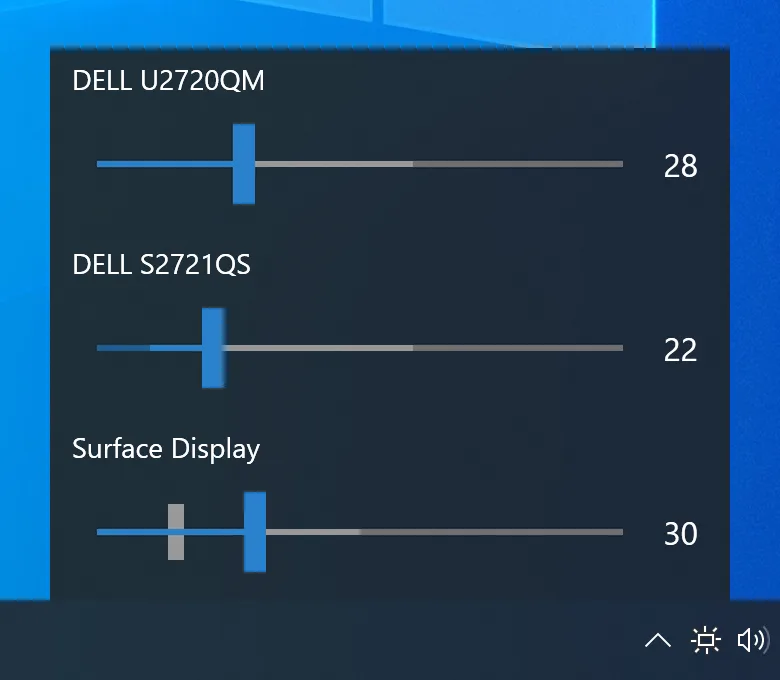
Monitorian puts brightness sliders for multiple displays in one Windows desktop panel. Adjust a laptop screen and compatible external monitors separately, or move their brightness together. You can rename monitors to distinguish them and change the adjustable brightness and contrast ranges for each display.
External monitor control depends on DDC/CI support across the monitor and its connection. If the monitor does not report the required brightness-control capabilities, Monitorian will not show it as controllable; a cable, adapter or dock can also prevent detection. The publisher lists Windows 7 or newer and .NET Framework 4.8 as requirements.
This download is the publisher-linked 4.16.2 installer ZIP, not the Microsoft Store edition. The standard interface shows up to four monitors at once. Hot-key and command-line add-ons are subscription features of the Store version, so they are not promised for this installer.
What it offers
- Adjust supported displays individually or move their brightness sliders in unison.
- Set adjustable brightness and contrast ranges for each monitor.
- Rename monitors in the panel to distinguish similar displays.
- Show adjusted brightness alongside the configured value on systems with an ambient light sensor.
Good to know
- External monitors must support and enable DDC/CI; incompatible cables, adapters or docks can prevent control.
- The standard interface displays up to four monitors at a time.
- Hot-key and command-line add-ons require a subscription to the Microsoft Store version; they are not included here.
Product images
Sources
References used for this listing. Retrieval dates do not indicate hands-on testing.
More in utilities
View category ↗
1.1.1.1 with WARP 2026.8.2115.0
Encrypt traffic from your Mac to Cloudflare’s network with WARP, or use DNS-only mode for encrypted DNS queries to the 1.1.1.1 resolver.
1.1.1.1 with WARP 2026.8.2115.0
Encrypt traffic between your Windows PC and Cloudflare, or use encrypted DNS only, with the free 1.1.1.1 with WARP app.


3uTools 9.12.005
Manage iPhone and iPad photos, music, apps and backups from Windows with 3uTools, a free utility that also includes device checks and firmware flashing tools.