

Utilities macOS
Mounty for NTFS for macOS
Remount NTFS drives in read-write mode on Mac with Mounty, a free menu-bar utility. Mounty 2 requires macFUSE and NTFS-3G for Mac in addition to the app.
- Operating system
- macOS 11 and later, according to the publisher's current-package label
- Architecture
- Selected DMG architecture not independently verified
- Download package
- DMG disk image
Mounty 2 requires macFUSE and NTFS-3G for Mac. Security approvals, disk access and a restart may be required. No installation or compatibility test performed.
Link checked · Download guidance
What is Mounty for NTFS?
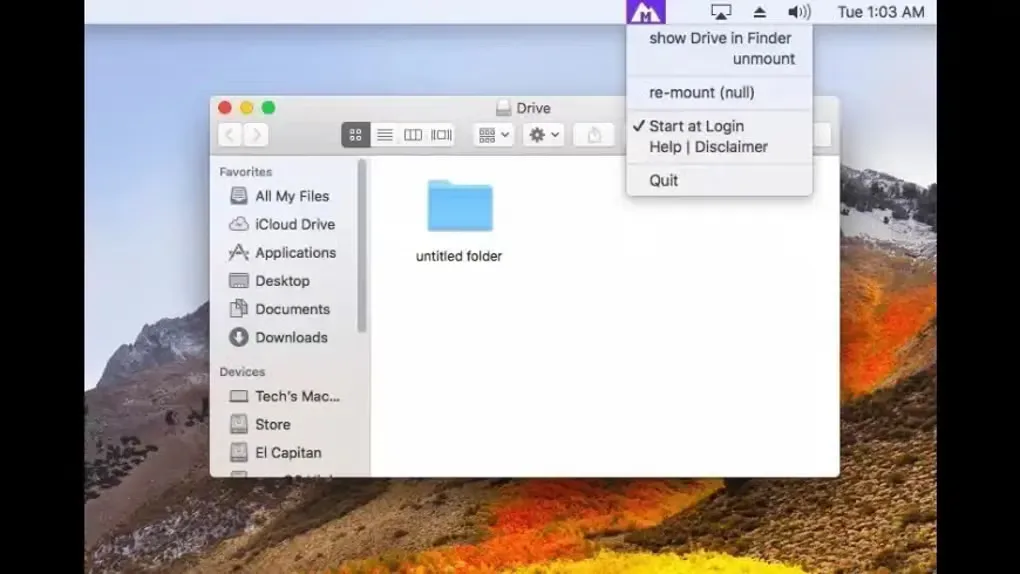
Mounty for NTFS gives Mac users a menu-bar interface for making supported NTFS volumes writable. It detects connected NTFS drives that are available to remount, reports mount status through its icon and offers a Finder shortcut to the mounted drive. This is useful when working with an NTFS drive shared with a Windows computer.
Mounty 2 is an interface for NTFS-3G, not a self-contained NTFS driver. The publisher requires both macFUSE and NTFS-3G for Mac; installing only the linked Mounty disk image does not supply those prerequisites. Security approvals, disk access and a restart may also be needed. The selected download is the publisher's version 2.4 DMG for macOS 11 and later, rather than its separate legacy macOS 10.x release.
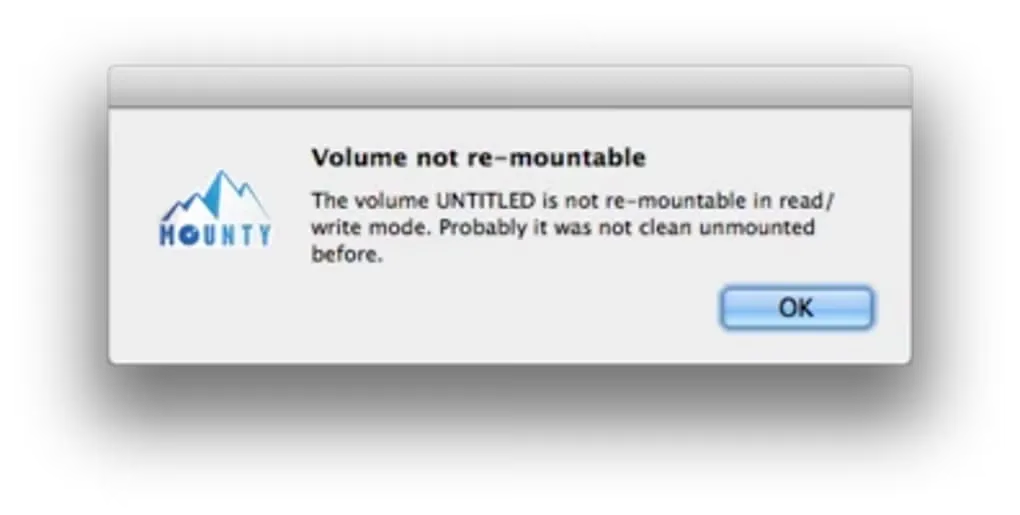
A drive that was not cleanly unmounted in Windows may refuse read-write remounting. Windows hibernation or Fast Start can also leave a system partition locked. Mounty's interface does not remove these underlying volume conditions. The gallery shows older macOS interface examples from the source listing, not a verified capture of version 2.4.
What it offers
- Remount eligible write-protected NTFS volumes in read-write mode through a menu-bar interface.
- Receive notifications when an NTFS volume is detected and available to remount.
- Check inactive, available, working, writable-mounted and failed states through the status icon.
- Open the mounted drive in Finder from the menu-bar utility.
Good to know
- Mounty 2 needs separate macFUSE and NTFS-3G for Mac installations; the Mounty DMG alone is not a complete driver setup.
- Volumes left uncleanly unmounted, or Windows system partitions locked by hibernation or Fast Start, may not remount in read-write mode.
- The publisher supplies the tool without warranty and prohibits unauthorized redistribution or download mirrors.
Product images
Sources
References used for this listing. Retrieval dates do not indicate hands-on testing.
- Mounty for NTFS - macOS re-mount tool ↗Retrieved
- Mounty for NTFS for Mac - Download ↗Retrieved
More in utilities
View category ↗
1.1.1.1 with WARP 2026.8.2115.0
Encrypt traffic from your Mac to Cloudflare’s network with WARP, or use DNS-only mode for encrypted DNS queries to the 1.1.1.1 resolver.
1.1.1.1 with WARP 2026.8.2115.0
Encrypt traffic between your Windows PC and Cloudflare, or use encrypted DNS only, with the free 1.1.1.1 with WARP app.

3uTools 9.12.005
Manage iPhone and iPad photos, music, apps and backups from Windows with 3uTools, a free utility that also includes device checks and firmware flashing tools.