
Utilities Windows
Mousotron
Count mouse clicks, cursor travel, scrolls and keystrokes with Mousotron for Windows. View activity counters on screen or keep the utility in the system tray.
- Operating system
- Windows; publisher says Windows (All), Softonic lists Windows 8
- Architecture
- Not specified in the inspected sources
- Download package
- EXE installer
No exact Windows build or processor architecture established. HEAD verification does not establish installation or runtime compatibility.
Link checked · Download guidance
What is Mousotron?
Mousotron measures mouse and keyboard activity across Windows applications. It counts left, right and middle clicks, double-clicks, extra mouse buttons, scroll-wheel movements and keystrokes, alongside cursor distance and idle time. It suits checking how much input activity a computer session involves rather than recording the content of your work.
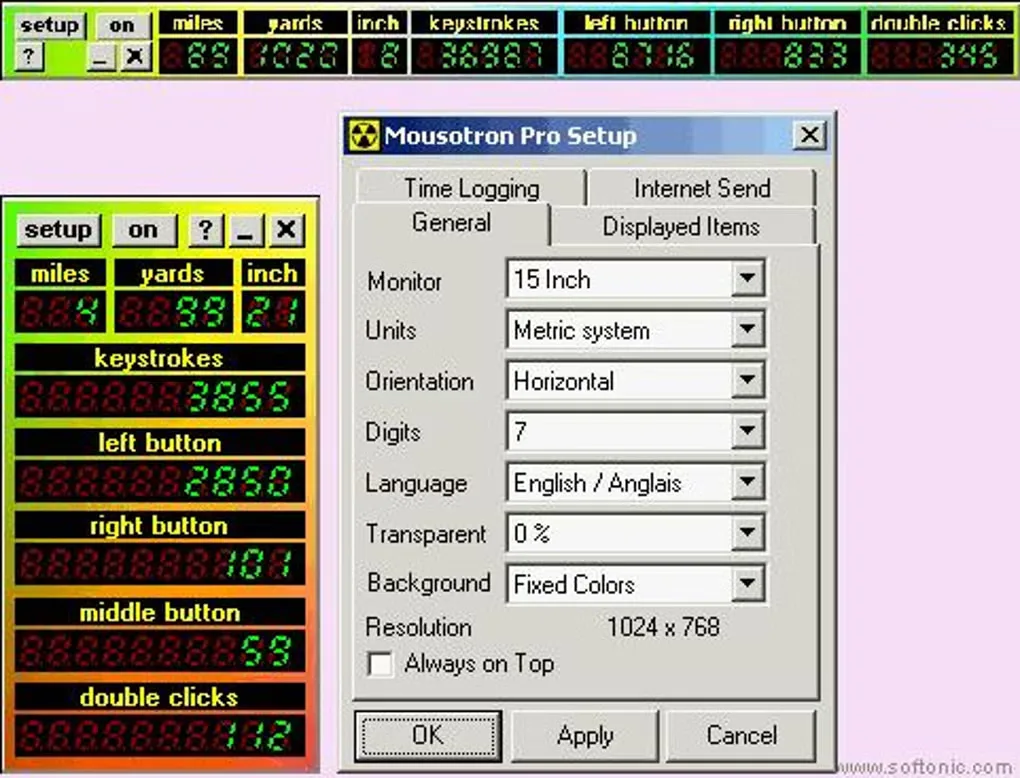
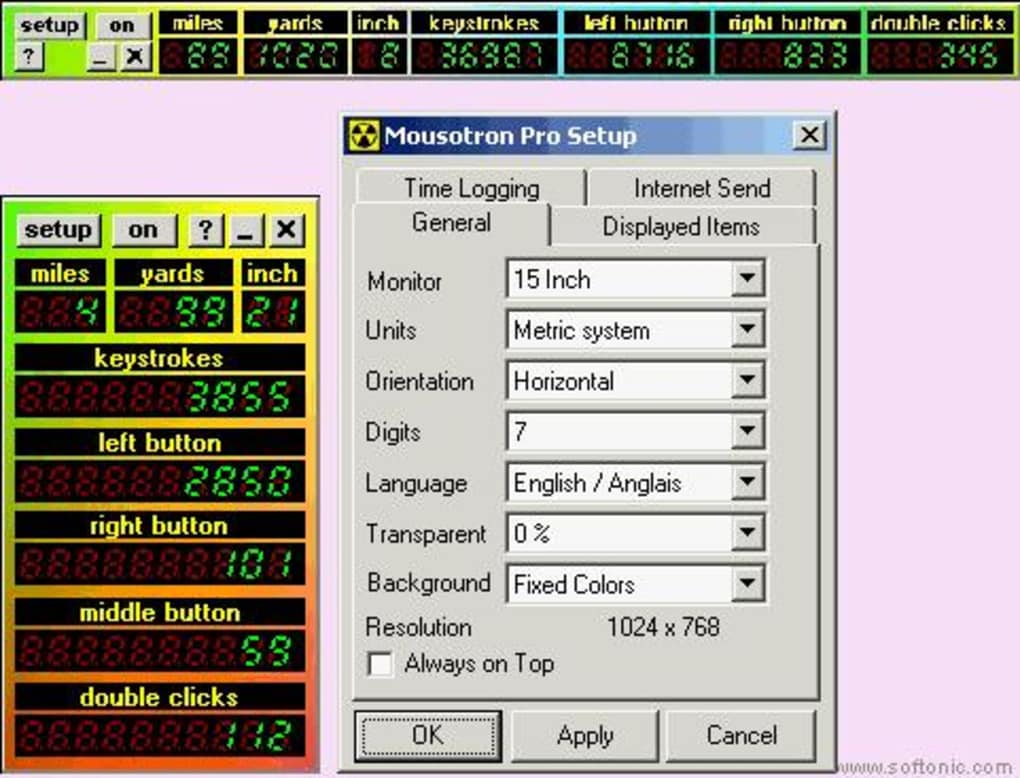
Choose which counters appear and arrange them horizontally or vertically. Distance can use metric or imperial units, and a stay-on-top setting keeps the display visible over other windows. Alternatively, leave Mousotron in the system tray. The publisher also lists distance history, time logging, counter import and export, and online score submission for comparing totals.
Mousotron uses system-wide mouse and keyboard hooks. Blacksun Software says it counts keystrokes without recording or storing the text you type; its online submission sends anonymous counters, according to the publisher. These are publisher statements, not an independent privacy audit.
The publisher advertises a free download and a separate US$20 professional license for commercial or business use. Its compatibility label is only Windows (All), while Softonic lists Windows 8; neither establishes verified support for a specific current Windows build. The linked EXE was checked with HEAD only, not downloaded or installed.
What it offers
- Count cursor travel, mouse-button clicks, double-clicks, extra-button clicks and wheel scrolls.
- Display keystroke totals, cursor coordinates, cursor speed and idle time.
- Select visible counters, metric or imperial units, horizontal or vertical layout, and stay-on-top mode.
- Keep counters running in the system tray, with start-minimized and run-on-startup options.
- Save distance history, log time, import or export counter values, and submit scores online.
Good to know
- Commercial and business use has a separately advertised US$20 professional license; do not assume the free offer covers organisational deployment.
- The publisher gives only a broad Windows (All) label, not an exact supported-build or processor-architecture list; compatibility was not tested.
- Keystrokes are counted as totals, not retained as typed-text history, according to the publisher.
Product images
Sources
References used for this listing. Retrieval dates do not indicate hands-on testing.
More in utilities
View category ↗
1.1.1.1 with WARP 2026.8.2115.0
Encrypt traffic from your Mac to Cloudflare’s network with WARP, or use DNS-only mode for encrypted DNS queries to the 1.1.1.1 resolver.
1.1.1.1 with WARP 2026.8.2115.0
Encrypt traffic between your Windows PC and Cloudflare, or use encrypted DNS only, with the free 1.1.1.1 with WARP app.

3uTools 9.12.005
Manage iPhone and iPad photos, music, apps and backups from Windows with 3uTools, a free utility that also includes device checks and firmware flashing tools.