

Utilities Windows
MSI Afterburner for Windows
Monitor your GPU, adjust clock settings and create custom fan curves with MSI Afterburner, a free graphics-card tuning utility for Windows.
Version 4.6.6 (build 16757) · Direct publisher file
Link checked · Download guidance
What is MSI Afterburner?
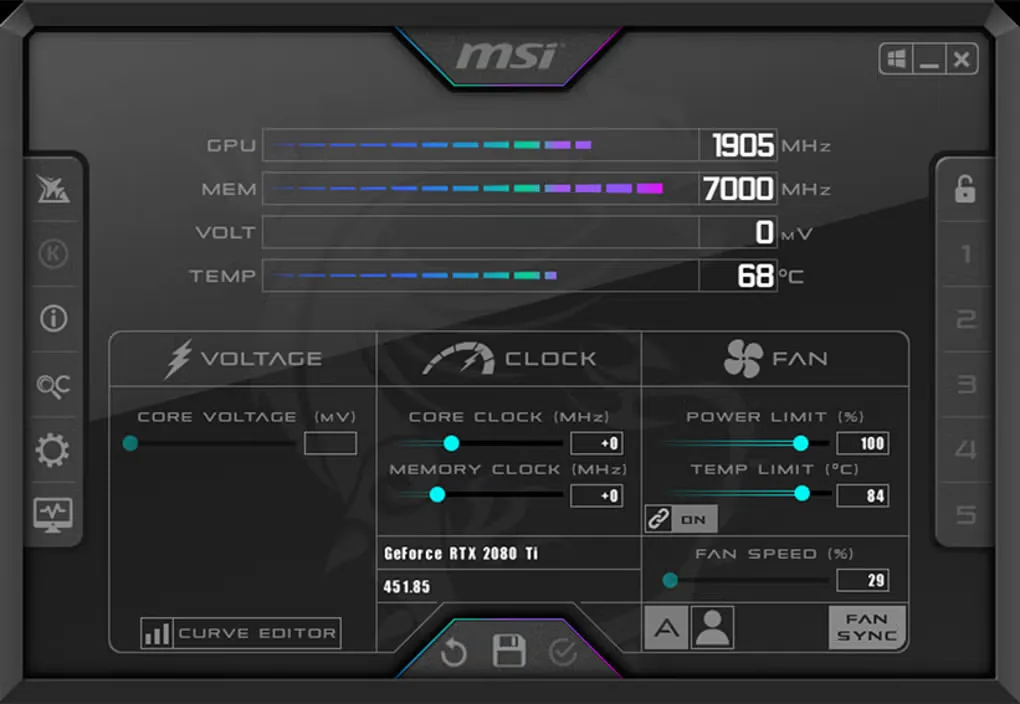
MSI Afterburner brings graphics-card monitoring and tuning into one Windows interface. It displays hardware readings while providing controls for GPU and memory clocks, voltage and fan settings. Saved profiles let experienced users return to their preferred configurations, and custom fan curves let them adjust cooling behavior. MSI offers the application free of charge for graphics cards from multiple brands, not just MSI.
For in-game performance information, its on-screen display works with RivaTuner Statistics Server. Overclocking requires care: unsuitable settings can cause application errors or overheating, so this is not a beginner-friendly automatic performance fix.
The linked ZIP is the developer-posted MSI Afterburner 4.6.6 build 16757, originally shared as a release candidate before the official 4.6.6 rollout. MSI also lists a separate 4.6.7 beta. This entry does not claim the ZIP is the newest release or that its installer has been run or independently tested.
What it offers
- View real-time graphics-card hardware readings.
- Adjust GPU and memory clocks, voltage and fan settings.
- Create custom fan-speed curves and save tuning profiles.
- Display in-game performance information with RivaTuner Statistics Server.
Good to know
- Intended for experienced users; unsuitable overclocking settings can cause application errors or overheating.
- The linked 4.6.6 build 16757 ZIP was initially posted as a release candidate; a separate 4.6.7 beta is listed by MSI.
Product images
Sources
References used for this listing. Retrieval dates do not indicate hands-on testing.
More in utilities
View category ↗
1.1.1.1 with WARP 2026.8.2115.0
Encrypt traffic from your Mac to Cloudflare’s network with WARP, or use DNS-only mode for encrypted DNS queries to the 1.1.1.1 resolver.
1.1.1.1 with WARP 2026.8.2115.0
Encrypt traffic between your Windows PC and Cloudflare, or use encrypted DNS only, with the free 1.1.1.1 with WARP app.

3uTools 9.12.005
Manage iPhone and iPad photos, music, apps and backups from Windows with 3uTools, a free utility that also includes device checks and firmware flashing tools.