

Utilities Windows
Multi Commander for Windows
Manage folders side by side with Multi Commander, a free Windows file manager with tabs, archive browsing, batch renaming and scripting.
- Operating system
- Windows 10 and Windows 11; publisher also lists older Windows versions
- Architecture
- x64 (64-bit)
- Download package
- EXE installer
Selected download is the 64-bit normal edition. Separate 32-bit and portable packages are available. Windows XP requires the separate XP edition.
Link checked · Download guidance
What is Multi Commander?
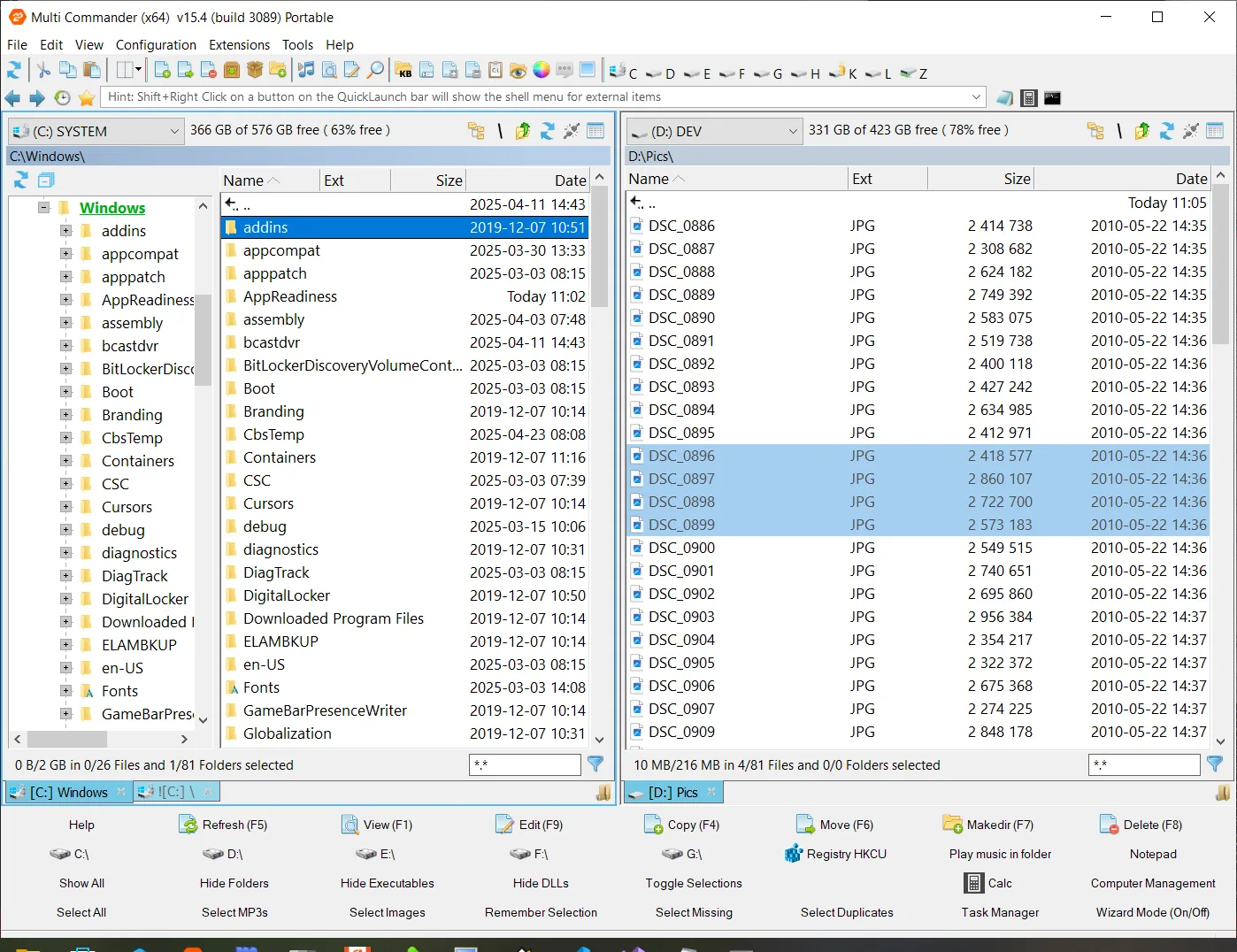
Multi Commander is an alternative to Windows Explorer for working across multiple folders. Its dual-pane layout puts two locations side by side, with tabs for keeping additional folders open. Copy, move and rename files using the mouse or keyboard shortcuts, browse inside supported archives, or narrow a folder view with filters.
For repetitive work, the MultiRename tool applies renaming rules to groups of files and folders, while built-in scripting can automate tasks. The publisher also lists file search, an internal file viewer and FTP access with SSL/TLS support.
This entry links to the Windows 64-bit EXE installer for version 16.6, build 3230. Separate 32-bit and portable ZIP packages are available from the publisher. The normal edition no longer runs on Windows XP; that system requires the separate XP edition. The screenshot illustrates the publisher's older v15.4 Portable interface, not a tested installation of the linked release.
What it offers
- Use a dual-pane, tabbed interface to work with multiple folders.
- Browse supported archives, including ZIP, 7-Zip, RAR and TAR.
- Apply rules to batch file and folder names with the MultiRename tool.
- Automate repetitive tasks with built-in scripting.
- Search and view files, or access FTP locations with SSL/TLS support.
Good to know
- The normal edition does not run on Windows XP; use the separate XP edition for that operating system.
Product images
Sources
References used for this listing. Retrieval dates do not indicate hands-on testing.
More in utilities
View category ↗
1.1.1.1 with WARP 2026.8.2115.0
Encrypt traffic from your Mac to Cloudflare’s network with WARP, or use DNS-only mode for encrypted DNS queries to the 1.1.1.1 resolver.
1.1.1.1 with WARP 2026.8.2115.0
Encrypt traffic between your Windows PC and Cloudflare, or use encrypted DNS only, with the free 1.1.1.1 with WARP app.


3uTools 9.12.005
Manage iPhone and iPad photos, music, apps and backups from Windows with 3uTools, a free utility that also includes device checks and firmware flashing tools.