

Utilities Windows
My Commander for Windows
Manage files in a tabbed, dual-pane Windows interface with My Commander, a free file manager with archive tools, remote connections and built-in viewers.
Version 4.0 · Direct publisher file
Link checked · Download guidance
What is My Commander?
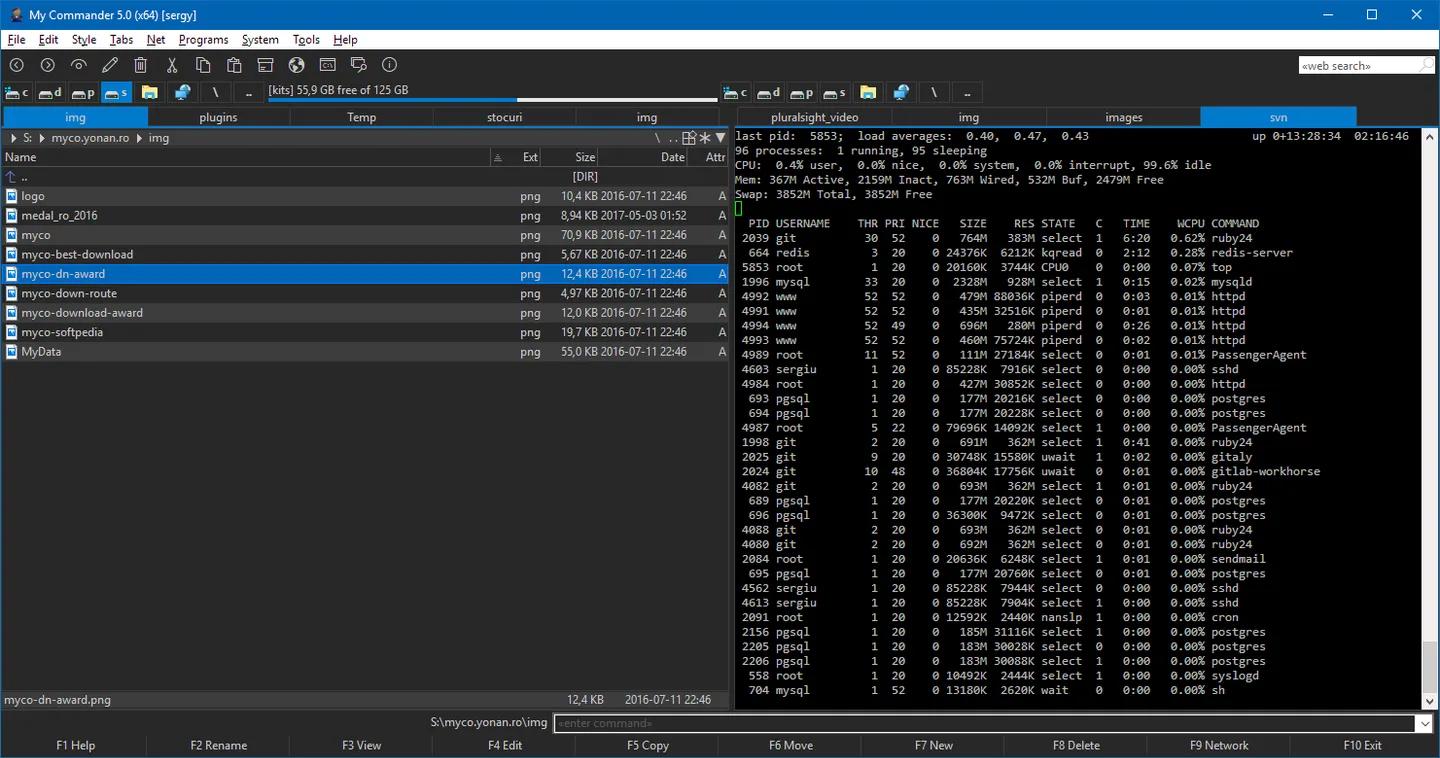
My Commander, also called MyCO, brings file browsing, archive tools and remote file access into one Windows application. Its dual-pane, tabbed layout lets you keep multiple locations available while copying, moving or renaming files. Folder comparison, file filters and multi-rename tools help with organizing larger collections.
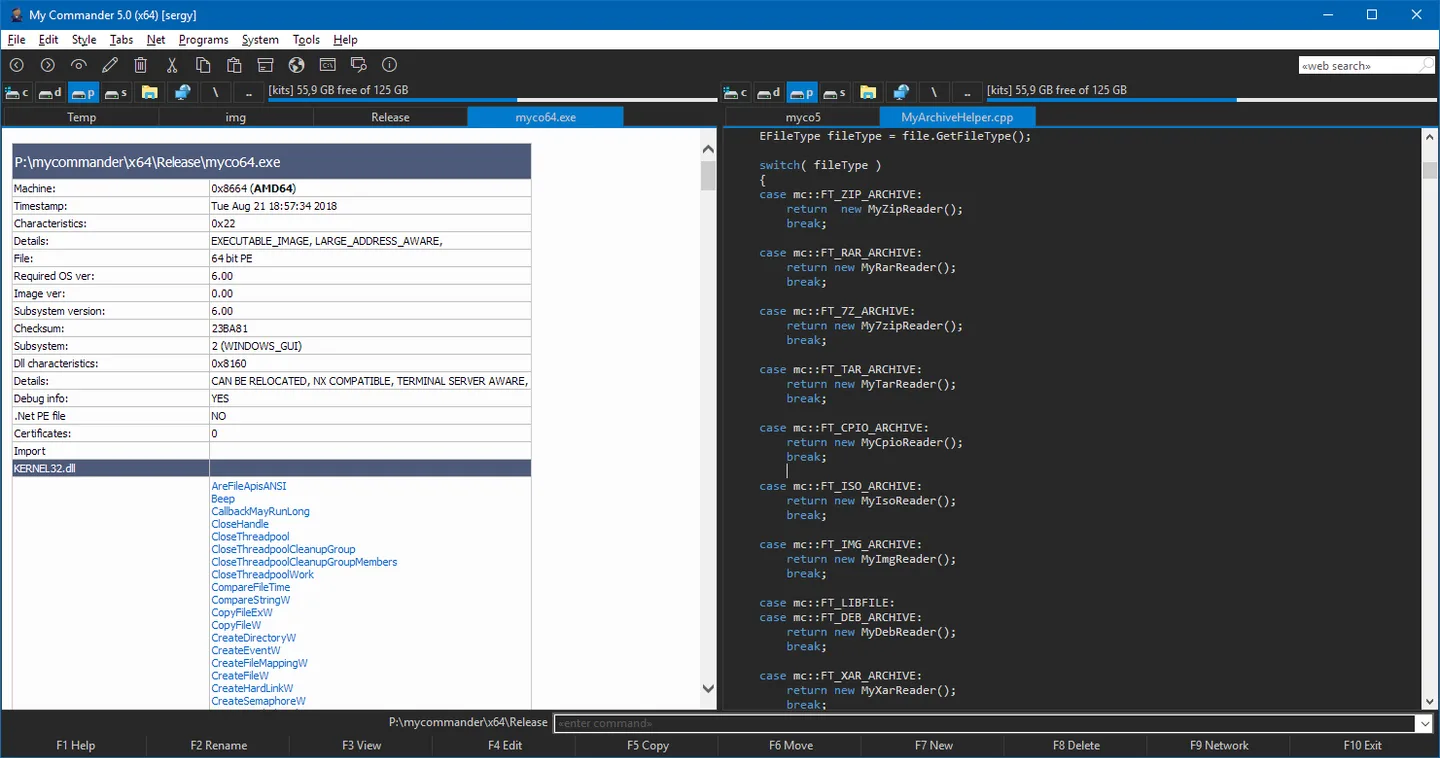
The publisher lists FTP, SCP and SFTP connections plus an SSH terminal. Built-in viewers cover images, text, hexadecimal data and executable files, while the editor supports syntax coloring for languages including C, C++, Java, C# and PHP. Archive creation and extraction include ZIP, 7Z, TAR and CPIO.
This entry links to the publisher's stable 4.0 ZIP, not the separate 5.0 beta/nightly download. The publisher's gallery screenshots show 5.0 (x64), so they illustrate the application's interface rather than confirm the appearance or architecture of the stable package. In the 4.0 notes, WebDAV support is experimental and embedded Office viewing requires Microsoft Office; otherwise a text viewer is used.
What it offers
- Browse files in two panels with tabs and customizable themes.
- Use folder comparison, file filters and multi-rename tools to organize files.
- Connect through FTP, SCP or SFTP, with an integrated SSH terminal.
- Create and extract supported archives, including ZIP, 7Z, TAR and CPIO.
- View images, text, hexadecimal data and executable information, and edit code with syntax coloring.
Good to know
- WebDAV and WebDAVS support is marked experimental in the publisher's 4.0 release notes.
- Embedded Office viewing requires Microsoft Office to be installed; otherwise the application uses its text viewer.
- The linked stable package is 4.0; the publisher gallery images depict 5.0 (x64), not a verified view of that package.
Product images
Sources
References used for this listing. Retrieval dates do not indicate hands-on testing.
More in utilities
View category ↗
1.1.1.1 with WARP 2026.8.2115.0
Encrypt traffic from your Mac to Cloudflare’s network with WARP, or use DNS-only mode for encrypted DNS queries to the 1.1.1.1 resolver.
1.1.1.1 with WARP 2026.8.2115.0
Encrypt traffic between your Windows PC and Cloudflare, or use encrypted DNS only, with the free 1.1.1.1 with WARP app.

3uTools 9.12.005
Manage iPhone and iPad photos, music, apps and backups from Windows with 3uTools, a free utility that also includes device checks and firmware flashing tools.