
Development Windows
My Visual Database
Build Windows database applications with visual table and form designers, a report designer and sample projects for tasks such as inventory and invoicing.
- Operating system
- Windows; publisher lists XP, 7, 8 and 10 for generated applications
- Architecture
- Not specified in the cited publisher sources
- Download package
- EXE download
Windows 11 support is unverified. The publisher-linked EXE was checked with HEAD only; no installation or executable-version inspection was performed.
Link checked · Download guidance
What is My Visual Database?
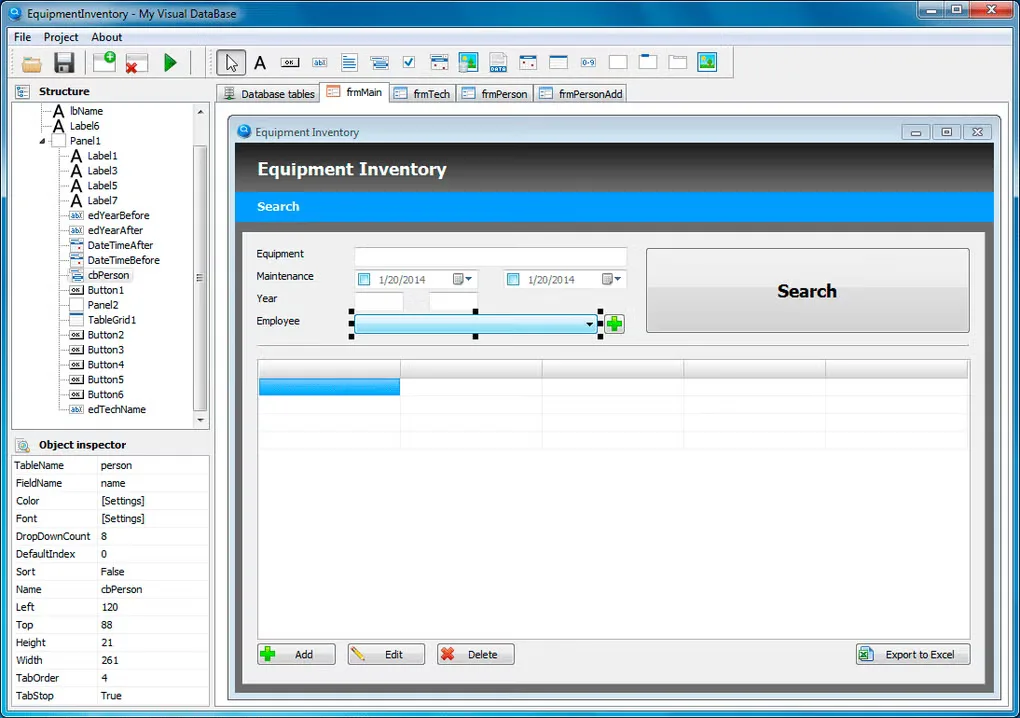
My Visual Database is a Windows development tool for turning structured records into a desktop database application. You design the tables, arrange forms and create reports, rather than starting with a general-purpose programming environment. The publisher includes ten sample databases covering uses such as equipment tracking, library records and invoicing; these can be used as supplied or adapted.
The publisher describes the generated application as self-contained in one folder that can be copied to another computer or external drive. Basic forms and databases can be designed without writing code, but more sophisticated database work benefits from SQL knowledge. The visual tools do not remove the need to understand the data your application will manage.
Version 6.5 is identified on the publisher's product and purchase pages, with a release date of February 4, 2021. This is shareware with evaluation access and paid registration, not an unrestricted freeware license. The publisher lists Windows XP, 7, 8 and 10 for generated applications; Windows 11 compatibility and package architecture are not established by the sources used here. The screenshot illustrates an older interface from the Softonic gallery, not a verified capture of version 6.5.
What it offers
- Design database tables visually.
- Arrange application forms with a visual user-interface designer.
- Create reports with the built-in Report Designer.
- Compile a database project into a self-contained Windows application.
- Start from sample projects for inventory, invoicing, library records and other database tasks.
Good to know
- More sophisticated database designs benefit from SQL skills; the visual designer does not make every database task code-free.
- Commercial use and selling or distributing your generated applications are listed as paid registration benefits.
- The publisher's listed Windows versions stop at Windows 10; Windows 11 compatibility is not established by the cited evidence.
Product images
Sources
References used for this listing. Retrieval dates do not indicate hands-on testing.
- My Visual Database — official product homepage ↗Retrieved
- My Visual Database — Purchase ↗Retrieved
- My Visual Database — About Us ↗Retrieved
- Version 6.5 — official publisher announcement ↗Retrieved
- My Visual Database - Download ↗Retrieved
More in development
View category ↗
010 Editor 17.0
Inspect and edit binary files on Mac with 010 Editor, a paid text and hex editor with Binary Templates, file comparison and a 30-day trial.
010 Editor 17.0
Inspect and edit binary files with 010 Editor for Windows, a text and hex editor with Binary Templates, file comparison and scripting. Includes a 30-day trial.
10x Editor
Edit and navigate C++ projects on Windows with a built-in parser, workspace search and Visual Studio project support. A paid license is required after the 30-day trial.