
Utilities macOS
NameChanger
Rename batches of files on Mac with text replacement, sequences, dates and regular expressions, while previewing the resulting filenames before applying changes.
- Operating system
- OS X 10.13 or later, as specified by MRR Software
- Architecture
- Universal Build (publisher label)
- Download package
- ZIP archive
Publisher labels the linked 3.4.4 package Universal Build. Softonic lists macOS 10.15; publisher requirements take precedence. No local installation or architecture inspection was performed.
Link checked · Download guidance
What is NameChanger?
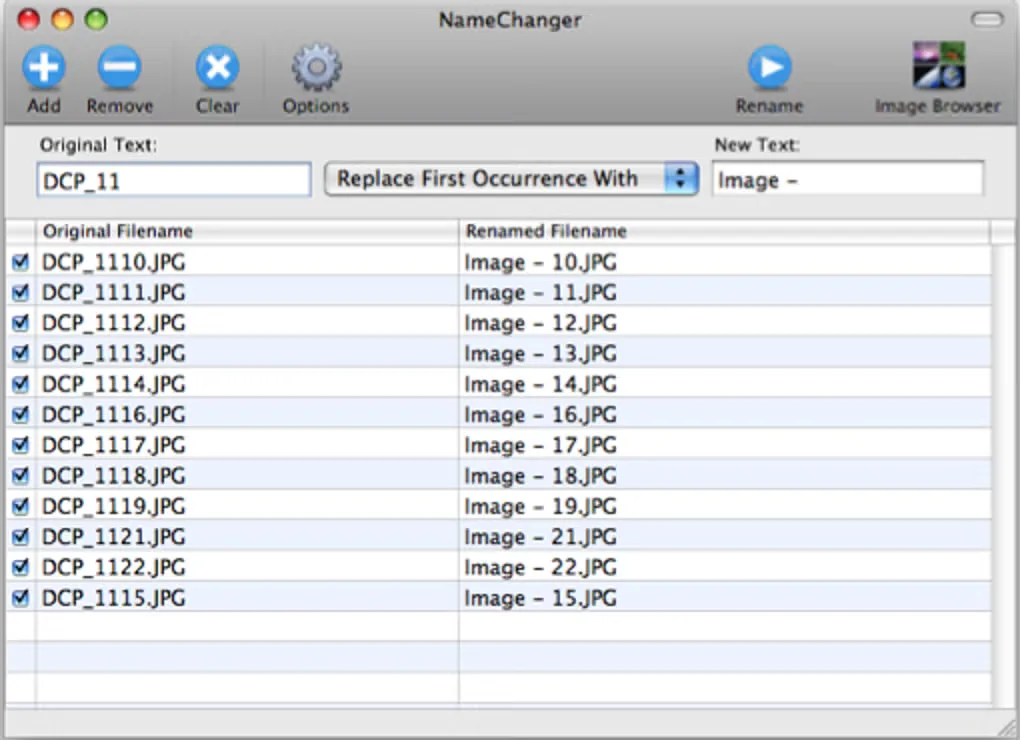
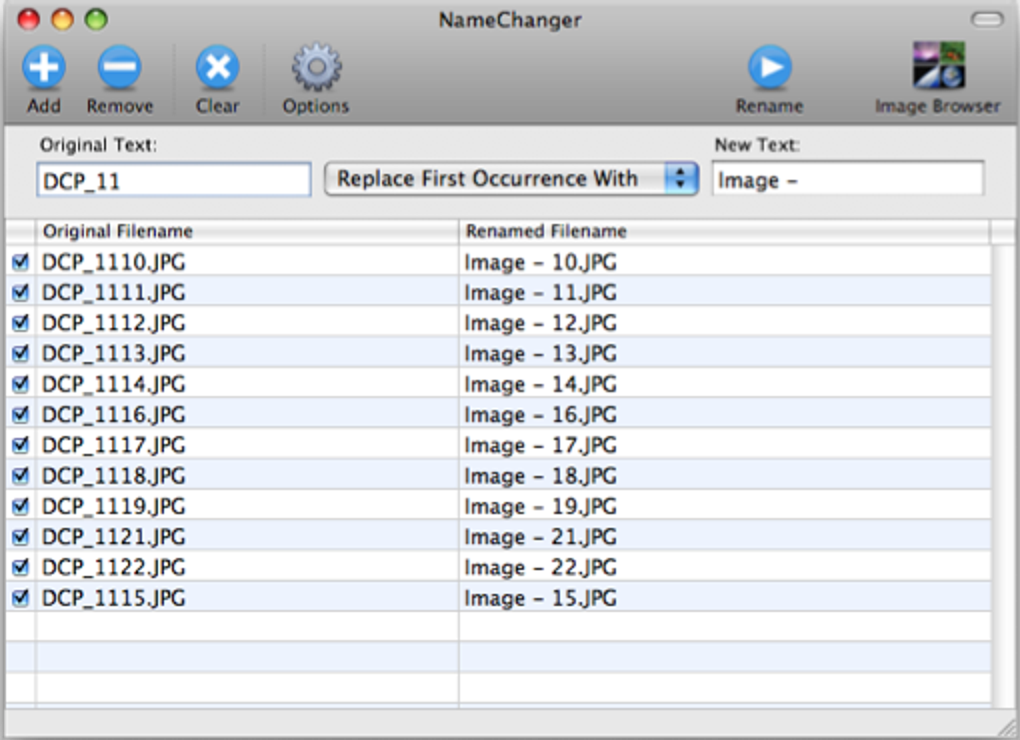
NameChanger is a free Mac utility for renaming a list of files. Add files through its window or drag and drop them onto the app, choose a renaming operation, and compare the Original Filename and Renamed Filename columns before clicking Rename. It suits organizing photo filenames or applying a consistent naming pattern to a group of documents.
Renaming options include replacing text, adding prefixes or suffixes, inserting or removing characters, changing case, and using dates, sequences or regular expressions. You can select which files a batch affects, hide extensions while editing names, and use the Image Browser to visually name and reorder pictures.
NameChanger cannot rename files you do not have permission to modify; the publisher says these appear as grayed-out rows. The linked 3.4.4 ZIP is labeled a Universal Build for OS X 10.13 or later by MRR Software. The gallery screenshot shows an earlier interface appearance and is not proof of the exact 3.4.4 layout.
What it offers
- Preview resulting names beside original filenames as you enter a renaming rule.
- Replace text, append or prepend text, insert or remove characters, and change letter case.
- Build filenames with dates, sequences, wildcards or regular expressions.
- Choose individual files within a batch and hide extensions while changing names.
- Use the Image Browser for visual naming and reordering of pictures.
Good to know
- Files you lack permission to modify cannot be renamed; the publisher identifies them with grayed-out rows.
- The linked build requires OS X 10.13 or later; the publisher lists separate previous versions for older systems.
Product images
Sources
References used for this listing. Retrieval dates do not indicate hands-on testing.
- NameChanger - MRR Software ↗Retrieved
- NameChanger EULA - MRR Software ↗Retrieved
- NameChanger for Mac - Download ↗Retrieved
More in utilities
View category ↗
1.1.1.1 with WARP 2026.8.2115.0
Encrypt traffic from your Mac to Cloudflare’s network with WARP, or use DNS-only mode for encrypted DNS queries to the 1.1.1.1 resolver.
1.1.1.1 with WARP 2026.8.2115.0
Encrypt traffic between your Windows PC and Cloudflare, or use encrypted DNS only, with the free 1.1.1.1 with WARP app.

3uTools 9.12.005
Manage iPhone and iPad photos, music, apps and backups from Windows with 3uTools, a free utility that also includes device checks and firmware flashing tools.