

Utilities Windows
NAPS2 for Windows
Scan documents to PDF, TIFF, JPEG or PNG with NAPS2 for Windows. Rearrange pages, crop scans and add searchable text with OCR in this free, open-source scanning app.
- Operating system
- Windows 10 and 11
- Architecture
- x64
- Download package
- EXE installer
This link is the x64 installer. Separate ARM64 EXE, x64 MSI and x64 portable ZIP packages are listed by the publisher.
Link checked · Download guidance
What is NAPS2?
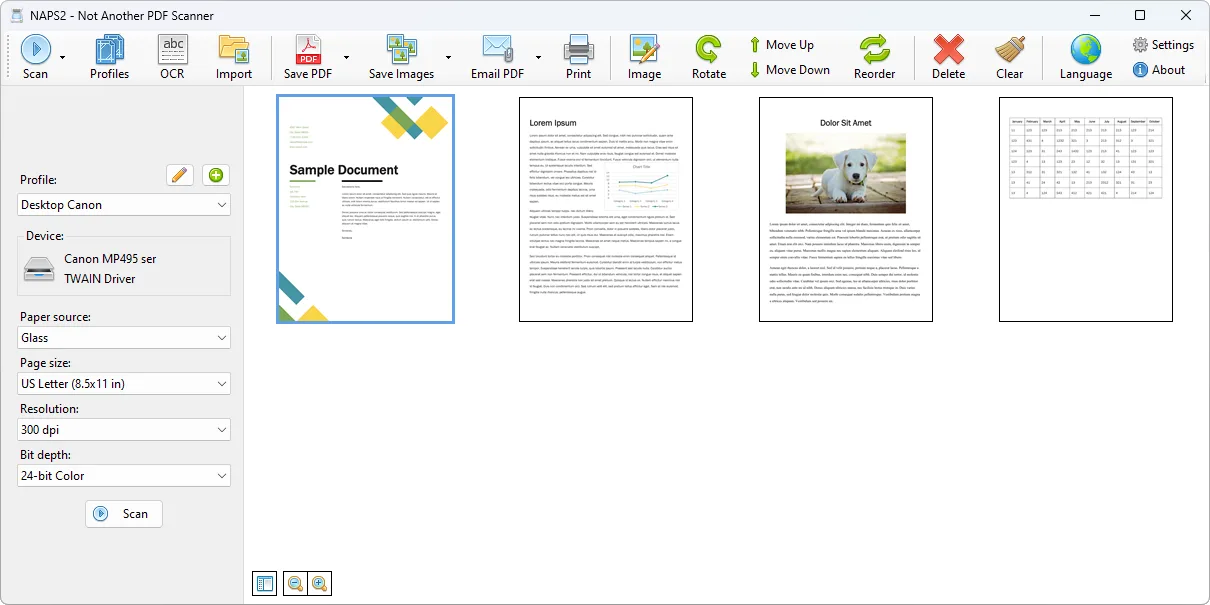
NAPS2 (Not Another PDF Scanner) turns scanned pages into PDFs or image files. It suits collecting a multi-page document, putting pages in the right order and saving a searchable PDF rather than a folder of separate scans. Scan profiles hold device settings such as page size, resolution and color depth for repeated jobs.
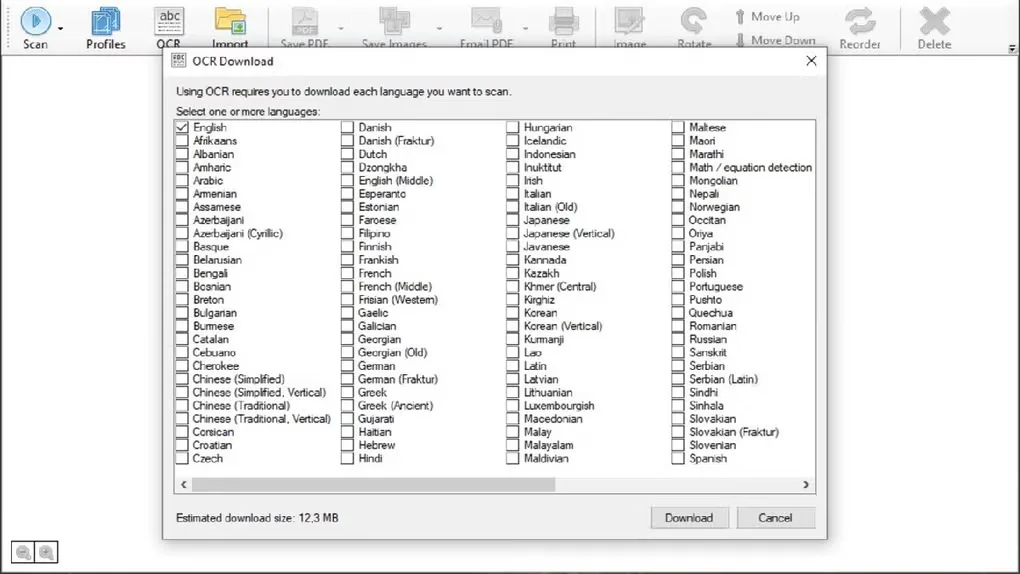
On Windows, NAPS2 supports WIA and TWAIN drivers, plus ESCL for compatible network scanners. It can scan from a flatbed or automatic document feeder, with duplex support where the scanner provides it. Before saving, you can rotate, deskew, crop and rearrange pages, or adjust brightness and contrast. OCR adds text recognition in over 100 languages.
This entry links to the publisher's version 8.6.0 x64 EXE installer for Windows 10 and 11. ARM64, MSI and portable packages are separate choices on the official download page. Windows 7, 8 and 8.1 need an older NAPS2 release. Scanner availability also depends on the connection and driver: WIA and TWAIN may require the manufacturer's driver before a device appears.
What it offers
- Save scanned documents as PDF, TIFF, JPEG or PNG.
- Create scan profiles with device, page size, resolution and color-depth settings.
- Use WIA or TWAIN drivers, or ESCL with compatible network scanners; scan from a flatbed or document feeder.
- Rearrange, rotate, deskew and crop pages; adjust brightness and contrast before saving.
- Use OCR in over 100 languages to make text in scanned PDFs searchable.
Good to know
- The current release supports Windows 10 and 11; Windows 7, 8 and 8.1 require the older 7.5.3 release.
- WIA and TWAIN use the scanner manufacturer's driver. A missing device may require installing that driver or choosing another supported driver type.
Product images
Sources
References used for this listing. Retrieval dates do not indicate hands-on testing.
- NAPS2 - Scan documents to PDF and more ↗Retrieved
- Download - NAPS2 ↗Retrieved
- Windows Scanning - NAPS2 ↗Retrieved
- NAPS2 repository LICENSE ↗Retrieved
- NAPS2 - Download ↗Retrieved
More in utilities
View category ↗
1.1.1.1 with WARP 2026.8.2115.0
Encrypt traffic from your Mac to Cloudflare’s network with WARP, or use DNS-only mode for encrypted DNS queries to the 1.1.1.1 resolver.
1.1.1.1 with WARP 2026.8.2115.0
Encrypt traffic between your Windows PC and Cloudflare, or use encrypted DNS only, with the free 1.1.1.1 with WARP app.

3uTools 9.12.005
Manage iPhone and iPad photos, music, apps and backups from Windows with 3uTools, a free utility that also includes device checks and firmware flashing tools.