

Utilities macOS
Netiquette for macOS
Inspect Mac network connections by process, find listening sockets and export connection details to JSON with Netiquette, an open-source network monitor.
Version 2.3.0 · Direct publisher file
Link checked · Download guidance
What is Netiquette?
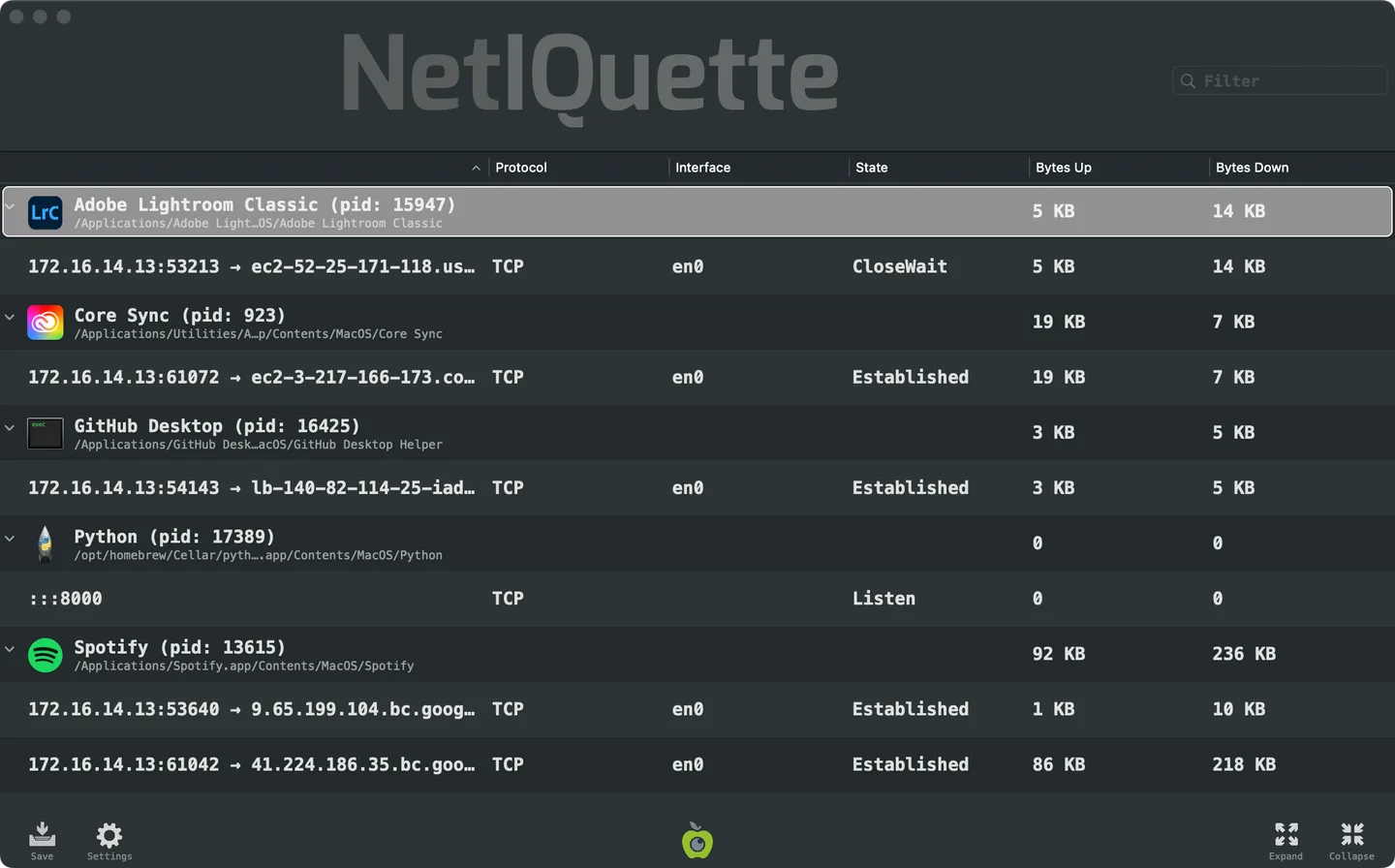
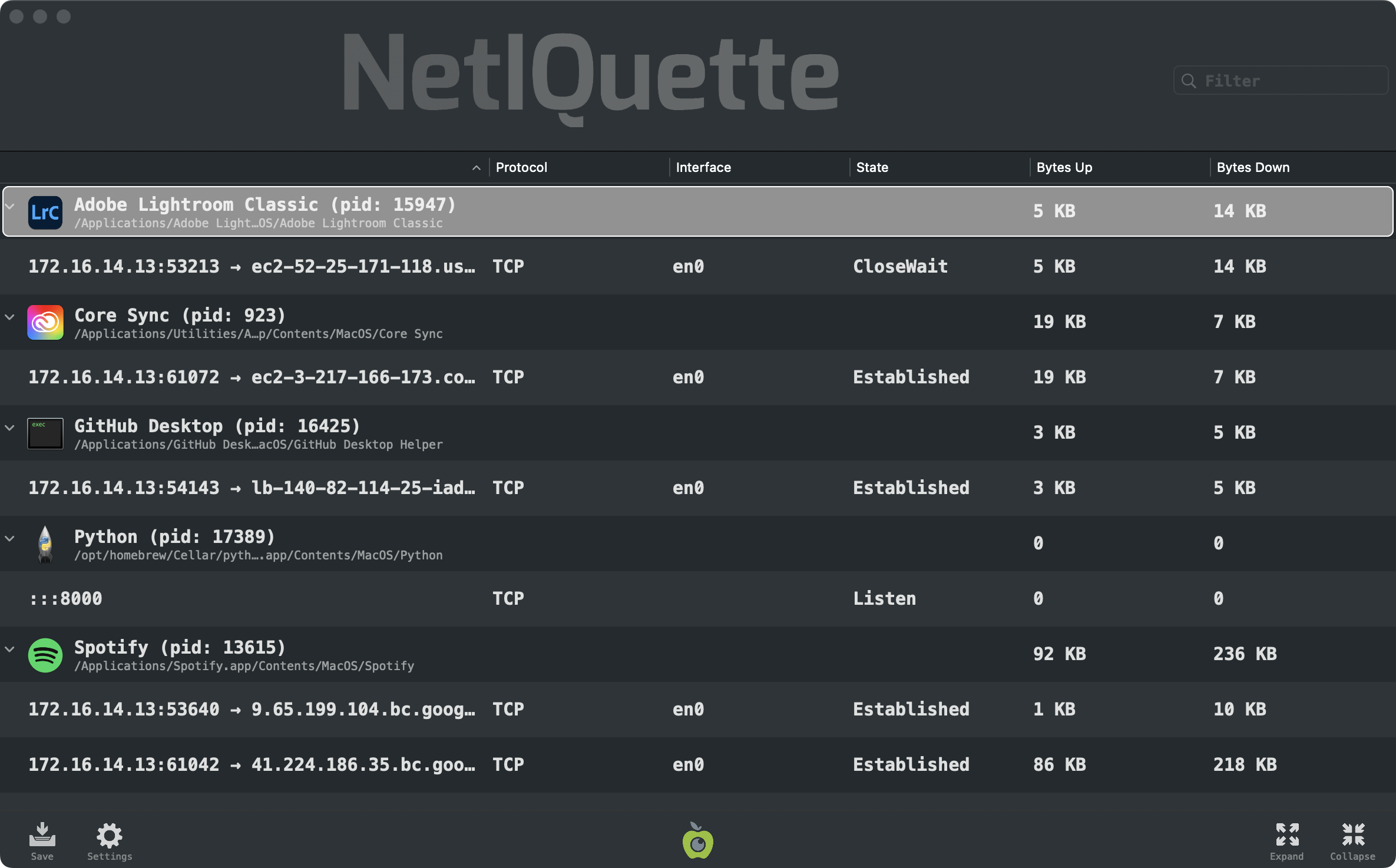
Netiquette shows which processes on your Mac have active network connections or listening sockets. Its expandable connection list includes local and remote addresses, ports, protocol, interface, connection state and uploaded or downloaded byte counts. Use the filter to narrow the view by process name, path, PID or network details; filtering for Listen helps locate listening sockets.
The app refreshes its view automatically and can export network activity to a JSON file. A command-line interface also lists connections as JSON, with options for DNS hostname resolution and readable formatting. The publisher lists macOS 10.15 or later and distributes the app in a ZIP archive that you extract before opening.
Apple processes are hidden by default, so the initial view is not a complete view of those processes' network activity. Change that setting when you need to include them.
What it offers
- Group network connections and listening sockets under the responsible process.
- Inspect addresses, ports, protocol, interface, state and uploaded or downloaded bytes.
- Filter by process name, path, PID, IP address, port, interface or connection state.
- Save network activity to JSON from the graphical interface.
- List connections from the command line, with optional DNS hostname resolution and pretty-printed JSON.
Good to know
- Apple processes are hidden by default; change the setting to include their network activity.
- The publisher requires macOS 10.15 or later.
Product images
Sources
References used for this listing. Retrieval dates do not indicate hands-on testing.
More in utilities
View category ↗
1.1.1.1 with WARP 2026.8.2115.0
Encrypt traffic from your Mac to Cloudflare’s network with WARP, or use DNS-only mode for encrypted DNS queries to the 1.1.1.1 resolver.
1.1.1.1 with WARP 2026.8.2115.0
Encrypt traffic between your Windows PC and Cloudflare, or use encrypted DNS only, with the free 1.1.1.1 with WARP app.

3uTools 9.12.005
Manage iPhone and iPad photos, music, apps and backups from Windows with 3uTools, a free utility that also includes device checks and firmware flashing tools.