

Utilities Windows
NetLimiter for Windows
Monitor Windows application traffic, set upload and download limits, and block selected connections with NetLimiter. The publisher offers a 28-day trial.
Version 5.3.28.0 · Direct publisher file
Link checked · Download guidance
What is NetLimiter?
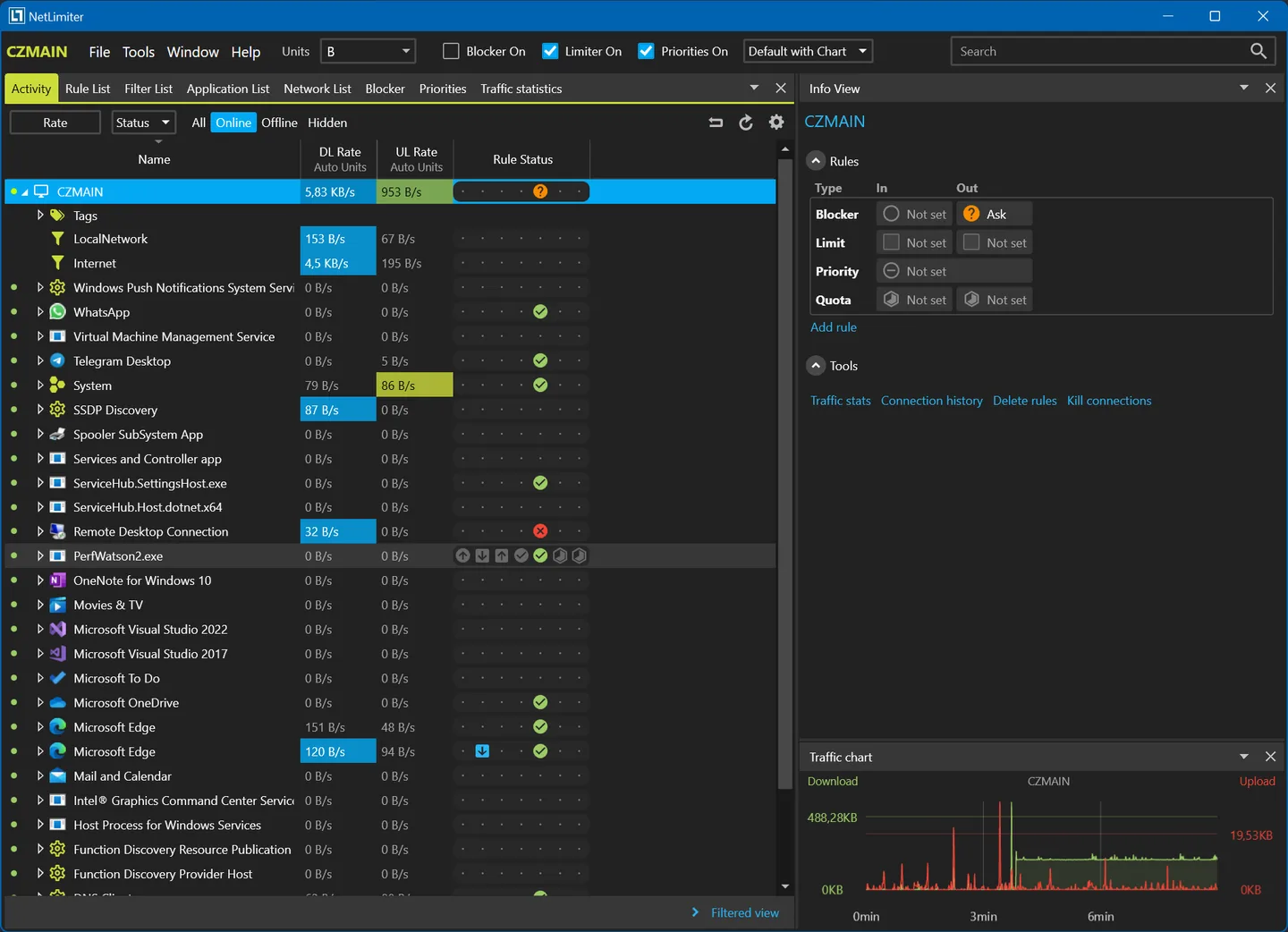
NetLimiter shows which Windows applications are transferring data and lets you control their network use. Set a transfer-speed limit for an application or connection, adjust bandwidth priorities, or create a blocker rule for traffic you do not want to allow. Its live traffic chart helps you compare activity while its locally stored statistics let you examine past usage.
Filters group traffic by conditions such as application paths, domains, IP ranges or users. Apply limits and blocker rules to those filters, or use a data quota to trigger a rule when a transfer allowance is reached. This makes NetLimiter useful when you need more control than simply watching total network speed.
The download is the publisher's Windows EXE installer for version 5.3.28.0, released on October 9, 2026. Installation and proper operation require administrator privileges. The 28-day trial is not a permanent full-featured free license: paid license periods must be renewed to keep all features available. The screenshot comes from the publisher's NetLimiter 5 gallery; it illustrates the interface rather than documenting a local installation or this exact patch release.
What it offers
- Set maximum upload and download speeds for applications, users or individual connections, and adjust bandwidth priorities.
- Monitor per-application traffic in real time with a traffic chart.
- Create connection-blocking rules and filters based on application paths, domain names, IP ranges or users.
- Review locally stored long-term traffic statistics and set data quotas that can enable rules.
Good to know
- The trial lasts 28 days; retaining all features requires a paid license and renewal at the end of its selected period.
- Installation and proper operation require administrator privileges on Windows.
Product images
Sources
References used for this listing. Retrieval dates do not indicate hands-on testing.
- NetLimiter — Internet traffic control and monitoring tool for Windows ↗Retrieved
- Download — NetLimiter ↗Retrieved
- NetLimiter 5.3.28.0 — release notes ↗Retrieved
- System requirements — NetLimiter documentation ↗Retrieved
- Buy — NetLimiter ↗Retrieved
- Screenshots — NetLimiter ↗Retrieved
- NetLimiter - Download ↗Retrieved
More in utilities
View category ↗
1.1.1.1 with WARP 2026.8.2115.0
Encrypt traffic from your Mac to Cloudflare’s network with WARP, or use DNS-only mode for encrypted DNS queries to the 1.1.1.1 resolver.
1.1.1.1 with WARP 2026.8.2115.0
Encrypt traffic between your Windows PC and Cloudflare, or use encrypted DNS only, with the free 1.1.1.1 with WARP app.


3uTools 9.12.005
Manage iPhone and iPad photos, music, apps and backups from Windows with 3uTools, a free utility that also includes device checks and firmware flashing tools.