
Utilities Windows
NFOPad for Windows
View NFO ASCII art and edit text with NFOPad, a free Windows editor with Unicode support, customizable fonts and search-and-replace tools.
- Operating system
- Windows XP, Vista, 7, 8 and 10 (publisher-listed)
- Architecture
- Not specified by the publisher source
- Download package
- EXE installer
Windows 11 compatibility is unconfirmed. The publisher offers a separate portable edition; this link selects the installer.
Link checked · Download guidance
What is NFOPad?
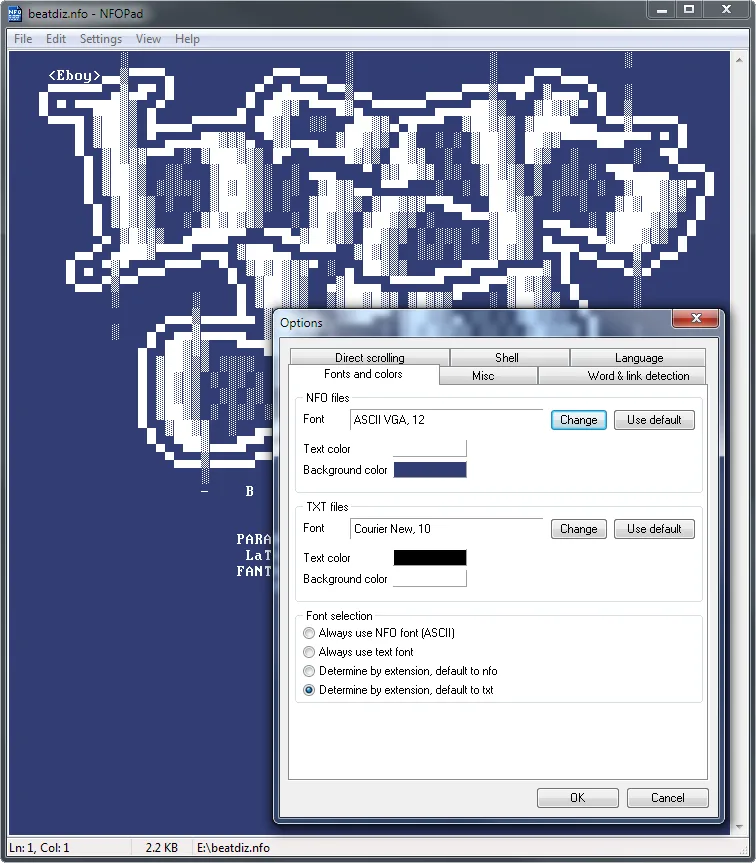
NFOPad combines a text editor with an NFO viewer. Its built-in ASCII fonts help display artwork in NFO files, while separate font and color settings let you give ordinary text files a different appearance. It can choose the font according to the file extension and also supports Unicode text.
For editing, NFOPad offers search and replace, text zoom, alphabetical sorting of selected lines and printing. Hyperlink and email detection, optional shell integration and next/previous-file navigation provide shortcuts for working with files.
The publisher lists version 1.81, released on November 27, 2022, with Windows XP, Vista, 7, 8 and 10 support. Windows 11 compatibility is not confirmed by that list. The download linked here is the publisher's EXE installer; a portable edition is offered separately.
What it offers
- Display NFO ASCII art using built-in ASCII fonts and extension-based font selection.
- Edit Unicode text with separate font and color settings for NFO and TXT files.
- Search and replace text, zoom the text and print documents.
- Indent selections and sort selected lines alphabetically.
- Detect hyperlinks and email addresses, with optional Windows shell integration.
Good to know
- The publisher's compatibility list stops at Windows 10; Windows 11 support is not confirmed.
Product images
Sources
References used for this listing. Retrieval dates do not indicate hands-on testing.
More in utilities
View category ↗
1.1.1.1 with WARP 2026.8.2115.0
Encrypt traffic from your Mac to Cloudflare’s network with WARP, or use DNS-only mode for encrypted DNS queries to the 1.1.1.1 resolver.
1.1.1.1 with WARP 2026.8.2115.0
Encrypt traffic between your Windows PC and Cloudflare, or use encrypted DNS only, with the free 1.1.1.1 with WARP app.



3uTools 9.12.005
Manage iPhone and iPad photos, music, apps and backups from Windows with 3uTools, a free utility that also includes device checks and firmware flashing tools.