
Utilities Windows
NK2Edit for Windows
Edit Outlook AutoComplete entries, remove unwanted addresses and export NK2 data with NK2Edit for Windows. Basic use is free at home and in nonprofit organizations; business use requires a license after evaluation.
- Operating system
- Windows 2000 through Windows 11, as listed by the publisher
- Architecture
- 32-bit (x86); separate x64 build for 64-bit Outlook integration
- Download package
- Portable ZIP archive
Publisher lists Outlook 2003, 2007, 2010, 2013, 2016, 2019, 2021 and 2024. Match Outlook architecture for address-book and mailbox features; 64-bit Windows alone does not require the x64 build.
Link checked · Download guidance
What is NK2Edit?
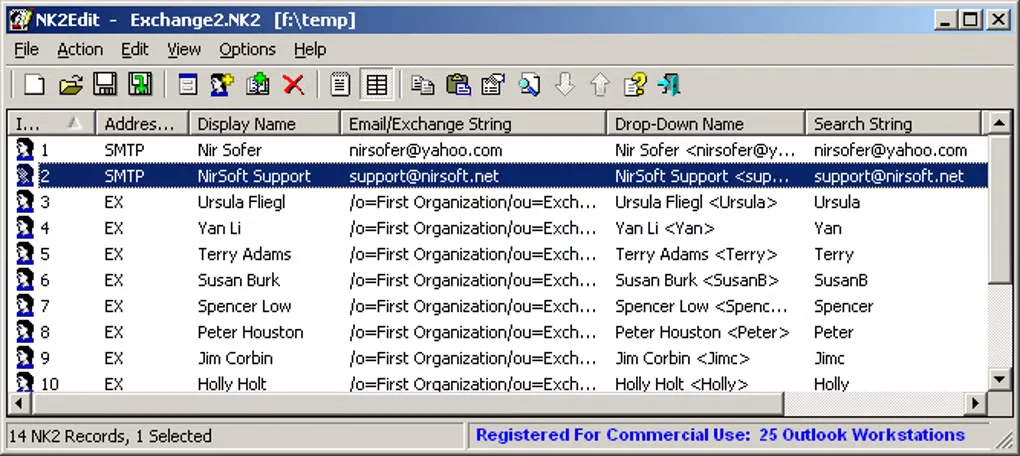
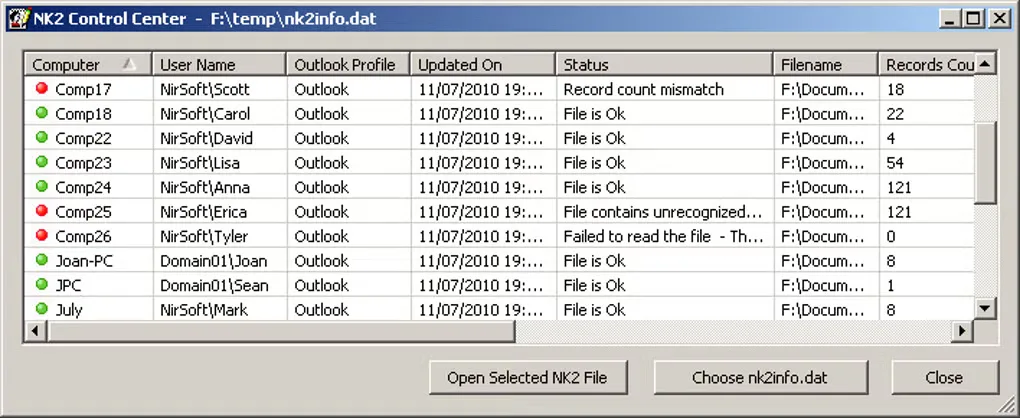
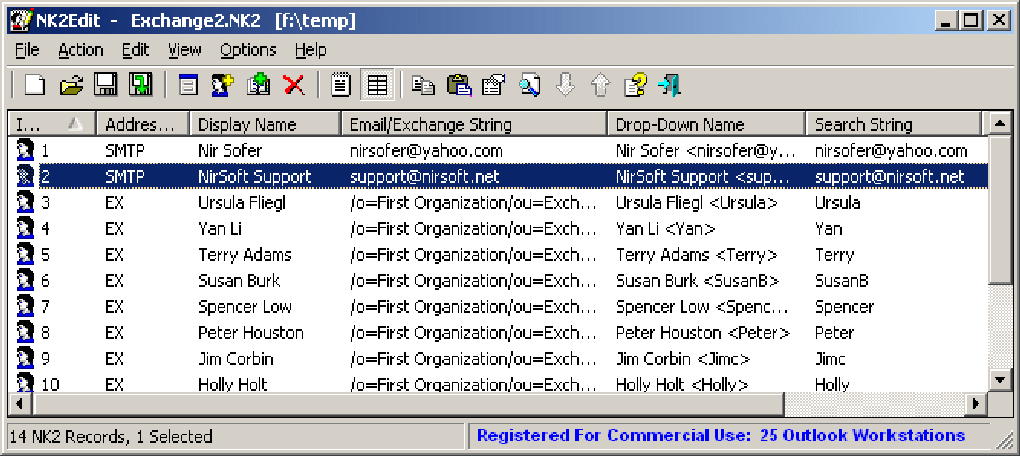
NK2Edit edits the names and email addresses that Outlook uses for AutoComplete suggestions. Open an existing NK2 file to correct a display name, delete an obsolete address or add a record. You can also copy records between files, create a new list and export entries to CSV, HTML, text or XML. A table editor handles individual records, while command-line scripts support repeatable changes.
Close Outlook and keep a backup before editing: Outlook can overwrite changes if it is still running. For Outlook 2010 and later, the AutoComplete file uses a .dat extension rather than .nk2, and the publisher provides separate guidance for that workflow. Reading and editing files does not require Outlook to be installed, but features that access an Outlook profile do.
The linked download is the portable 32-bit ZIP package. Match NK2Edit to Outlook, not merely to Windows: use the separate x64 build when accessing the address book or mailbox recipients of 64-bit Outlook. The basic edition is free for home and charity/nonprofit use. Companies may evaluate it for 14 days, after which continued use requires a commercial license.
What it offers
- Correct display names, email addresses, Exchange strings and other AutoComplete record fields.
- Add or delete entries, copy records between NK2 files and build a new AutoComplete list.
- Export stored entries to CSV, HTML, text or XML for use outside NK2Edit.
- Edit records through the table interface or automate changes with command-line scripts.
Good to know
- Business use requires a commercial license after the 14-day evaluation; the free basic edition excludes commercial-license features.
- Close Outlook before editing and retain a backup; a running Outlook process can overwrite your changes.
- Outlook-profile features require Outlook to be installed. Address-book and mailbox-recipient access must use a build matching Outlook’s bitness.
- Outlook 2010 and later use .dat AutoComplete files and require the publisher’s corresponding save and integration workflow.
Product images
Sources
References used for this listing. Retrieval dates do not indicate hands-on testing.
More in utilities
View category ↗
1.1.1.1 with WARP 2026.8.2115.0
Encrypt traffic from your Mac to Cloudflare’s network with WARP, or use DNS-only mode for encrypted DNS queries to the 1.1.1.1 resolver.
1.1.1.1 with WARP 2026.8.2115.0
Encrypt traffic between your Windows PC and Cloudflare, or use encrypted DNS only, with the free 1.1.1.1 with WARP app.

3uTools 9.12.005
Manage iPhone and iPad photos, music, apps and backups from Windows with 3uTools, a free utility that also includes device checks and firmware flashing tools.