

Utilities Windows
Nmap for Windows
Discover network hosts, inspect ports and identify services with Nmap for Windows, a network discovery and security auditing tool with the optional Zenmap graphical interface.
Version 7.993 · Direct publisher file
Link checked · Download guidance
What is Nmap?
Nmap (Network Mapper) helps administrators inventory networks and audit exposed services. It discovers hosts, scans TCP and UDP ports, and attempts to identify service versions and operating systems. The command-line tool suits detailed scan configuration; Zenmap provides a graphical interface and results viewer. Use it on systems you own or have permission to assess.
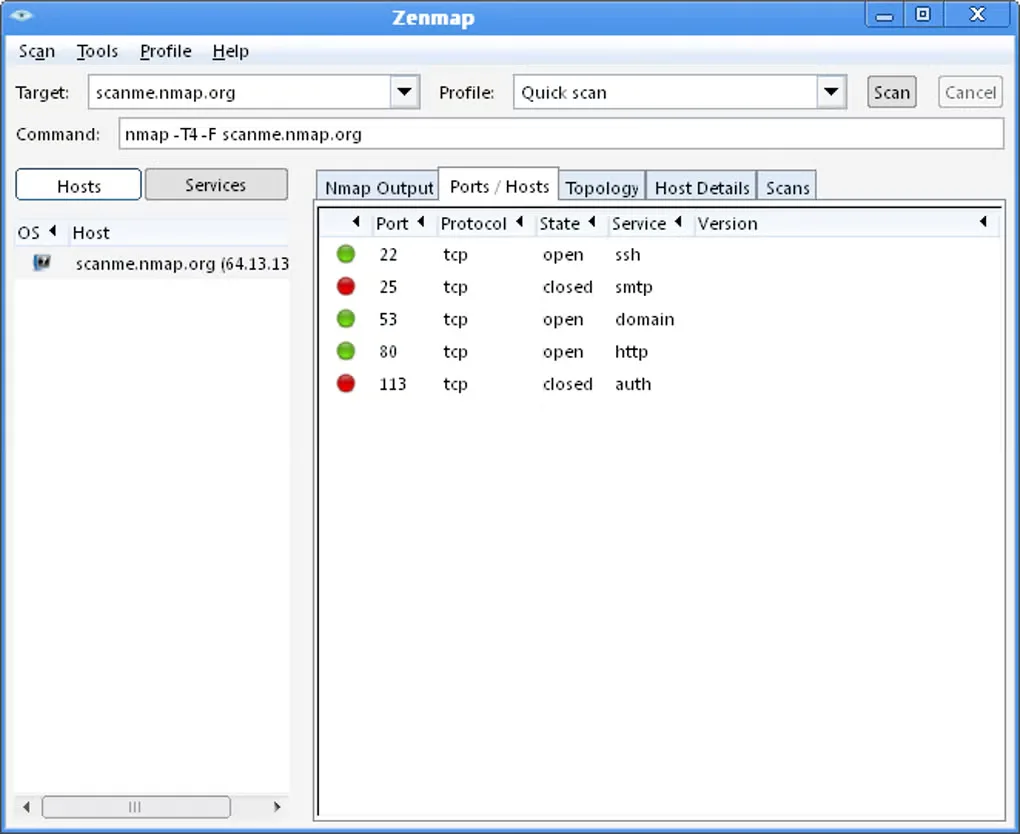
The linked Windows self-installer is publisher-listed version 7.993 and includes dependencies and the option to install Zenmap and other suite tools. The publisher download page lists Windows 7 and newer, plus Windows Server 2008 R2 and newer. The gallery image is a historical Windows Zenmap interface illustration, not evidence of the appearance of version 7.993.
Windows raw-packet scans are limited to Ethernet interfaces, including most Wi-Fi cards and many VPN clients. Some VPN and RAS connections need a TCP connect approach instead. Npcap is included in the self-installer; leaving it out disables some Nmap and Nping functionality and limits local-machine scanning. Nmap is free to download under its custom Nmap Public Source License, not an unrestricted permission to embed it in proprietary products.
What it offers
- Discover hosts and inspect TCP and UDP ports for network inventory and security auditing.
- Attempt to identify service versions and operating systems on responding hosts.
- Choose the Nmap command line or the optional Zenmap graphical interface and results viewer.
- Windows self-installer offers companion tools including Ncat, Ndiff and Nping.
Good to know
- Raw-packet scanning on Windows requires Ethernet-compatible interfaces; RAS connections and certain VPN clients need the documented TCP connect alternative.
- Omitting Npcap disables some Nmap and Nping features and generally limits scanning the local machine from itself.
- The Nmap Public Source License has additional restrictions; embedding Nmap in proprietary hardware or software requires appropriate OEM licensing.
Product images
Sources
References used for this listing. Retrieval dates do not indicate hands-on testing.
- Nmap - Download ↗Retrieved
- Nmap: the Network Mapper - Free Security Scanner ↗Retrieved
- Downloading Nmap — Microsoft Windows binaries ↗Retrieved
- Windows | Nmap Network Scanning ↗Retrieved
- Nmap Public Source License ↗Retrieved
More in utilities
View category ↗
1.1.1.1 with WARP 2026.8.2115.0
Encrypt traffic from your Mac to Cloudflare’s network with WARP, or use DNS-only mode for encrypted DNS queries to the 1.1.1.1 resolver.
1.1.1.1 with WARP 2026.8.2115.0
Encrypt traffic between your Windows PC and Cloudflare, or use encrypted DNS only, with the free 1.1.1.1 with WARP app.

3uTools 9.12.005
Manage iPhone and iPad photos, music, apps and backups from Windows with 3uTools, a free utility that also includes device checks and firmware flashing tools.