

Development macOS
Node.js for macOS
Run JavaScript scripts, command-line tools and server applications on macOS with Node.js, a free, open-source runtime. This entry links to the publisher's 26.13.0 LTS PKG installer.
- Operating system
- macOS 13.5 or newer, subject to continuing vendor support
- Architecture
- 64-bit macOS; publisher lists arm64 and x64 support
- Download package
- PKG installer
This entry links to the publisher's macOS installer. Separate Apple Silicon and Intel binary archives are also listed; no local installation was performed.
Link checked · Download guidance
What is Node.js?
Node.js runs JavaScript outside a web browser, making it useful for server applications, development tools and automation scripts on a Mac. Run a JavaScript file from the terminal, or start the built-in interactive REPL to evaluate expressions without creating a script first. The REPL supports completion, command history and multi-line input.
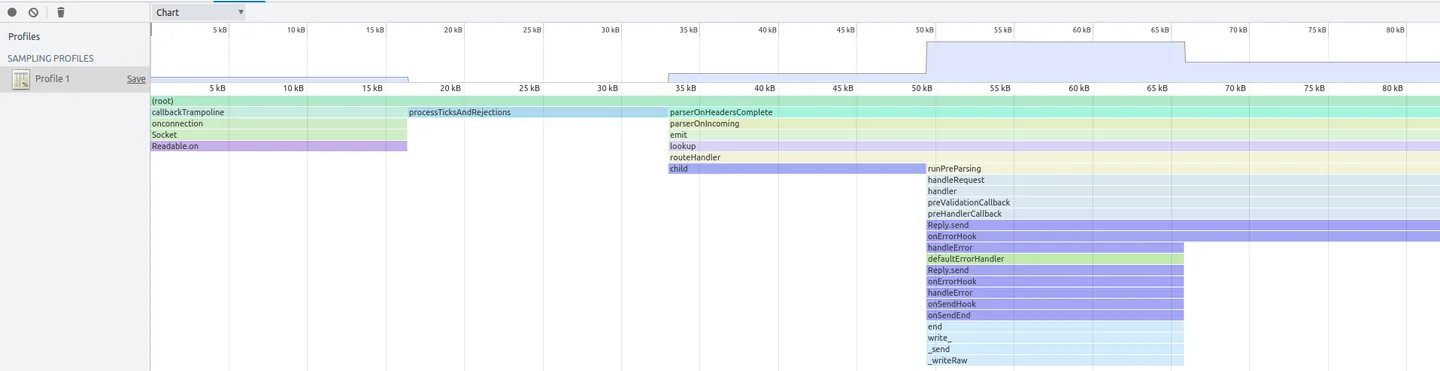
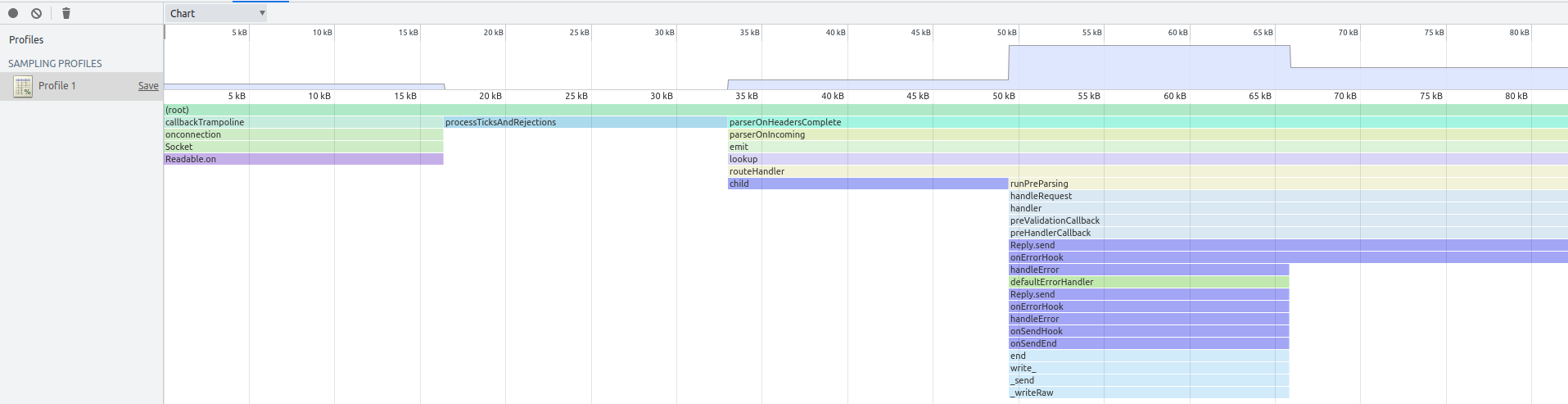
For troubleshooting, Node.js can expose its Inspector interface to a compatible debugging client such as Chrome DevTools. The publisher also documents heap snapshots and allocation profiling for investigating memory use. The screenshot shows the publisher's example of a Node.js allocation profile in Chrome DevTools, not a native Node.js desktop window or a capture of this release running on a Mac.
This download is the macOS PKG installer for Node.js 26.13.0, which the publisher designated LTS on October 28, 2026. The release's platform table requires macOS 13.5 or newer and excludes operating systems whose vendor support has ended. Heap snapshots are not cost-free diagnostics: taking one stops main-thread work and can double heap memory usage, potentially crashing the process.
What it offers
- Run JavaScript files for server applications, command-line tools and scripts.
- Evaluate expressions interactively with the built-in REPL, including completion, history and multi-line input.
- Connect a compatible debugging client through the Node.js Inspector interface.
- Investigate memory use through heap snapshots and allocation profiling.
Good to know
- Node.js 26.13.0 lists macOS 13.5 or newer; vendor end-of-life operating systems are not supported.
- Taking a heap snapshot stops main-thread work and can double heap memory usage, potentially crashing the application.
Product images
Sources
References used for this listing. Retrieval dates do not indicate hands-on testing.
- Node.js — Download Node.js ↗Retrieved
- Node.js — Node.js 26.13.0 (LTS) ↗Retrieved
- Node.js v26.13.0 — supported platforms ↗Retrieved
- Node.js v26.13.0 — license ↗Retrieved
- How to use the Node.js REPL | Node.js Learn ↗Retrieved
- REPL | Node.js v26.13.0 Documentation ↗Retrieved
- Debugging Node.js | Node.js Learn ↗Retrieved
- Using Heap Snapshot | Node.js Learn ↗Retrieved
- Using Heap Profiler | Node.js Learn ↗Retrieved
More in development
View category ↗
010 Editor 17.0
Inspect and edit binary files on Mac with 010 Editor, a paid text and hex editor with Binary Templates, file comparison and a 30-day trial.
010 Editor 17.0
Inspect and edit binary files with 010 Editor for Windows, a text and hex editor with Binary Templates, file comparison and scripting. Includes a 30-day trial.
10x Editor
Edit and navigate C++ projects on Windows with a built-in parser, workspace search and Visual Studio project support. A paid license is required after the 30-day trial.