

Development Windows
Notepad2 for Windows
Edit scripts, configuration files and plain text with Notepad2, a free Windows editor with syntax highlighting, encoding tools and a single-document interface.
- Operating system
- NT-based Windows; Windows 10/11 compatibility unconfirmed
- Architecture
- x64 (64-bit Windows)
- Download package
- Portable ZIP of program files
Original stable 4.2.25; extract the ZIP before use. This is the x64 package, not the separate x86 build or setup installer. Modern Windows compatibility is not established by the publisher's legacy documentation.
Link checked · Download guidance
What is Notepad2?
Notepad2 is Florian Balmer's Scintilla-based text editor for working on individual text files. Use it to adjust a configuration file, edit a small script or read source code with syntax highlighting. It combines a Notepad-like window with rectangular selection, brace matching, line sorting and basic regular-expression search and replace. Unicode and UTF-8 support, along with Windows, Unix and Mac line endings, help when exchanging text between systems.
This entry links to the original publisher's stable 4.2.25 release, dated May 6, 2011, rather than the separately listed 5.0 development build or a modified edition. The download is the x64 ZIP of program files for 64-bit Windows: extract it before use; it is not the setup installer. The publisher describes support for NT-based Windows, but these legacy documents do not establish Windows 10 or 11 compatibility.
Notepad2 opens documents in separate windows rather than tabs. Its regular-expression engine supports only a limited subset of expressions, with regex searches restricted to individual lines. The publisher also warns that large files or very long lines can slow editing and search, so it is better suited to ordinary text and source files than demanding large-file workflows.
What it offers
- Syntax highlighting for HTML, CSS, JavaScript, C/C++, Python, PowerShell and other documented languages.
- Rectangular selection, brace matching, automatic indentation and line-sorting tools.
- Basic regular-expression search and replace.
- Unicode and UTF-8 text support with Windows, Unix and Mac line endings.
- Portable program files that can run without the setup installer.
Good to know
- Single-document windows only; there is no tabbed document interface.
- Regular-expression support is limited, and regex searches operate on single lines only.
- Large files and very long lines can reduce editing and search performance.
- The original stable release dates from 2011; Windows 10 and 11 compatibility is not established by the cited publisher documentation.
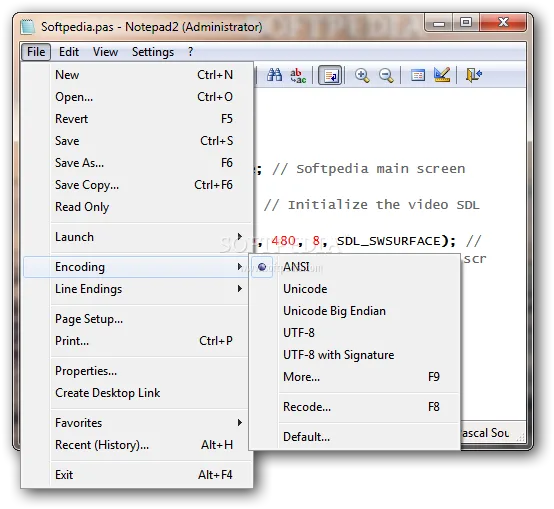
Product images
Sources
References used for this listing. Retrieval dates do not indicate hands-on testing.
- flo's freeware — original Notepad2 release and downloads ↗Retrieved
- Notepad2 4.2.25 — official readme and changelog ↗Retrieved
- Notepad2 — official interface, search and performance limitations ↗Retrieved
- Official Notepad2 4.2.25 source archive — license and application icon ↗Retrieved
- Softpedia — Notepad2 screenshot source ↗Retrieved
More in development
View category ↗
010 Editor 17.0
Inspect and edit binary files on Mac with 010 Editor, a paid text and hex editor with Binary Templates, file comparison and a 30-day trial.
010 Editor 17.0
Inspect and edit binary files with 010 Editor for Windows, a text and hex editor with Binary Templates, file comparison and scripting. Includes a 30-day trial.
10x Editor
Edit and navigate C++ projects on Windows with a built-in parser, workspace search and Visual Studio project support. A paid license is required after the 30-day trial.