

Development Windows
Notepad3 for Windows
Edit scripts, configuration files and plain text with Notepad3, a free Windows editor with syntax highlighting, code folding and regular-expression search.
- Operating system
- Windows 11 (listed by Softonic)
- Architecture
- x64 (64-bit)
- Download package
- EXE installer
Selected publisher package is Notepad3_7.26.602.1_x64_Setup.exe. Separate 32-bit and portable packages are listed by Rizonesoft. No installation or compatibility test was performed.
Link checked · Download guidance
What is Notepad3?
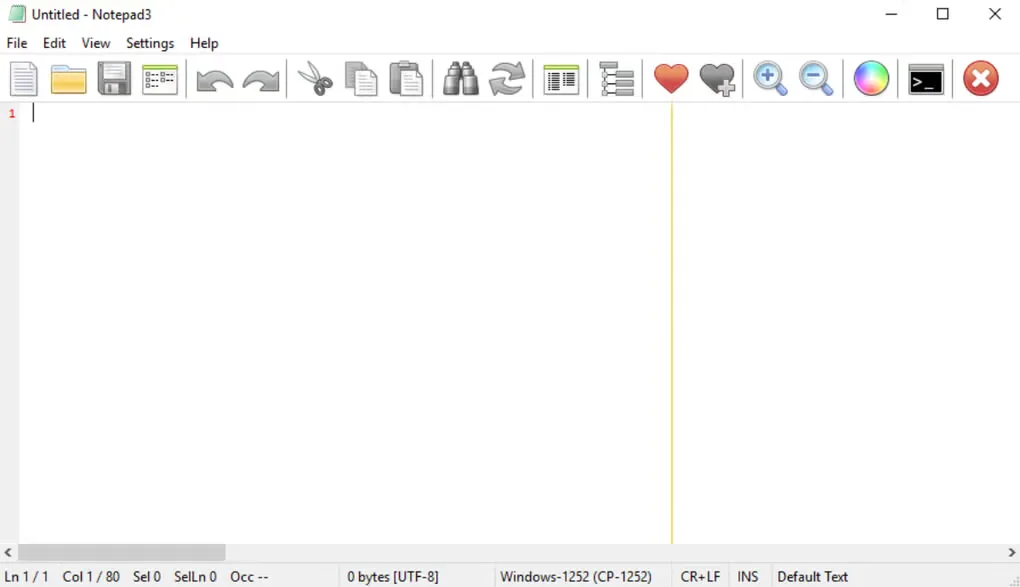
Notepad3 is a Windows text editor for working on scripts, configuration files and everyday plain text. Built on Scintilla and maintained by Rizonesoft, it adds syntax highlighting for languages including Python, C++, PowerShell, JavaScript and SQL. Code folding, bracket matching and automatic indentation help when reading or changing structured files.
Regular-expression find and replace handles pattern-based changes, while bookmarks help you return to particular lines. Character-encoding conversion supports ASCII, UTF-8 and UTF-16, and line-ending conversion handles DOS, Unix and Macintosh formats.
This entry links to the publisher's 64-bit Windows installer for version 7.26.602.1. Rizonesoft also offers separate 32-bit and portable packages. The installer can place Notepad3 alongside Windows Notepad or replace it through the publisher's registry-based integration option.
Notepad3 focuses on editing rather than a full development environment: it does not provide IDE-style debugging or project-management tools. Choose it for text and code edits, not as a substitute for an integrated debugger and project workspace.
What it offers
- Syntax highlighting for programming, scripting and configuration formats, including Python, C++, PowerShell, JSON and SQL.
- Code folding, bracket matching, automatic indentation and word auto-completion.
- Regular-expression find and replace, line bookmarks and multiple undo/redo.
- Convert character encodings and switch between DOS, Unix and Macintosh line endings.
- Install alongside Windows Notepad or use the publisher's optional replacement integration; a separate portable edition is available.
Good to know
- Does not include IDE-style debugging or project-management tools.
- The linked package is the x64 installer, not the separate 32-bit or portable edition.
Product images
Sources
References used for this listing. Retrieval dates do not indicate hands-on testing.
- Notepad3 | Rizonesoft ↗Retrieved
- Notepad3 - Download — normal browser observation ↗Retrieved
- Notepad3 — publisher repository README ↗Retrieved
- License for Notepad3 and MiniPath ↗Retrieved
More in development
View category ↗
010 Editor 17.0
Inspect and edit binary files on Mac with 010 Editor, a paid text and hex editor with Binary Templates, file comparison and a 30-day trial.
010 Editor 17.0
Inspect and edit binary files with 010 Editor for Windows, a text and hex editor with Binary Templates, file comparison and scripting. Includes a 30-day trial.
10x Editor
Edit and navigate C++ projects on Windows with a built-in parser, workspace search and Visual Studio project support. A paid license is required after the 30-day trial.