
Utilities Windows
Numara
Write calculations alongside notes with Numara, a free notepad calculator for Windows with live results, unit conversions and function plotting.
- Operating system
- Windows; minimum version not established by the cited publisher pages
- Architecture
- x64
- Download package
- EXE installer
This link selects the x64 build. The publisher lists a separate ARM64 installer. Installation and runtime compatibility were not tested.
Link checked · Download guidance
What is Numara?
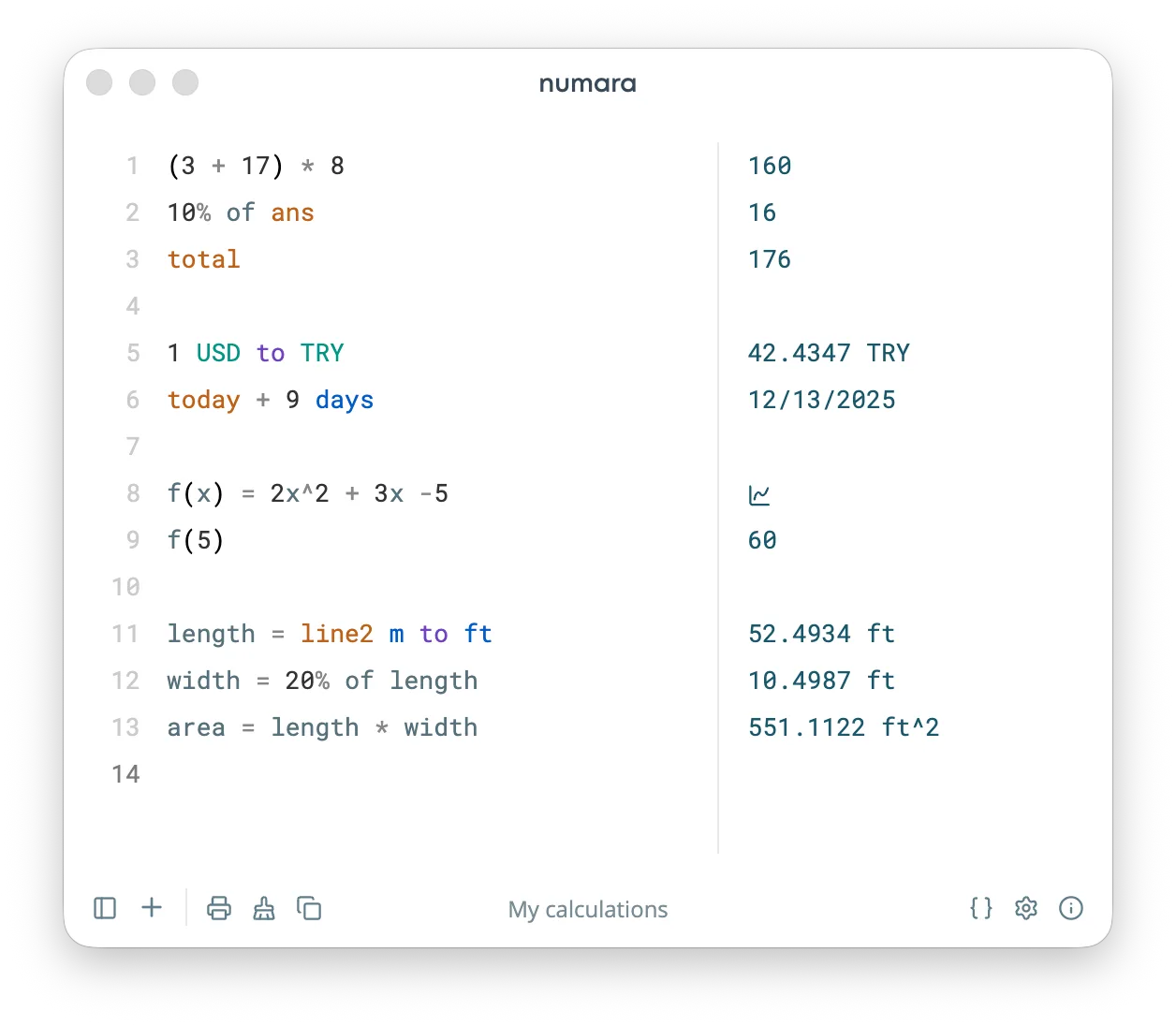
Numara is a notepad-style calculator: type expressions on the left and read their results beside them. It suits a page of related calculations where labels and comments explain the numbers. Editing an expression updates the result without pressing an equals button. Scientific functions, percentages and unit conversions extend it beyond basic arithmetic.
Calculation pages can be copied, printed or imported and exported as .num files in the desktop app. Variables and references to earlier results help keep related calculations connected; single-variable functions can open an interactive plot. The Windows download linked here is the x64 EXE installer for version 7.6.3. A separate ARM64 installer is available from the publisher.
Currency conversion is optional and uses exchange rates fetched from an external provider. Date expressions also require care: a slash-separated date entered on its own is evaluated as division, not as a date calculation. The publisher screenshot illustrates the shared desktop interface with macOS-style window controls; it is not a Windows installation capture.
What it offers
- Enter expressions as text and see results update as you type.
- Use scientific functions, percentages, variables and unit conversions through Math.js.
- Reuse previous answers and total numeric values with shortcut keywords.
- Plot single-variable functions in an interactive dialog.
- Organize calculation pages and import or export .num files in the desktop app.
Good to know
- Currency conversion must be enabled and relies on exchange rates fetched from an external service.
- A slash-separated date without a duration operator is evaluated as division rather than as a date calculation.
Product images
Sources
References used for this listing. Retrieval dates do not indicate hands-on testing.
- Numara — publisher repository and README ↗Retrieved
- Numara v7.6.3 — publisher release ↗Retrieved
- Numara v7.6.3 — publisher asset list ↗Retrieved
- Numara — publisher feature documentation ↗Retrieved
- Numara — MIT License ↗Retrieved
- Numara — publisher packaging configuration ↗Retrieved
More in utilities
View category ↗
1.1.1.1 with WARP 2026.8.2115.0
Encrypt traffic from your Mac to Cloudflare’s network with WARP, or use DNS-only mode for encrypted DNS queries to the 1.1.1.1 resolver.
1.1.1.1 with WARP 2026.8.2115.0
Encrypt traffic between your Windows PC and Cloudflare, or use encrypted DNS only, with the free 1.1.1.1 with WARP app.

3uTools 9.12.005
Manage iPhone and iPad photos, music, apps and backups from Windows with 3uTools, a free utility that also includes device checks and firmware flashing tools.