

Utilities Windows
O&O DiskImage for Windows
Back up a Windows PC, recover individual files or clone a drive with O&O DiskImage Premium, a paid backup application with a 30-day trial.
- Operating system
- Windows 10 and Windows 11 (64-bit)
- Architecture
- x64
- Download package
- MSI installer
English Premium Edition package. The publisher offers a 30-day trial; recovery of Windows uses a recovery environment.
Link checked · Download guidance
What is O&O DiskImage?
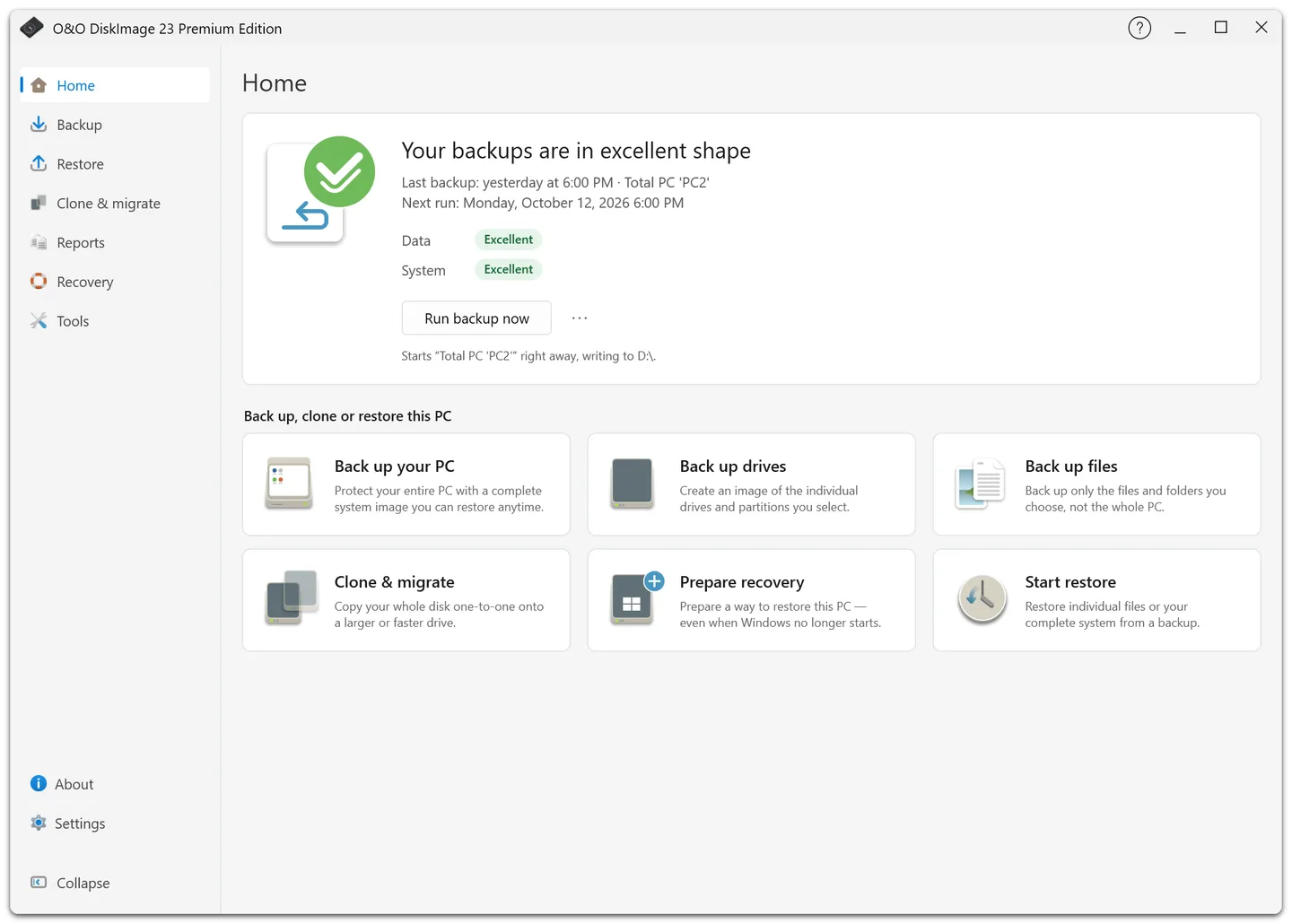
O&O DiskImage Premium creates backups of an entire Windows computer, selected drives and partitions, or individual files and folders. A system image includes Windows, installed applications and settings, while file recovery lets you retrieve selected data without restoring the whole PC. Drive cloning provides a separate route for moving to another disk.
Backup plans support scheduled backup chains and retention rules for older versions. You can send an additional copy to another drive, a network share, S3-compatible storage or a WebDAV server. The Home screen brings backup status and recovery readiness into one view, with separate areas for backup, restore, cloning and reports.
For a computer that cannot start Windows, prepare the integrated recovery environment or bootable USB recovery media before you need it. Recovery uses an existing backup; the application cannot replace a backup that was never created. Restoring a backup that contains Windows requires the recovery environment rather than overwriting the running Windows system.
This entry identifies the English x64 MSI package for Premium Edition 23.1.26049. The software is proprietary and paid, with a 30-day trial; it is not a free permanent backup utility.
What it offers
- Create complete system images or back up selected drives, partitions, files and folders while Windows is running.
- Schedule automatic backup chains and control how long older backup versions are retained.
- Copy backups to a secondary destination, including network shares, S3-compatible storage and WebDAV servers.
- Recover files or systems using existing backups, with bootable USB media and hardware-independent restoration.
- Clone drives and work with VHD/VHDX virtual disk images.
Good to know
- The free evaluation lasts 30 days; continued licensed use requires purchase.
- Premium Edition 23 supports 64-bit Windows 10 and Windows 11; this download is an English x64 package.
- A backup containing Windows cannot be restored over the running Windows system; use the recovery environment.
Product images
Sources
References used for this listing. Retrieval dates do not indicate hands-on testing.
- O&O DiskImage 23 Premium — publisher overview ↗Retrieved
- O&O DiskImage Premium — publisher download listing ↗Retrieved
- O&O DiskImage — publisher editor's guide and screenshots ↗Retrieved
- O&O Software — DiskImage 23 Premium announcement ↗Retrieved
- O&O DiskImage Premium — publisher changelog ↗Retrieved
- Microsoft community WinGet manifest — DiskImage Premium 23.1.26049 installer ↗Retrieved
- O&O DiskImage 23 Premium Edition — Softonic product and gallery ↗Retrieved
More in utilities
View category ↗
1.1.1.1 with WARP 2026.8.2115.0
Encrypt traffic from your Mac to Cloudflare’s network with WARP, or use DNS-only mode for encrypted DNS queries to the 1.1.1.1 resolver.
1.1.1.1 with WARP 2026.8.2115.0
Encrypt traffic between your Windows PC and Cloudflare, or use encrypted DNS only, with the free 1.1.1.1 with WARP app.

3uTools 9.12.005
Manage iPhone and iPad photos, music, apps and backups from Windows with 3uTools, a free utility that also includes device checks and firmware flashing tools.