

Utilities Windows
oCam for Windows
Record a screen region, gameplay or audio with oCam for Windows. Save video or animated GIFs, capture still images, and choose system sound or microphone input.
- Operating system
- Windows 2003, Vista, 7, 8, 10 and 11, as listed by the publisher
- Architecture
- Not specified in the inspected publisher download evidence
- Download package
- EXE installer (oCam_v550.0.exe)
Publisher-listed compatibility, not an installation test. No package architecture or authoritative release date was established.
Link checked · Download guidance
What is oCam?
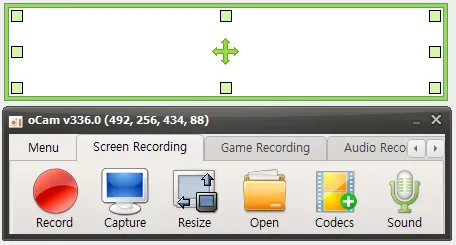
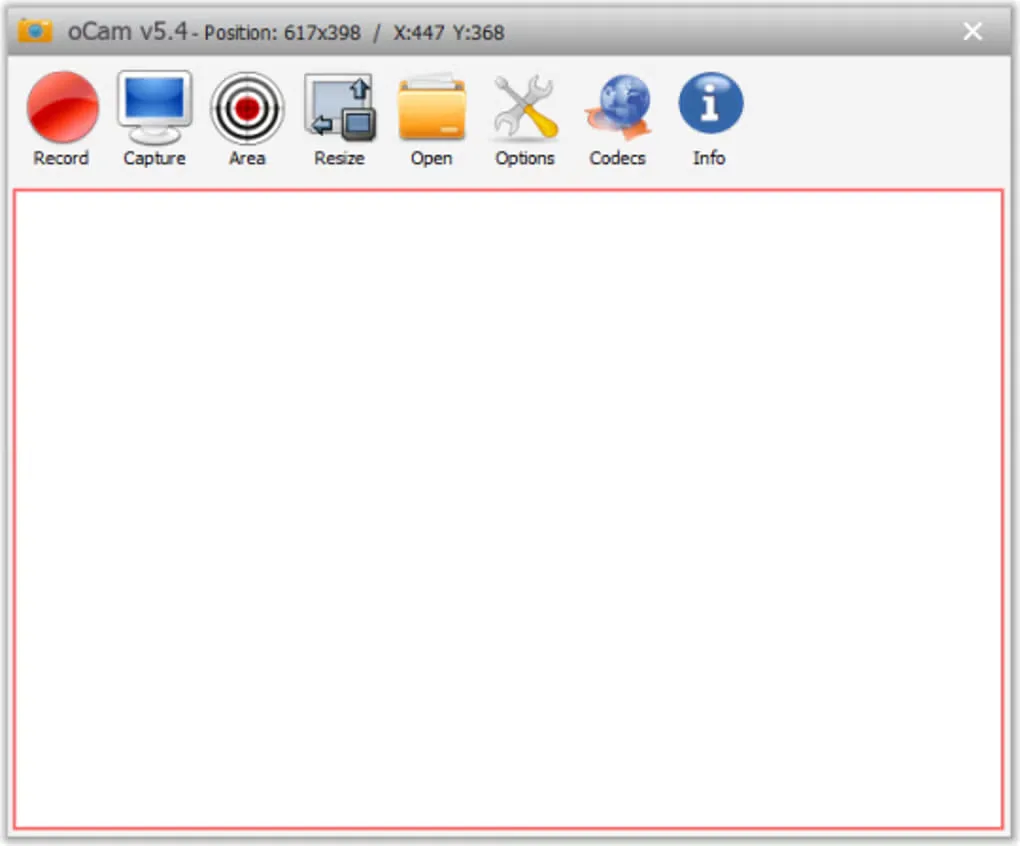
oCam records activity on a Windows PC, with separate modes for screen recording, game recording and audio recording. Move or resize the recording area to frame a demonstration, pause and resume a recording, or capture a still image instead. The publisher lists output formats including MP4, MKV, AVI and animated GIF, along with configurable codecs and keyboard shortcuts.
Audio controls let you record system sound, include a microphone or leave sound out. These options suit a narrated walkthrough or a short screen demonstration without requiring the same audio setup for every capture.
The free edition is restricted to non-commercial personal use and displays ads. OhSoft requires a purchased license for commercial use and for use in companies, organizations, public institutions, schools and PC cafes. Its licensing help states that the paid edition removes ads, not that it adds recording functions.
The screenshots are publisher and source-gallery examples of older interfaces, labeled v336.0 and v5.4 respectively; they do not establish the appearance of the linked v550.0 package. The download links to the EXE selected by the publisher's downloader page. Package architecture and an authoritative release date were not established.
What it offers
- Record a movable, resizable screen region, with pause and resume controls.
- Use separate screen, game and audio recording modes, or capture still images.
- Record system audio, include microphone input or disable sound.
- Choose output formats including MP4, MKV, AVI and animated GIF, with codec settings.
- Configure keyboard shortcuts and custom watermarks.
Good to know
- Free use is limited to non-commercial personal use; commercial and institutional use requires a purchased license.
- The free edition displays ads; the publisher says the paid edition removes ads with no difference in functionality.
Product images
Sources
References used for this listing. Retrieval dates do not indicate hands-on testing.
More in utilities
View category ↗
1.1.1.1 with WARP 2026.8.2115.0
Encrypt traffic from your Mac to Cloudflare’s network with WARP, or use DNS-only mode for encrypted DNS queries to the 1.1.1.1 resolver.
1.1.1.1 with WARP 2026.8.2115.0
Encrypt traffic between your Windows PC and Cloudflare, or use encrypted DNS only, with the free 1.1.1.1 with WARP app.

3uTools 9.12.005
Manage iPhone and iPad photos, music, apps and backups from Windows with 3uTools, a free utility that also includes device checks and firmware flashing tools.