

Development Windows
GNU Octave for Windows
Solve matrix problems, write numerical scripts and plot data in 2D or 3D with GNU Octave, a free scientific programming environment for 64-bit Windows.
- Operating system
- Microsoft Windows (64-bit)
- Architecture
- x64
- Download package
- EXE installer
Standard Windows-64 build, not the separate large-array linear algebra build. Official 32-bit binaries are discontinued; Windows XP is unsupported.
Link checked · Download guidance
What is GNU Octave?
GNU Octave is a scientific programming language for numerical calculations and data visualization. Its matrix and vector operations let you solve systems of equations in code, while high-level plotting commands turn results into 2D or 3D graphs. You can work in its graphical interface, use the console or invoke the interpreter from a shell script. Its syntax is largely compatible with MATLAB, and the publisher describes compatibility with many MATLAB scripts rather than every script or toolbox.
This download is the standard Windows-64 EXE installer for version 11.3.0. The publisher also offers ZIP and 7z archives and a separate build with 64-bit linear algebra indexing for very large arrays; that specialist build is not the download linked here. Official Windows installers bundle several Octave packages. Installed packages are not loaded automatically: use Octave's package commands to list and load the ones your work needs.
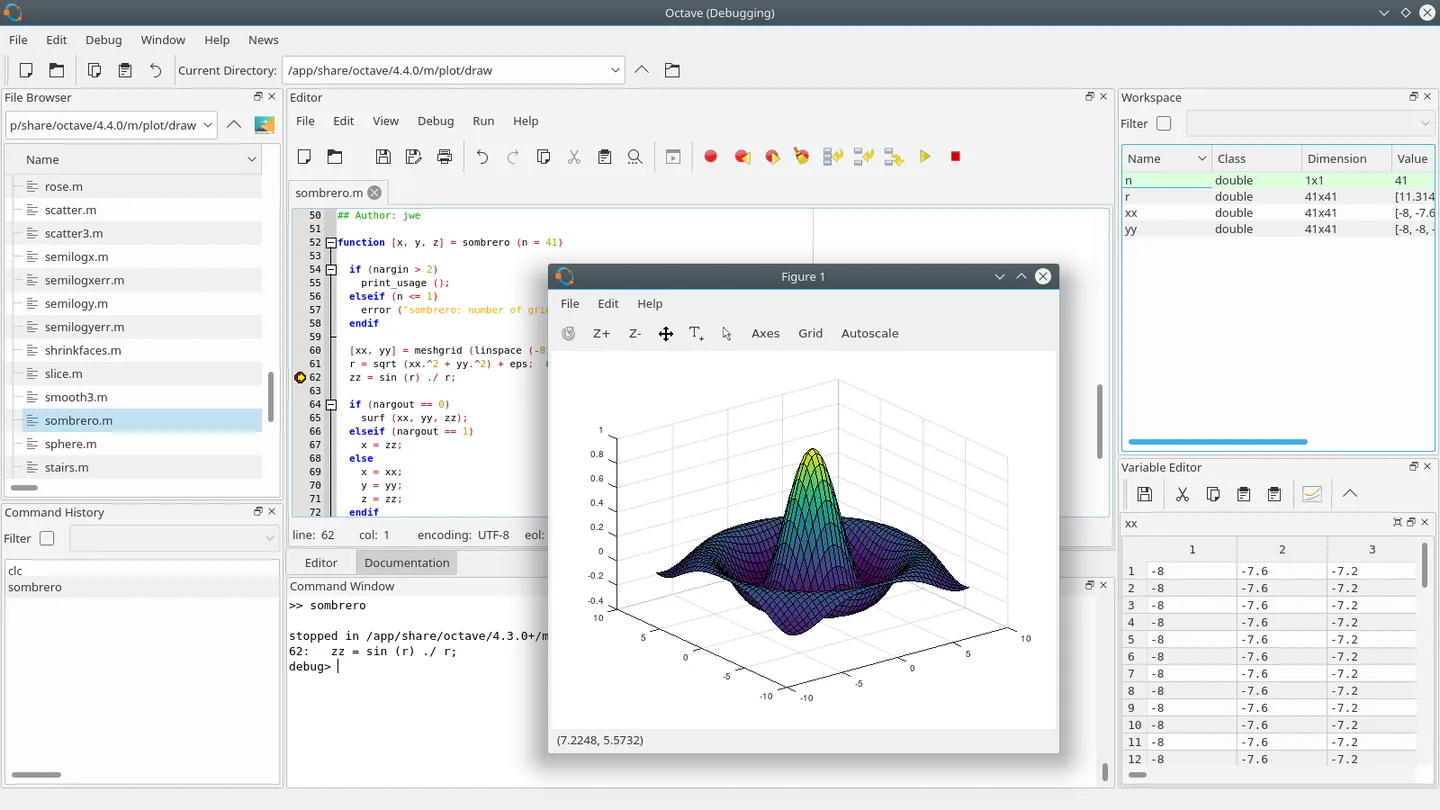
The project no longer distributes official 32-bit Windows binaries. The screenshot is the publisher's historical Octave 4.4.0 GUI illustration, showing the editor, workspace and a 3D plot on a Linux-style desktop; it is not a capture of the linked Windows 11.3.0 release.
What it offers
- Perform vector and matrix calculations, including solving systems of linear equations.
- Visualize numerical results with built-in 2D and 3D plotting commands.
- Use the graphical interface, interactive console or shell-script invocation.
- Work with syntax largely compatible with MATLAB and extend Octave through packages.
Good to know
- Official 32-bit Windows binaries are no longer distributed; this installer is for 64-bit Windows.
- Installed packages do not load automatically and must be loaded from within Octave when needed.
Product images
Sources
References used for this listing. Retrieval dates do not indicate hands-on testing.
- GNU Octave — official overview and GUI illustration ↗Retrieved
- GNU Octave — official downloads ↗Retrieved
- GNU Octave — Copyright ↗Retrieved
- Octave for Microsoft Windows — official project wiki ↗Retrieved
- GNU Octave 11.3.0 Released ↗Retrieved
More in development
View category ↗
010 Editor 17.0
Inspect and edit binary files on Mac with 010 Editor, a paid text and hex editor with Binary Templates, file comparison and a 30-day trial.
010 Editor 17.0
Inspect and edit binary files with 010 Editor for Windows, a text and hex editor with Binary Templates, file comparison and scripting. Includes a 30-day trial.
10x Editor
Edit and navigate C++ projects on Windows with a built-in parser, workspace search and Visual Studio project support. A paid license is required after the 30-day trial.