
Utilities Windows
OggSync
Synchronize Outlook with Google Calendar on Windows. OggSync offers manual single-calendar sync for free, with multiple calendars and scheduled sync in Pro.
- Operating system
- Publisher lists Windows 10 or later and also Windows 7/8
- Architecture
- Not specified by publisher
- Download package
- EXE installer
Publisher requires Outlook 2010 or later, .NET Framework 4.5 or later, a Google account and internet access. New Outlook compatibility is not explicitly documented in the inspected sources. No installation or synchronization test performed.
Link checked · Download guidance
What is OggSync?
OggSync connects an installed copy of Microsoft Outlook to Google Calendar, so calendar changes can move between the two services instead of being entered twice. The publisher describes two-way synchronization, recurring-event support and Google account authorization. Its documentation also lists one-way sync options, a configurable date window and choices for resolving conflicting edits.
The free edition is limited to one calendar and manually triggered sync. Pro adds multiple calendars, scheduled synchronization, contacts and tasks; the publisher lists a 14-day Pro trial and a separate license for each computer. Outlook, a Google account and an internet connection are prerequisites, not included services. Google Workspace administrators may need to approve access.
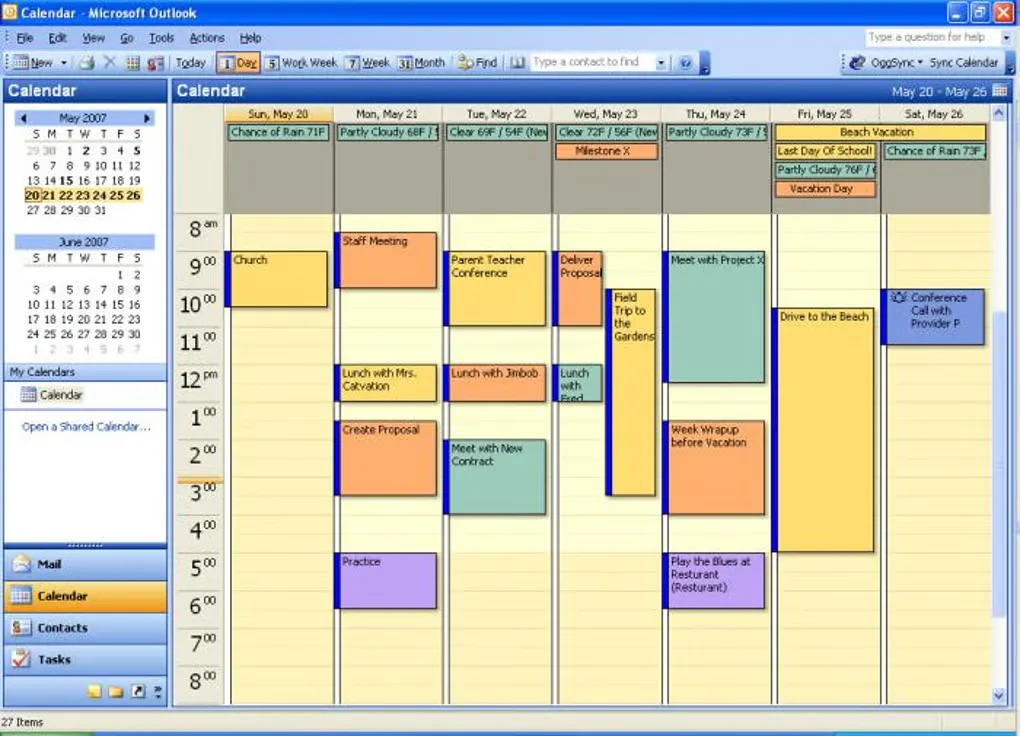
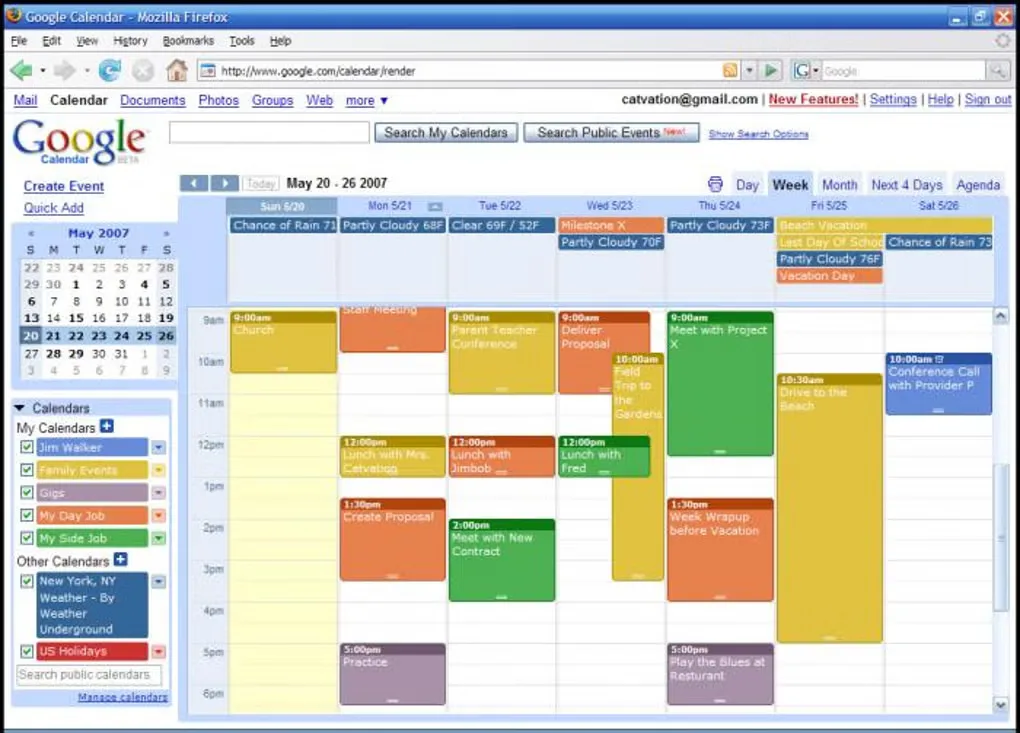
The publisher currently advertises version 10.1.0 for Windows and Outlook 2010 or later. These are publisher-stated requirements: compatibility with the new Outlook and current Google authorization flows has not been independently verified here. The gallery images are historical examples from Softonic, showing an older Outlook interface with an OggSync toolbar and a corresponding Google Calendar view, not screenshots of version 10.1.0.
What it offers
- Two-way synchronization between Outlook and Google Calendar, including recurring events, according to the publisher.
- Choose two-way, Google-to-Outlook or Outlook-to-Google synchronization in the documented settings.
- Configure the synchronization date window and which calendar wins when edits conflict.
- Pro adds multiple calendars, automatic scheduled sync, and contacts and tasks synchronization.
Good to know
- The free edition supports one calendar and manual synchronization; multiple calendars and scheduled sync require Pro.
- Requires an installed copy of Outlook, Google authorization and internet access; Workspace domains may require administrator approval.
- Each Pro license covers one computer. Compatibility with the new Outlook and current Google authorization has not been independently verified.
Product images
Sources
References used for this listing. Retrieval dates do not indicate hands-on testing.
More in utilities
View category ↗
1.1.1.1 with WARP 2026.8.2115.0
Encrypt traffic from your Mac to Cloudflare’s network with WARP, or use DNS-only mode for encrypted DNS queries to the 1.1.1.1 resolver.
1.1.1.1 with WARP 2026.8.2115.0
Encrypt traffic between your Windows PC and Cloudflare, or use encrypted DNS only, with the free 1.1.1.1 with WARP app.

3uTools 9.12.005
Manage iPhone and iPad photos, music, apps and backups from Windows with 3uTools, a free utility that also includes device checks and firmware flashing tools.