

Utilities Windows
Okular for Windows
Read PDFs, annotate documents and browse ebooks or comics with KDE's free document viewer. This direct Windows download is an untested nightly build, not the recommended Microsoft Store release.
- Operating system
- Windows; minimum supported version not established for this nightly build
- Architecture
- x86_64 (64-bit)
- Download package
- EXE installer (development/nightly build)
Publisher master-branch build 8194; untested and intended for testing. KDE recommends Microsoft Store for regular Windows installations.
Link checked · Download guidance
What is Okular?
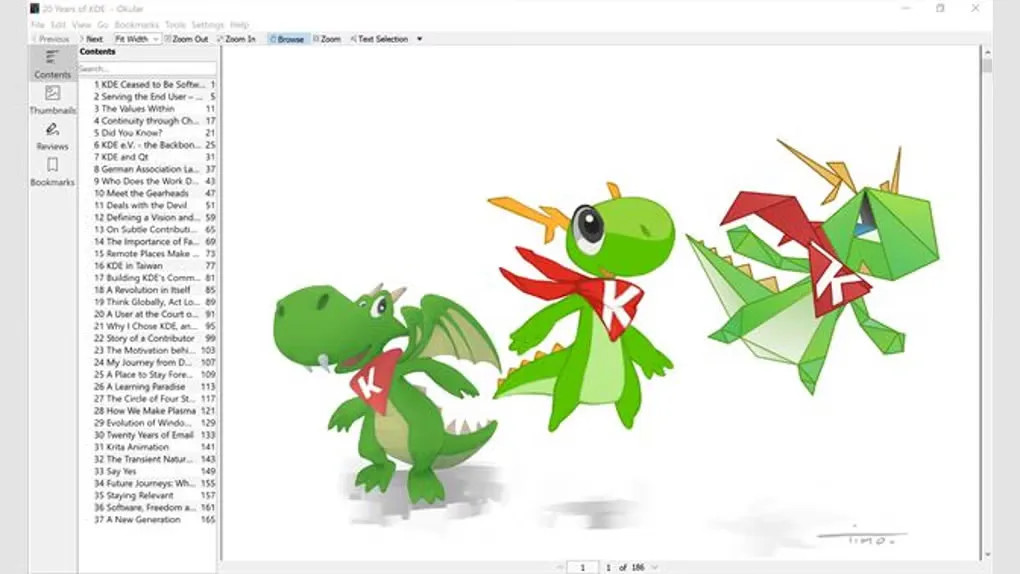
Okular is KDE's document viewer for reading PDFs, ebooks, comics and other supported document formats. Its contents and thumbnail panels help you move through long documents, while annotation tools let you highlight passages, underline text and add inline or popup notes. Selection and magnifier modes help with copying document content and inspecting small text.
Choose it for reading and marking up documents in one interface. Format support is modular, so the available document handlers depend on the package and installed components rather than every format being guaranteed in every build.
The direct download linked here is KDE's Windows x86_64 master build 8194, an untested nightly generated from the development branch. It is not a stable release and is intended for testing. KDE recommends the Microsoft Store version for ordinary Windows installation and automatic updates; use that route if you want the publisher's recommended release channel.
What it offers
- Read PDF documents, EPub ebooks, comic books and images through supported format handlers.
- Add inline or popup notes, highlight passages and underline text in PDFs.
- Navigate documents with contents, thumbnails and bookmarks in the sidebar.
- Use selection mode to copy document content and magnifier mode to inspect small text.
Good to know
- This direct Windows installer is an untested development/nightly build intended for testing, not a stable release. KDE recommends the Microsoft Store version for regular use and automatic updates.
- Format support can depend on separately installed modules; not every package necessarily includes every document handler.
Product images
Sources
References used for this listing. Retrieval dates do not indicate hands-on testing.
- Okular - The Universal Document Viewer ↗Retrieved
- Okular - KDE Applications ↗Retrieved
- Download - Okular ↗Retrieved
- KDE CDN - Okular master Windows build directory ↗Retrieved
- Okular - Download ↗Retrieved
More in utilities
View category ↗
1.1.1.1 with WARP 2026.8.2115.0
Encrypt traffic from your Mac to Cloudflare’s network with WARP, or use DNS-only mode for encrypted DNS queries to the 1.1.1.1 resolver.
1.1.1.1 with WARP 2026.8.2115.0
Encrypt traffic between your Windows PC and Cloudflare, or use encrypted DNS only, with the free 1.1.1.1 with WARP app.

3uTools 9.12.005
Manage iPhone and iPad photos, music, apps and backups from Windows with 3uTools, a free utility that also includes device checks and firmware flashing tools.