

Development Windows
Ollama for Windows
Run open AI models on your Windows PC, chat from the terminal and connect applications through a local API with Ollama.
- Operating system
- Windows 10 22H2 or newer, Home or Pro
- Architecture
- Not specified for the EXE on the publisher download page
- Download package
- EXE installer (OllamaSetup.exe)
GPU acceleration requires compatible hardware and drivers. At least 4 GB for the application; models need additional storage. The Windows guide separately lists an amd64 standalone CLI archive.
Link checked · Download guidance
What is Ollama?
Ollama brings open AI models to a Windows PC for local chat and application development. Use the ollama command in Command Prompt or PowerShell to download a model and start a conversation, or connect your own application to the local API. Local requests do not require an API key. Cloud models are also available, but they run on Ollama’s servers rather than your computer.
The native Windows application runs in the background and supports compatible NVIDIA and AMD Radeon GPUs. The publisher lists Windows 10 22H2 or newer, Home or Pro, and at least 4 GB of space for the application. Model files need additional storage and can occupy tens to hundreds of gigabytes. Response speed depends on the model and your hardware; a large model can be slow without a strong GPU.
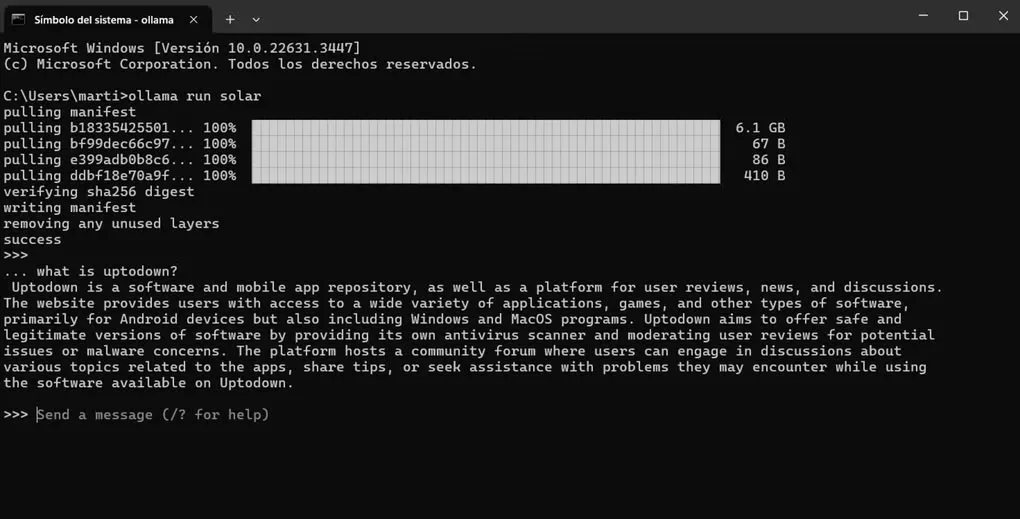
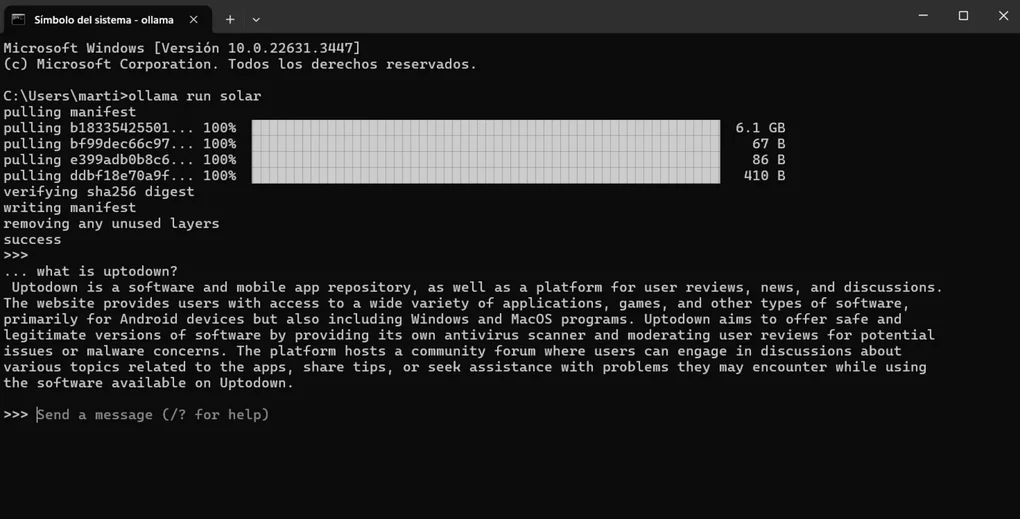
The linked EXE is the installer offered by the publisher’s Windows download page. At verification, it resolved to the v0.40.12 release. The screenshot shows Ollama’s Windows command-line interface, not a demonstration of the current desktop interface.
What it offers
- Download an open model and start a local terminal chat with ollama run.
- Connect applications to the local API at localhost:11434 without a cloud API key.
- Run natively on Windows with support for compatible NVIDIA and AMD Radeon GPUs.
- Choose local models or sign in to use cloud models.
Good to know
- Local model speed depends on hardware; large models can be slow without a strong GPU.
- The application needs at least 4 GB of disk space, plus separate model storage that can reach tens to hundreds of gigabytes.
- Cloud models run remotely and require usage credits or a paid plan; they are not local execution.
Product images
Sources
References used for this listing. Retrieval dates do not indicate hands-on testing.
- Ollama - Download ↗Retrieved
- Download Ollama on Windows ↗Retrieved
- Ollama documentation — Windows ↗Retrieved
- Ollama documentation — Quickstart ↗Retrieved
- Ollama source license ↗Retrieved
- Ollama v0.40.12 — publisher release metadata ↗Retrieved
More in development
View category ↗
010 Editor 17.0
Inspect and edit binary files on Mac with 010 Editor, a paid text and hex editor with Binary Templates, file comparison and a 30-day trial.
010 Editor 17.0
Inspect and edit binary files with 010 Editor for Windows, a text and hex editor with Binary Templates, file comparison and scripting. Includes a 30-day trial.
10x Editor
Edit and navigate C++ projects on Windows with a built-in parser, workspace search and Visual Studio project support. A paid license is required after the 30-day trial.