
Utilities Windows
OnlyStopWatch
Measure elapsed time or run a countdown with OnlyStopWatch, a portable Windows timer with a full-screen display and optional milliseconds.
- Operating system
- Windows 11, 10, 8.1 and 7; publisher also lists Windows Server editions
- Architecture
- x64 for the linked package
- Download package
- Portable ZIP archive
Publisher-listed compatibility, not independently run-tested. A separate standard ZIP is listed in the publisher's PAD metadata.
Link checked · Download guidance
What is OnlyStopWatch?
OnlyStopWatch is a desktop stopwatch and countdown timer for Windows. Use it to time an activity, display the remaining time during a meeting or keep a large timer visible in full-screen mode. You can set a starting time, pause or reset the timer and choose whether to display milliseconds. The portable application does not require installation.
Check the mouse-click setting before leaving a countdown running: the publisher documents a Continue/Stop at mouse click option that can interrupt it. Disable that option under Program if you do not want clicks to stop the timer. The download linked here is the publisher's x64 ZIP package; the publisher also lists a separate standard package.
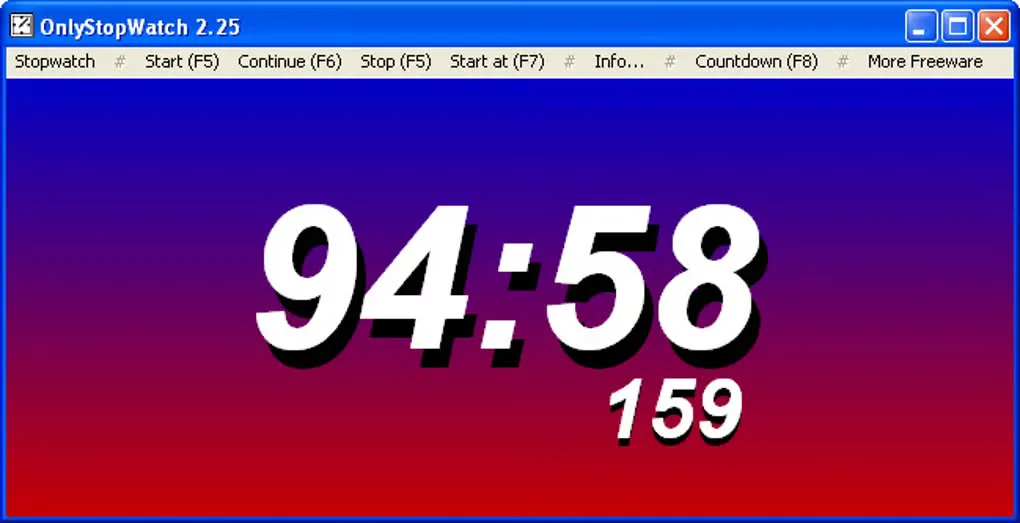
The screenshot shows the older 2.25 interface, not the current 6.63 release. It illustrates the large time display and stopwatch/countdown controls rather than documenting the current appearance.
What it offers
- Switch between stopwatch and countdown modes with a user-defined starting time.
- Pause and reset the stopwatch or countdown.
- Display a large timer in full-screen mode with optional milliseconds.
- Run the portable application without installation, including from removable storage.
- Start the application with program parameters.
Good to know
- The Continue/Stop at mouse click option can interrupt a countdown; disable it under Program when unintended clicks would be disruptive.
- The supplied screenshot depicts version 2.25, so the appearance may differ from version 6.63.
Product images
Sources
References used for this listing. Retrieval dates do not indicate hands-on testing.
More in utilities
View category ↗
1.1.1.1 with WARP 2026.8.2115.0
Encrypt traffic from your Mac to Cloudflare’s network with WARP, or use DNS-only mode for encrypted DNS queries to the 1.1.1.1 resolver.
1.1.1.1 with WARP 2026.8.2115.0
Encrypt traffic between your Windows PC and Cloudflare, or use encrypted DNS only, with the free 1.1.1.1 with WARP app.

3uTools 9.12.005
Manage iPhone and iPad photos, music, apps and backups from Windows with 3uTools, a free utility that also includes device checks and firmware flashing tools.