

Utilities macOS
OpenBoard for macOS
Write, draw and annotate lessons with OpenBoard, a free, open-source interactive whiteboard for Mac classrooms and lecture preparation.
- Operating system
- macOS 12 or later
- Architecture
- Intel x86-64 and Apple silicon ARM64
- Download package
- DMG disk image
Publisher repository lists both Mac architectures. Package contents were not downloaded or inspected; older macOS versions need an older release.
Link checked · Download guidance
What is OpenBoard?
OpenBoard turns your Mac into a teaching whiteboard for handwritten explanations and annotated lessons. Use a mouse, pen tablet or interactive whiteboard to write and draw, then move between pages as the lesson develops. Its focus is classroom presentation rather than a conventional slide-editing workflow.
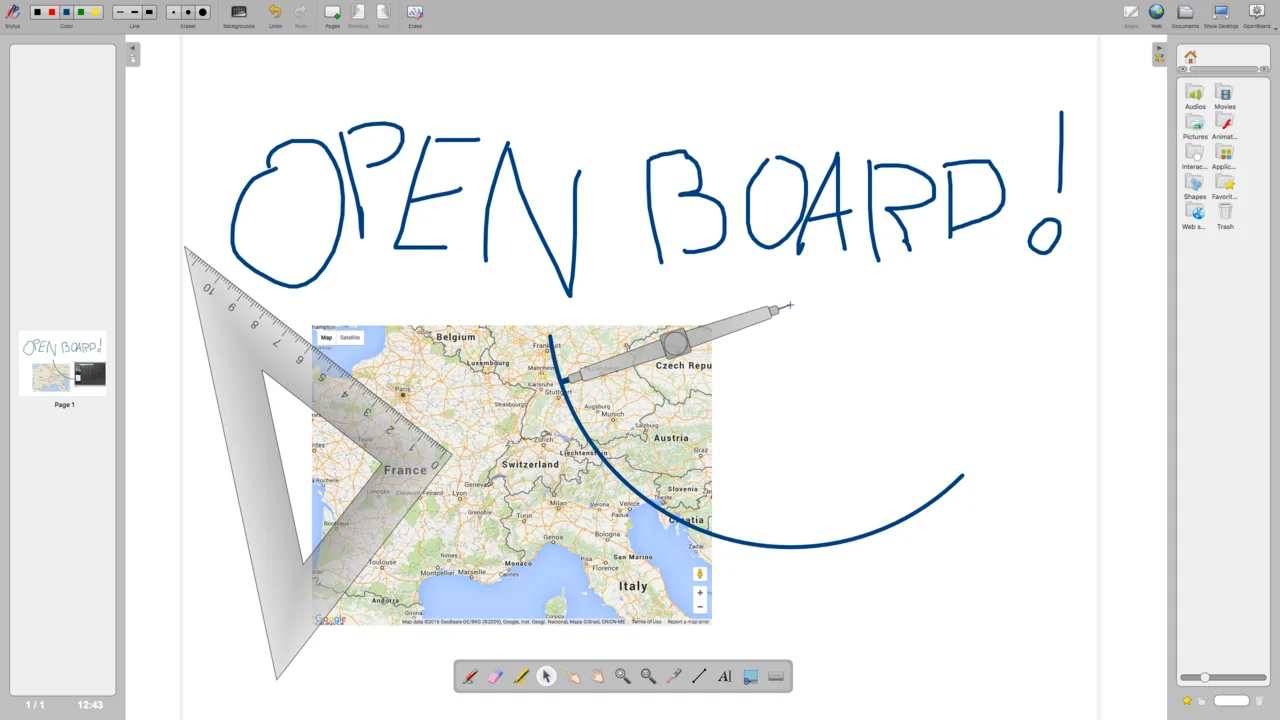
The workspace combines pen colours, line thickness, an eraser and highlighting tools with page navigation and a resource library. You can prepare material on a computer without extra hardware, or present it using an interactive whiteboard or a pen display paired with a projector.
This entry links to the publisher’s OpenBoard 1.7.7 DMG for macOS 12 or later. Older Macs need a suitable older release rather than this package. The included screenshot shows OpenBoard 1.3.1 as a historical interface example; it is not a capture of the linked Mac release.
What it offers
- Write and annotate lessons with a mouse, pen tablet or interactive whiteboard.
- Use pen colours, adjustable line widths, an eraser and a highlighter.
- Organize explanations across whiteboard pages with page navigation and a resource library.
- Prepare lessons on a computer alone or present using a pen display and projector.
Good to know
- The linked 1.7.7 package requires macOS 12 or later; the publisher directs users of older operating systems to older releases.
Product images
Sources
References used for this listing. Retrieval dates do not indicate hands-on testing.
More in utilities
View category ↗
1.1.1.1 with WARP 2026.8.2115.0
Encrypt traffic from your Mac to Cloudflare’s network with WARP, or use DNS-only mode for encrypted DNS queries to the 1.1.1.1 resolver.
1.1.1.1 with WARP 2026.8.2115.0
Encrypt traffic between your Windows PC and Cloudflare, or use encrypted DNS only, with the free 1.1.1.1 with WARP app.


3uTools 9.12.005
Manage iPhone and iPad photos, music, apps and backups from Windows with 3uTools, a free utility that also includes device checks and firmware flashing tools.