

Utilities Windows
OpenBoard for Windows
Write and annotate lessons on a digital whiteboard with OpenBoard, a free, open-source teaching application for Windows 10 and later.
Version 1.7.7 · Direct publisher file
Link checked · Download guidance
What is OpenBoard?
OpenBoard turns your Windows computer into a whiteboard for teaching. Write or annotate a lesson with a mouse, pen tablet or interactive whiteboard, using the board as a canvas for explanations rather than preparing every point as a slide. The publisher positions it for schools and universities, but additional classroom hardware is not required to use it on a computer.
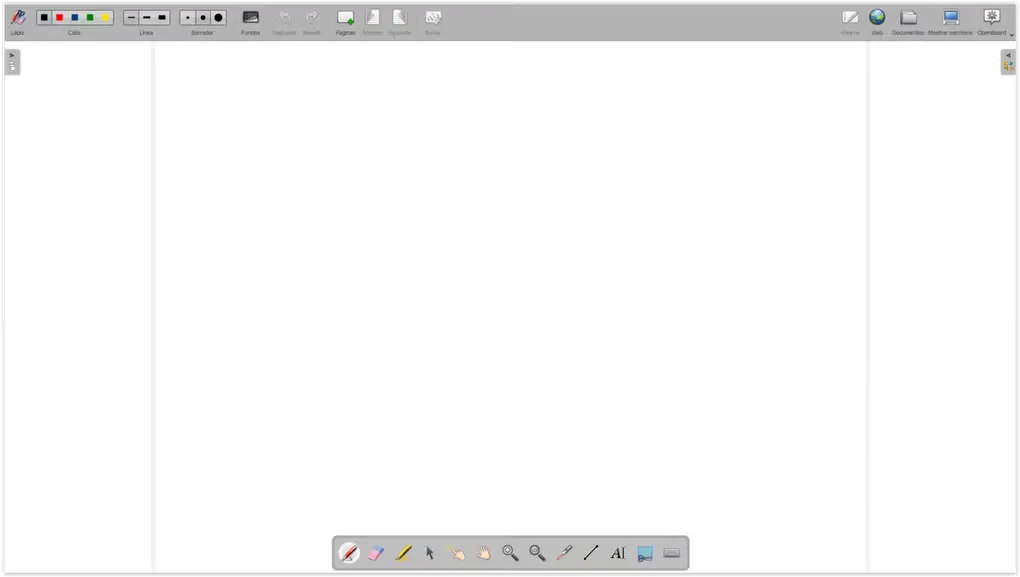
For a classroom presentation, OpenBoard can work with an interactive whiteboard or a dual-screen setup combining a pen-tablet display and a projector. Its drawing tools provide a choice of colors and stroke widths, and the interface includes a floating tool palette alongside the main toolbar.
The linked publisher package is OpenBoard 1.7.7 for Windows. It requires Windows 10 or later; the publisher directs users of older operating systems to historical releases instead. OpenBoard is free and released under GPLv3, with no registration required.
What it offers
- Write and annotate lessons using a mouse, pen tablet or interactive whiteboard.
- Use a dual-screen classroom setup with a pen-tablet display and projector, or work on a computer without additional hardware.
- Choose drawing colors and stroke widths from the whiteboard toolbar and use the floating tool palette.
- Use the free, open-source application without registering an account.
Good to know
- The linked 1.7.7 Windows package requires Windows 10 or later. Older Windows systems need a different historical release from the publisher.
Product images
Sources
References used for this listing. Retrieval dates do not indicate hands-on testing.
More in utilities
View category ↗
1.1.1.1 with WARP 2026.8.2115.0
Encrypt traffic from your Mac to Cloudflare’s network with WARP, or use DNS-only mode for encrypted DNS queries to the 1.1.1.1 resolver.
1.1.1.1 with WARP 2026.8.2115.0
Encrypt traffic between your Windows PC and Cloudflare, or use encrypted DNS only, with the free 1.1.1.1 with WARP app.

3uTools 9.12.005
Manage iPhone and iPad photos, music, apps and backups from Windows with 3uTools, a free utility that also includes device checks and firmware flashing tools.