
Utilities Windows
OpenDeck
Configure an Elgato Stream Deck with custom actions, profiles and compatible Stream Deck plugins using OpenDeck, a free, open-source controller app for Windows.
- Operating system
- Windows
- Architecture
- x64
- Download package
- EXE installer
The publisher also offers a separate x64 MSI. Minimum Windows version was not established from the reviewed publisher documentation.
Link checked · Download guidance
What is OpenDeck?
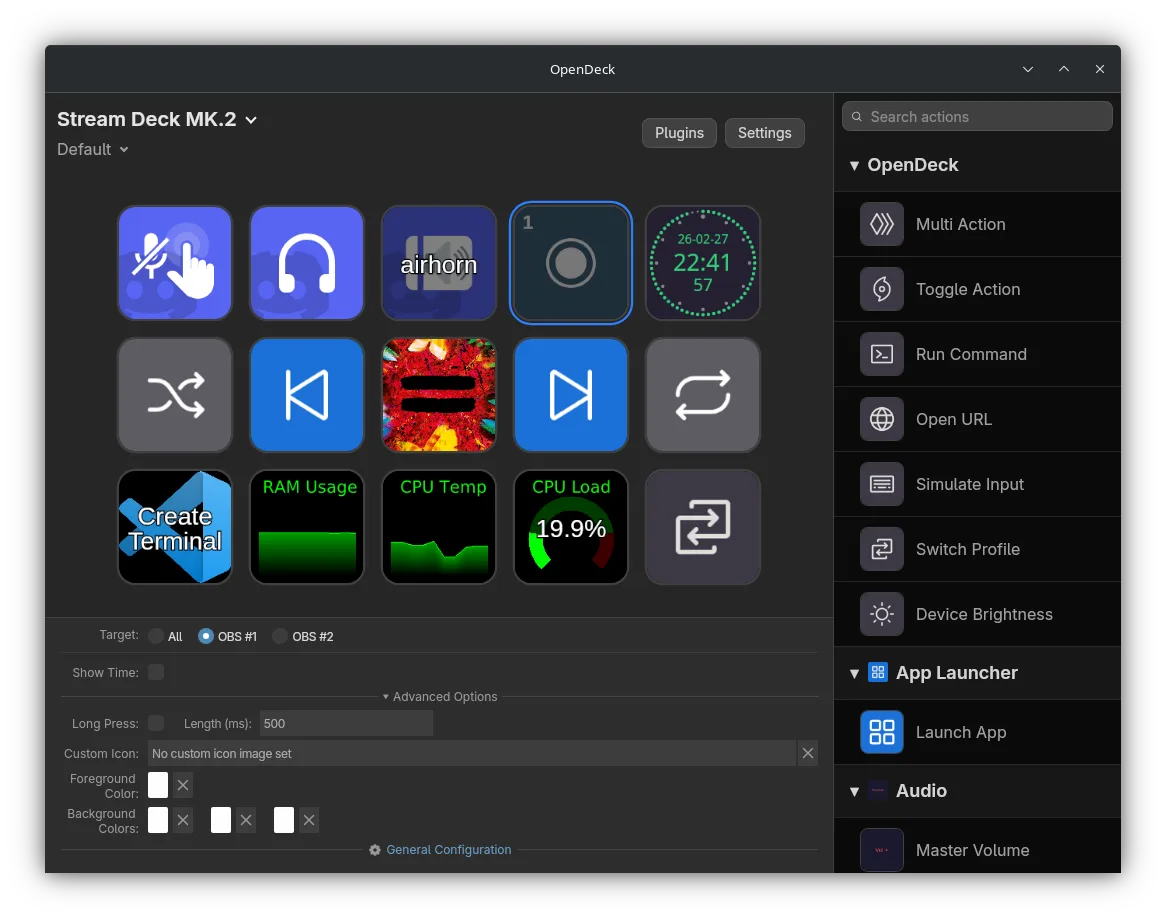
OpenDeck maps actions and plugins to stream-controller buttons. On Windows, it offers an alternative way to configure an Elgato Stream Deck: select a device and profile, customise button images and text, and adjust each action through its property inspector. It supports plugins built for the original Stream Deck SDK as well as the OpenAction API.
Multi Actions and Toggle Actions let you organise more than a single command on a button. Profiles can switch automatically when a particular application becomes active, and the publisher says profile files can move between Windows, Linux and macOS without changes. The interface also includes device-brightness controls and a Plugins tab for managing plugins.
Official hardware support is limited to Elgato devices; other vendors depend on additional plugins. The linked download is the publisher’s Windows x64 EXE installer for version 2.14.2, not the separate MSI or a package for another operating system. The screenshot is the publisher’s cross-platform interface example; its window decorations do not establish a Windows capture or the exact interface of this release.
What it offers
- Use plugins made for the original Stream Deck SDK or the OpenAction API.
- Combine actions with Multi Actions and Toggle Actions.
- Switch profiles automatically when a chosen application becomes active.
- Customise action images and text, edit action settings, and control device brightness.
- Move profile files between Windows, Linux and macOS without changing them, according to the publisher.
Good to know
- Only Elgato hardware is officially supported; other hardware vendors require additional plugins.
- Support for many original Stream Deck plugins is not a claim that every plugin is compatible.
Product images
Sources
References used for this listing. Retrieval dates do not indicate hands-on testing.
More in utilities
View category ↗
1.1.1.1 with WARP 2026.8.2115.0
Encrypt traffic from your Mac to Cloudflare’s network with WARP, or use DNS-only mode for encrypted DNS queries to the 1.1.1.1 resolver.
1.1.1.1 with WARP 2026.8.2115.0
Encrypt traffic between your Windows PC and Cloudflare, or use encrypted DNS only, with the free 1.1.1.1 with WARP app.


3uTools 9.12.005
Manage iPhone and iPad photos, music, apps and backups from Windows with 3uTools, a free utility that also includes device checks and firmware flashing tools.