
Utilities Windows
OpenedFilesView for Windows
Find which process holds a file open with OpenedFilesView, a free Windows utility for investigating sharing violations. Administrator rights are required; Windows 10/11 with Secure Boot enabled is unsupported.
- Operating system
- Windows 7, 8, 10 and 11 listed by publisher; older systems have driver caveats
- Architecture
- x64 (64-bit)
- Download package
- ZIP archive; extract before running; no installer
Administrator rights required. Windows 10/11 with Secure Boot enabled is unsupported. Windows 7/2008 x64 may need Microsoft's SHA-2 code-signing update. A separate 32-bit package is available.
Link checked · Download guidance
What is OpenedFilesView?
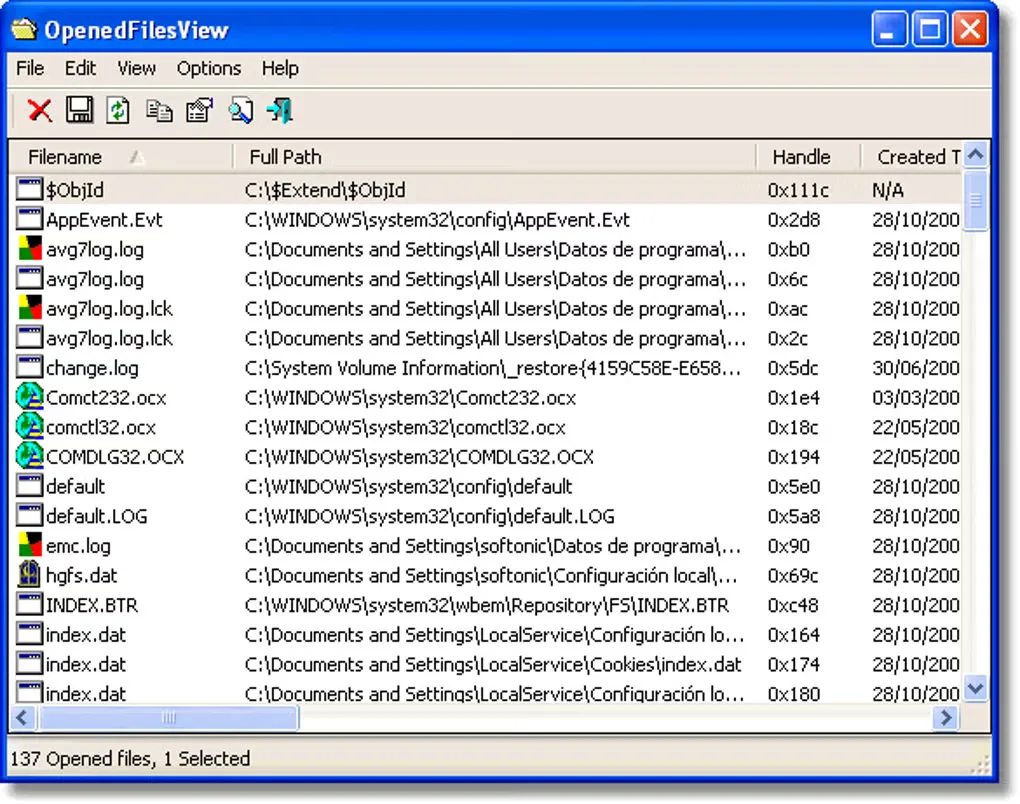
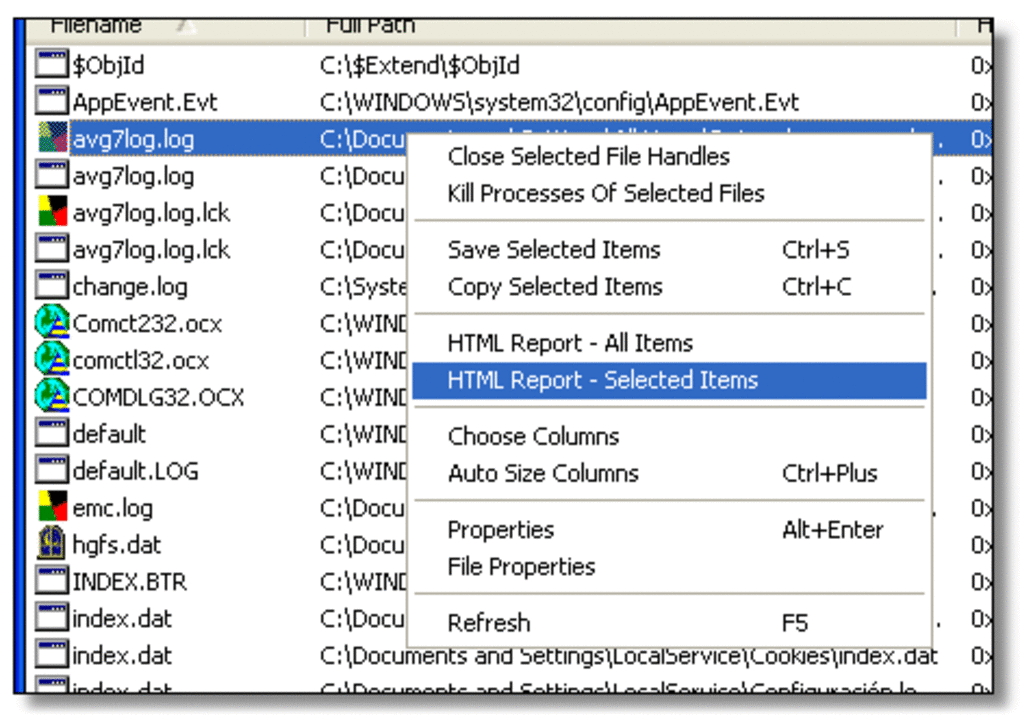
OpenedFilesView lists open files and the processes holding them, helping you investigate a file that Windows will not move, delete or open because it is in use. Its table includes file paths, handle values, access flags and file positions. Filters narrow the list to a file, folder or process, and export options let you save the results for inspection.
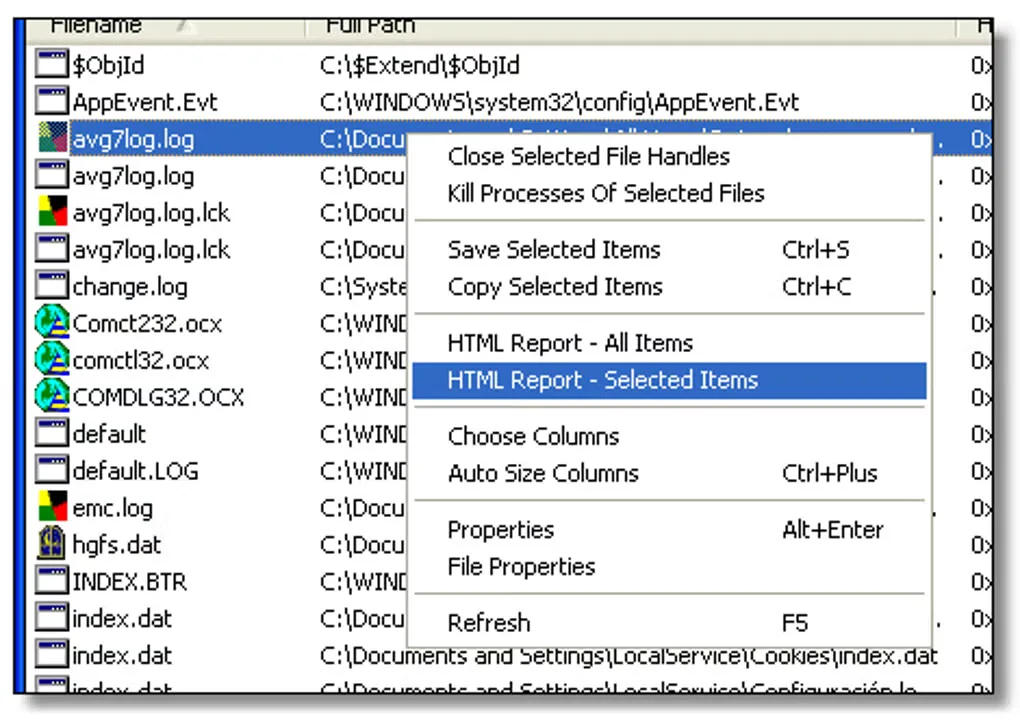
The utility can close selected file handles or the processes using them, but forcibly closing a handle can make its application unstable or cause a crash. Use the process information to identify the owner before deciding what to close. Files opened by the Windows kernel cannot be closed with this tool.
This download is the publisher's 64-bit ZIP package. Extract it to a folder before running the executable; no installer is required. Administrative privileges are necessary. Although the publisher lists Windows 10 and 11, it explicitly says the tool does not work on those systems with Secure Boot turned on. That limitation matters before choosing it for a modern PC. The screenshots are historical source-gallery examples, not evidence of a current-version installation or a Windows 11 test.
What it offers
- Inspect open file paths, handle values, read/write/delete access and the process holding each file.
- Filter the list by file, folder or process, or use the quick-filter text box.
- Save file lists as text, CSV, HTML or XML, including through command-line export options.
- Refresh manually or enable automatic refresh to update the displayed file list.
- Close selected file handles or their owning processes, with the publisher's instability warning.
Good to know
- Does not work on Windows 10/11 with Secure Boot enabled, according to the publisher; administrative privileges are required.
- Closing a file handle can destabilize or crash the application that opened it.
- Cannot close files opened by the Windows kernel.
- Extract the 64-bit ZIP before running it; launching directly inside the archive can produce error 0xc000007b.
- The publisher warns that the newer driver stopped working on Windows Vista 64-bit and may affect other older systems.
Product images
Sources
References used for this listing. Retrieval dates do not indicate hands-on testing.
More in utilities
View category ↗
1.1.1.1 with WARP 2026.8.2115.0
Encrypt traffic from your Mac to Cloudflare’s network with WARP, or use DNS-only mode for encrypted DNS queries to the 1.1.1.1 resolver.
1.1.1.1 with WARP 2026.8.2115.0
Encrypt traffic between your Windows PC and Cloudflare, or use encrypted DNS only, with the free 1.1.1.1 with WARP app.

3uTools 9.12.005
Manage iPhone and iPad photos, music, apps and backups from Windows with 3uTools, a free utility that also includes device checks and firmware flashing tools.