
Utilities Windows
OpenWebStart
Run JNLP-based Java applications on Windows with OpenWebStart, a free, open-source Java Web Start replacement with JVM management and graphical settings.
- Operating system
- Windows 10 or higher, as listed by the publisher
- Architecture
- x64 (64-bit)
- Download package
- EXE installer
Publisher recommends a 2 GHz dual-core CPU, 1 GB RAM and 200 MB disk space for the core installation. JVMs and cached JNLP applications add resource requirements.
Link checked · Download guidance
What is OpenWebStart?
OpenWebStart launches applications supplied as JNLP files, continuing a workflow that Oracle removed from its JDK distributions starting with Java 11. It is useful when a business service or existing desktop application still relies on Java Web Start. Rather than replacing that application, OpenWebStart supplies the launcher and tools for managing its Java runtimes, cache and configuration.
On Windows, the publisher offers a 64-bit EXE installer for Windows 10 or higher. The installer supports installation for the current user or all users, plus JNLP and JNLPX file associations. If a JNLP file still opens with Oracle javaws, the guide describes using Windows Open With to select the OpenWebStart launcher. Settings are available through itw-settings.exe; the JVM Manager lets you select local Java runtimes and configure runtime downloads and updates.
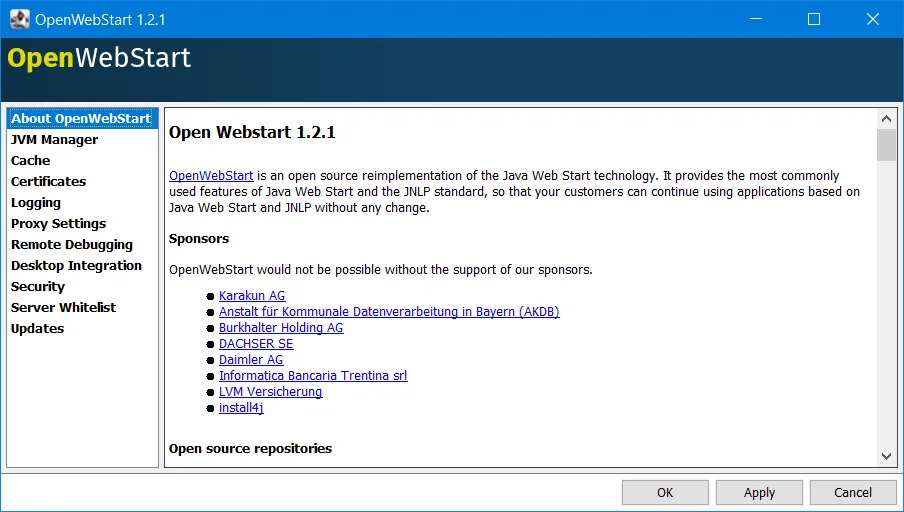
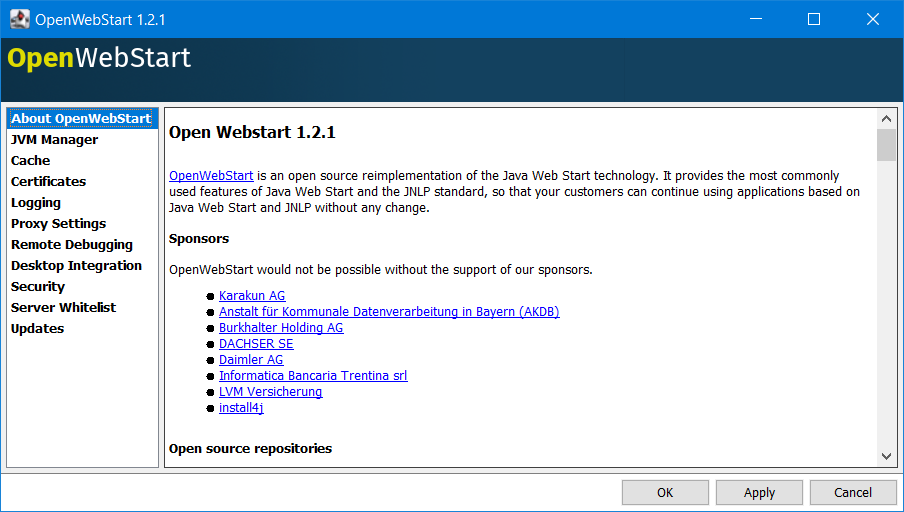
OpenWebStart implements the most commonly used Java Web Start and JNLP features, not a promise that every application will work unchanged. Runtime requirements and configuration still matter for the application you launch. The publisher's 200 MB disk-space recommendation covers the core installation only: downloaded JVMs and cached applications require additional space. For managed deployments, unattended installation uses a response.varfile and leaves rollout of OpenWebStart updates to IT. The documentation screenshot shown here is an older 1.2.1 Settings window, not a capture of the 1.14.0 download.
What it offers
- Launch JNLP-based applications using an open-source reimplementation of Java Web Start.
- Manage Java runtimes with JVM Manager, including local JVM selection and configurable runtime downloads and updates.
- Configure caching, proxy settings, certificates and server whitelists through the graphical Settings application.
- Choose current-user or all-users installation and associate JNLP and JNLPX files on Windows.
- Use a response.varfile for unattended installation across managed computers.
Good to know
- The publisher describes support for the most commonly used Java Web Start and JNLP features; this is not a guarantee of compatibility with every JNLP application.
- The linked Windows package is x64, and the publisher lists Windows 10 or higher; other configurations are not established as supported here.
- The core installation's disk-space recommendation excludes downloaded JVMs and cached applications.
- Automatic OpenWebStart updating is inactive for unattended installations; IT must manage those rollouts.
- Free community support has no guaranteed support response or reaction time.
Product images
Sources
References used for this listing. Retrieval dates do not indicate hands-on testing.
- OpenWebStart - Download ↗Retrieved
- OpenWebStart – Official Site | Java Web Start Alternative ↗Retrieved
- Download | OpenWebStart ↗Retrieved
- The Definitive Guide To OpenWebStart ↗Retrieved
More in utilities
View category ↗
Weasis 4.7.3
View DICOM medical images on Windows with Weasis, a free, open-source viewer with multiplanar reconstruction and PACS connectivity.

DOSBox Game Launcher 0.99
Organize DOS games into profiles, choose DOSBox settings per title and launch your collection from a graphical Windows frontend. DOSBox Game Launcher is free and open source; Java 17 or newer (x64) is required.
Filius 2.14
Design small computer networks and explore how messages travel with Filius, a free network simulator for classroom learning. The Windows installer includes Java.

CmapTools 7.01.00
Build concept maps that connect ideas, documents and web resources with CmapTools for Windows. Save maps locally or work with others through CmapServers.
FreeMind 1.0.1
Organize ideas, project notes and linked research in branching mind maps with FreeMind, a free, open-source Java application. This entry links to the Windows 1.0.1 Max installer.