

Utilities Windows
Weasis for Windows
View DICOM medical images on Windows with Weasis, a free, open-source viewer with multiplanar reconstruction and PACS connectivity.
- Operating system
- Windows 10 or higher
- Architecture
- x86-64
- Download package
- MSI installer
Selected publisher package is Windows x86-64. Runtime is bundled; no separate Java installation is required. 3D rendering needs compatible graphics hardware.
Link checked · Download guidance
What is Weasis?
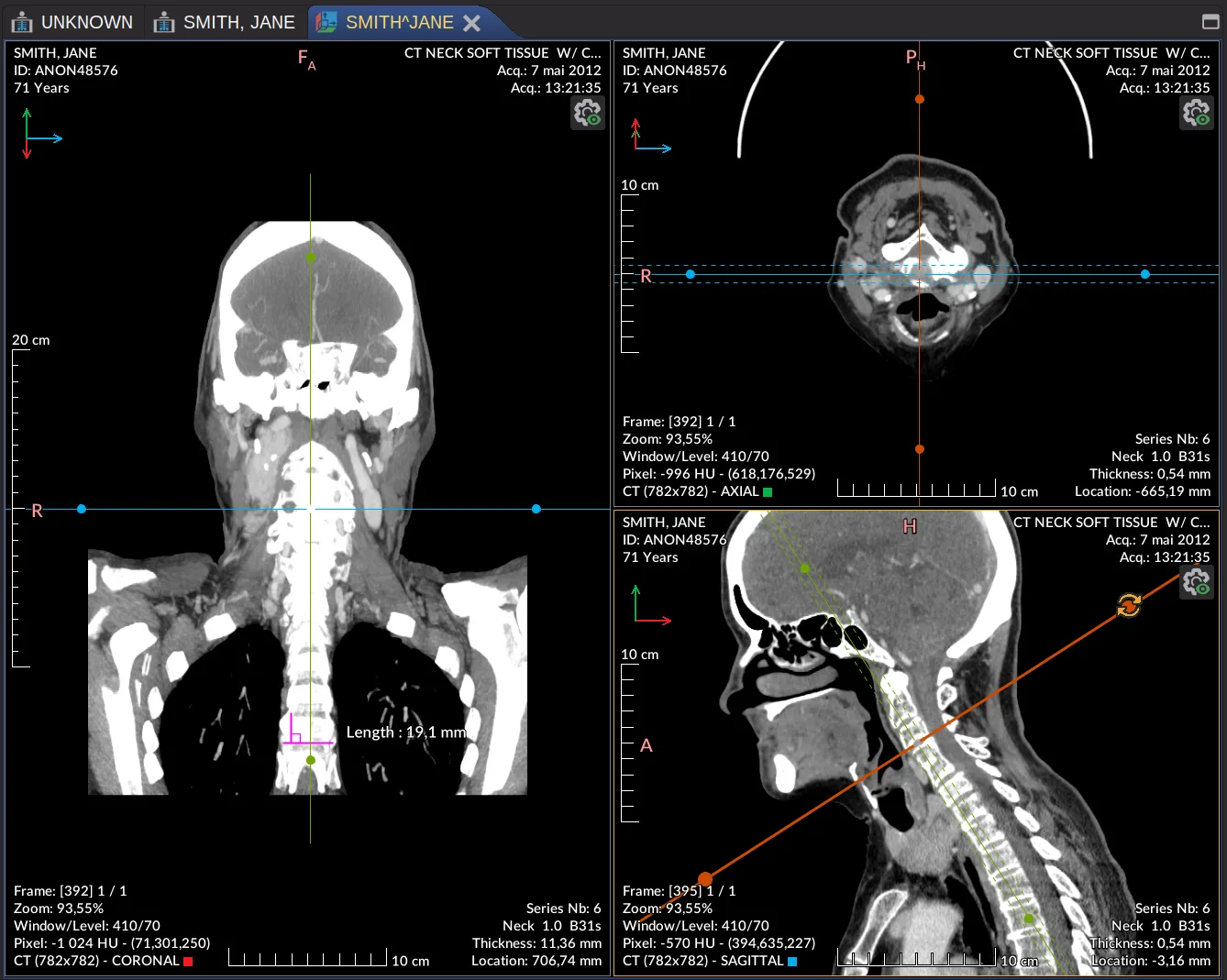
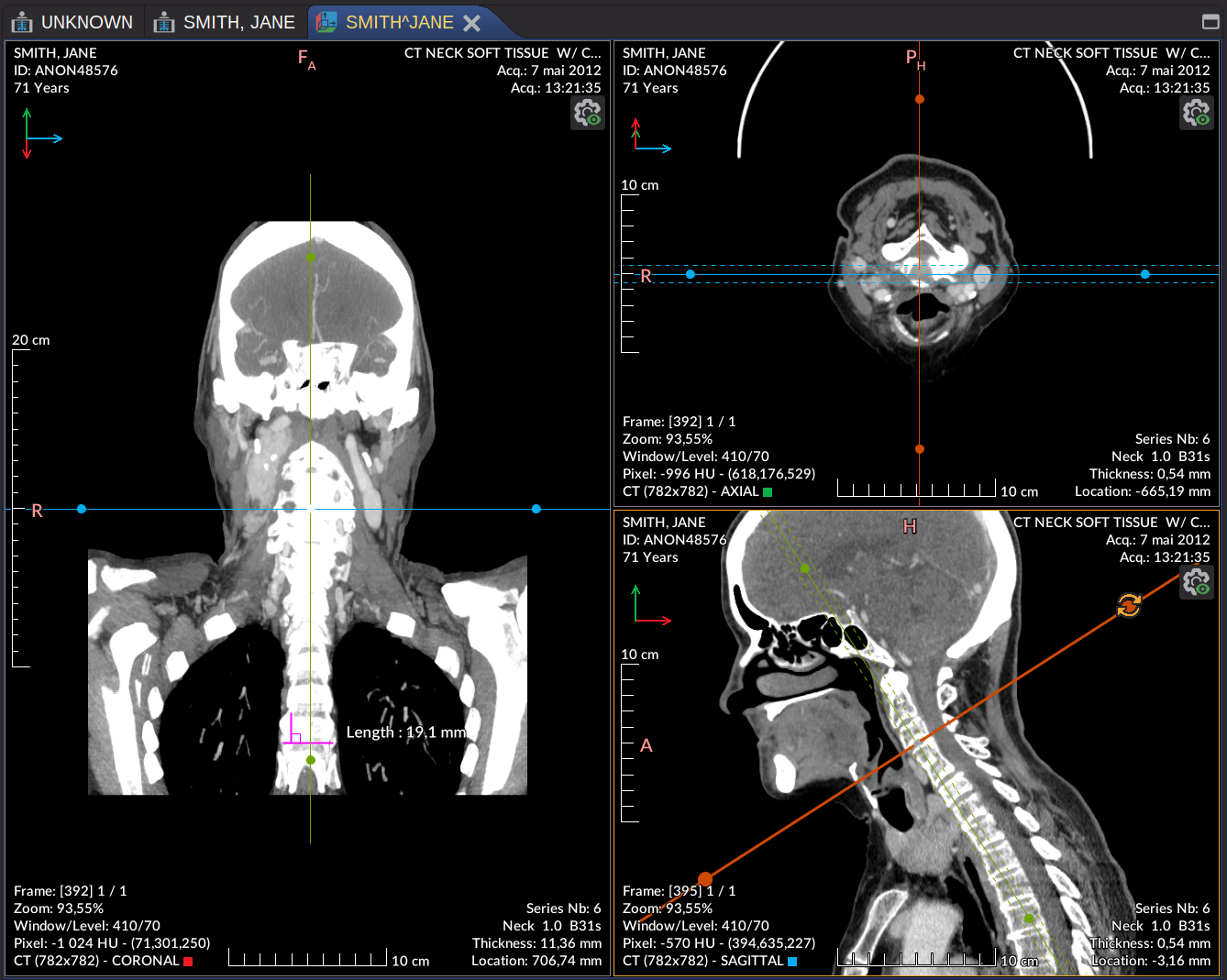
Weasis opens medical imaging studies from local folders, DICOM CDs, USB drives and ZIP archives. It can also retrieve studies from a configured PACS or DICOMweb service. Local files can be viewed offline after installation. For volumetric studies, its multiplanar reconstruction (MPR) viewer presents synchronized coronal, axial and sagittal views with a shared crosshair.
This entry links to the publisher’s Windows x86-64 MSI for version 4.7.3, requiring Windows 10 or higher. The installer bundles its runtime; a separate Java installation is not required. Launching Weasis from a web portal still opens the locally installed application, rather than running a browser-only viewer.
The open-source distribution is not a certified medical device and has no CE marking or FDA clearance. Users and institutions are responsible for compliance before primary diagnostic use. Hiding patient identifiers in the viewer is not DICOM de-identification: exported DICOM files retain their original attributes, and text embedded in image pixels is not removed automatically.
What it offers
- Open local DICOM studies from folders, CDs, USB drives and ZIP archives, including offline viewing after installation.
- Inspect volumetric studies in synchronized MPR planes with a shared crosshair and oblique reconstruction.
- Query and retrieve studies from configured PACS nodes; connect to DICOMweb services.
- Display DICOM structured reports, presentation states, segmentation, radiotherapy objects and ECG waveforms.
- Use 3D volume rendering on a compatible graphics card.
Good to know
- The open-source distribution is not a certified medical device: it has no CE marking or FDA clearance. Primary diagnostic use requires compliance with applicable regulations.
- Web-portal launch requires a local Weasis installation; it is not a browser-only viewer.
- 3D volume rendering requires graphics hardware supporting OpenGL 3.3 or later.
- Hiding patient identifiers does not de-identify exported DICOM files or automatically remove text embedded in image pixels.
Product images
Sources
References used for this listing. Retrieval dates do not indicate hands-on testing.
More in utilities
View category ↗
1.1.1.1 with WARP 2026.8.2115.0
Encrypt traffic from your Mac to Cloudflare’s network with WARP, or use DNS-only mode for encrypted DNS queries to the 1.1.1.1 resolver.
1.1.1.1 with WARP 2026.8.2115.0
Encrypt traffic between your Windows PC and Cloudflare, or use encrypted DNS only, with the free 1.1.1.1 with WARP app.

3uTools 9.12.005
Manage iPhone and iPad photos, music, apps and backups from Windows with 3uTools, a free utility that also includes device checks and firmware flashing tools.