

Utilities Windows
Opera Air for Windows
Browse the web with a minimalist interface, built-in soundscapes and guided breaks in Opera Air, a free browser for Windows.
- Operating system
- Windows; Softonic lists Windows 11
- Architecture
- x64
- Download package
- EXE Setup installer
Minimum Windows version was not established from the publisher pages. Selected versioned Setup package; not the Autoupdate executable.
Link checked · Download guidance
What is Opera Air?
Opera Air is a web browser that brings focus-oriented tools into everyday browsing. Its clean interface, soundscapes and short guided breaks offer ways to pause or reduce distractions without opening a separate wellness app. The publisher also describes importing passwords, bookmarks and browser data when switching from another browser.
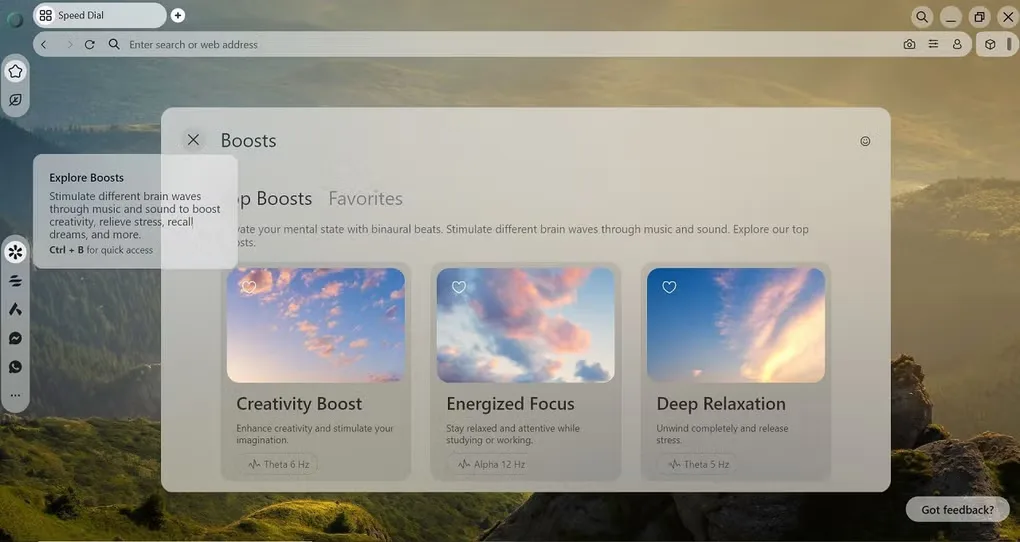
Boosts provide audio-based support, while Breaks offer guided pauses to breathe and reset. These are browsing features, not a measured guarantee of better concentration. This entry links to Opera’s versioned Windows x64 Setup package, rather than its separate Autoupdate executable. Opera Air is a distinct product from Opera One and Opera GX; this Windows package is not for 32-bit Windows.
What it offers
- Minimalist browser interface with ads and notifications kept out of sight by default, as described by the publisher.
- Soundscapes and Boosts integrated into the browser.
- Guided Breaks, including breathing exercises and reminders to step away from the screen.
- Import passwords, bookmarks and browser data when switching browsers.
Good to know
- The linked Windows installer is x64; Opera’s Air download catalog does not list a 32-bit Windows package.
- Free to use does not mean open source: the application is licensed under Opera’s proprietary EULA.
Product images
Sources
References used for this listing. Retrieval dates do not indicate hands-on testing.
More in utilities
View category ↗
1.1.1.1 with WARP 2026.8.2115.0
Encrypt traffic from your Mac to Cloudflare’s network with WARP, or use DNS-only mode for encrypted DNS queries to the 1.1.1.1 resolver.
1.1.1.1 with WARP 2026.8.2115.0
Encrypt traffic between your Windows PC and Cloudflare, or use encrypted DNS only, with the free 1.1.1.1 with WARP app.

3uTools 9.12.005
Manage iPhone and iPad photos, music, apps and backups from Windows with 3uTools, a free utility that also includes device checks and firmware flashing tools.