
Utilities Windows
Outlook CalDav Synchronizer
Sync Outlook calendars, tasks and contacts with CalDAV and CardDAV servers using this free, open-source Windows Outlook add-in.
Version 4.7.1 · Direct publisher file
Link checked · Download guidance
What is Outlook CalDav Synchronizer?
Outlook CalDav Synchronizer connects desktop Outlook folders to a CalDAV or CardDAV server. It is useful when you want to keep calendars, tasks or contacts in Outlook while sharing that data with a service such as Nextcloud or SOGo. This is an Outlook add-in, not a standalone calendar application.
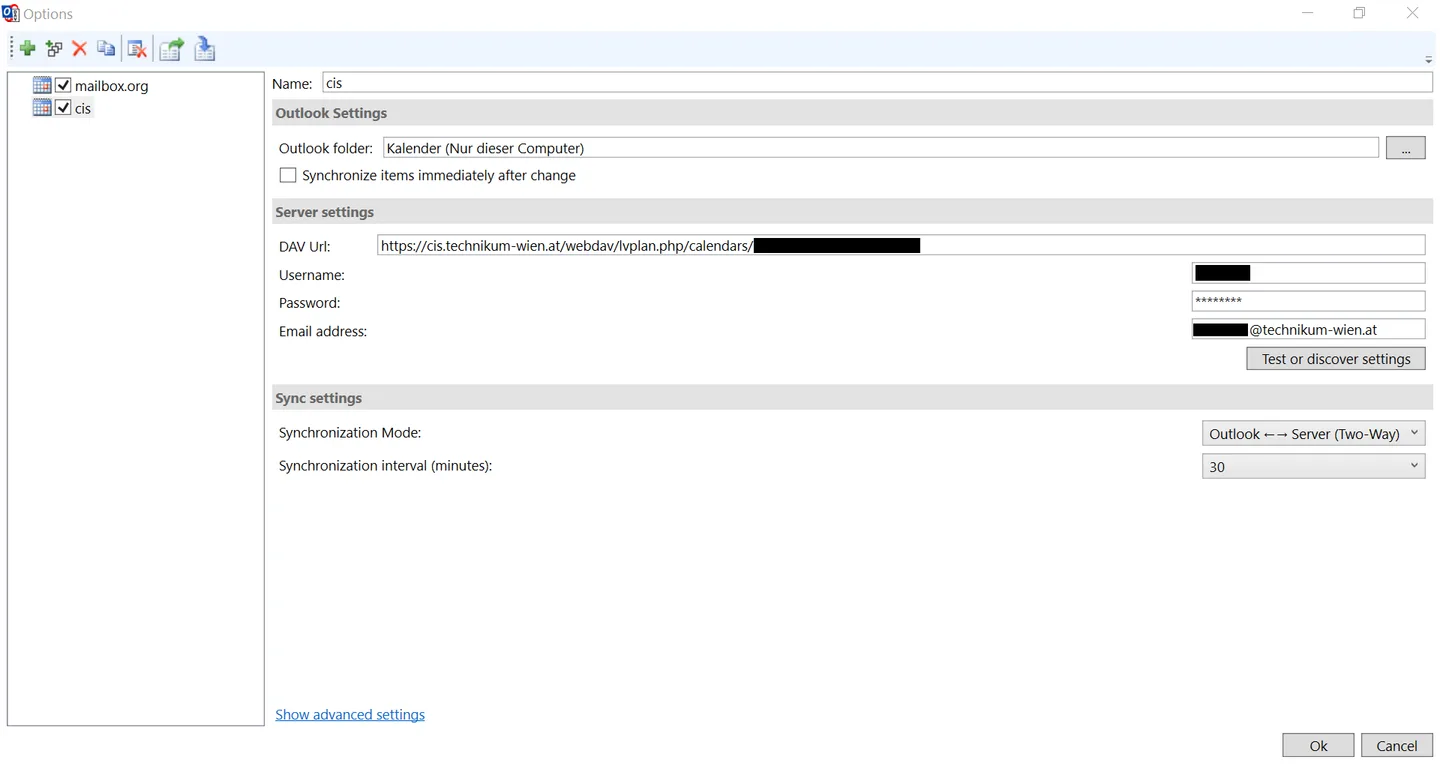
Create synchronization profiles to associate Outlook folders with remote calendars or address books. Profiles let you choose two-way synchronization or a one-way mode, set an interval, or run synchronization manually. Calendar options include reminders, recurring events and category mapping; reports and a status window help identify synchronization errors.
The selected download is the publisher-linked 4.7.1 ZIP release. The project README lists Outlook 2021, 2019, 2016, 2013, 2010, 2007 and Office 365 for Desktop, and requires .NET Framework 4.8 for the 4.x releases. Compatibility with the new Outlook for Windows is not established by these sources. The publisher also warns that formatted-description conversion is experimental and cannot preserve every formatting detail or inline image.
What it offers
- Synchronize CalDAV calendars and tasks, and CardDAV contacts, with desktop Outlook.
- Choose two-way synchronization or one-way replication and merge modes.
- Use manual, scheduled or Outlook-change-triggered synchronization.
- Discover remote calendars and address books and configure synchronization profiles.
- Map calendar reminders, recurring events and categories, and inspect synchronization reports.
Good to know
- Requires a supported desktop Outlook installation; it is not a standalone calendar. Compatibility with the new Outlook for Windows is unconfirmed in the cited publisher sources.
- Version 4.x requires .NET Framework 4.8; the project says Windows XP, Windows Vista and Windows 8 do not support that requirement.
- Formatted-description conversion is experimental; inline images and some formatting cannot be converted.
Product images
Sources
References used for this listing. Retrieval dates do not indicate hands-on testing.
More in utilities
View category ↗
1.1.1.1 with WARP 2026.8.2115.0
Encrypt traffic from your Mac to Cloudflare’s network with WARP, or use DNS-only mode for encrypted DNS queries to the 1.1.1.1 resolver.
1.1.1.1 with WARP 2026.8.2115.0
Encrypt traffic between your Windows PC and Cloudflare, or use encrypted DNS only, with the free 1.1.1.1 with WARP app.


3uTools 9.12.005
Manage iPhone and iPad photos, music, apps and backups from Windows with 3uTools, a free utility that also includes device checks and firmware flashing tools.