

Utilities macOS
OverSight for macOS
Monitor microphone and webcam activity on your Mac with OverSight, a free, open-source utility that alerts you when a device is activated and can identify the process using it.
Version 2.4.0 · Direct publisher file
Link checked · Download guidance
What is OverSight?
OverSight watches your Mac's microphone and webcam and displays alerts when either device becomes active. It is useful when you want to know which application has started using a camera or microphone rather than relying on a device indicator alone. Where OverSight can identify the responsible process, the notification includes its name and process ID. Its options let you allow that process once, approve it for future access without further alerts, or terminate it with Block.
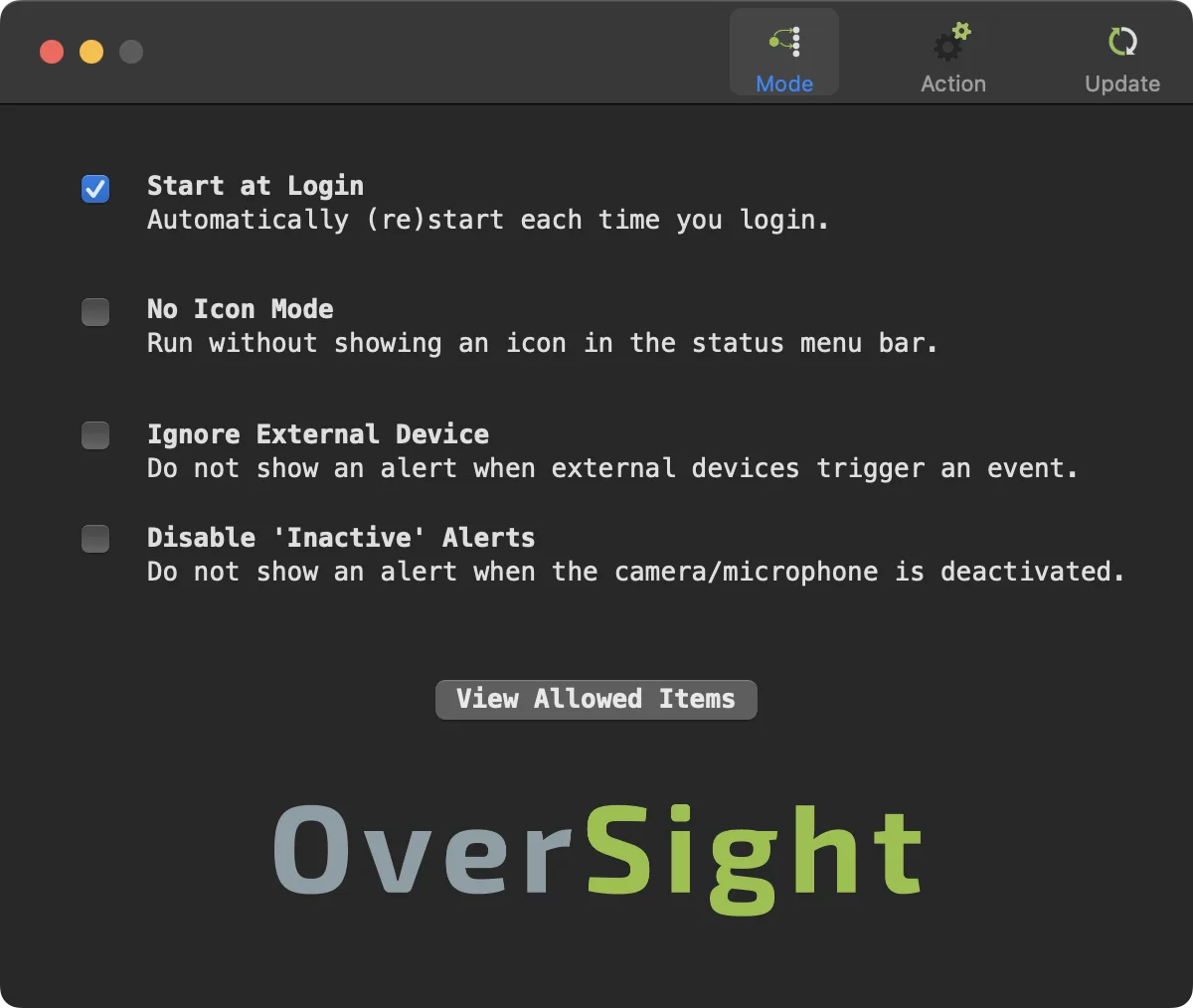
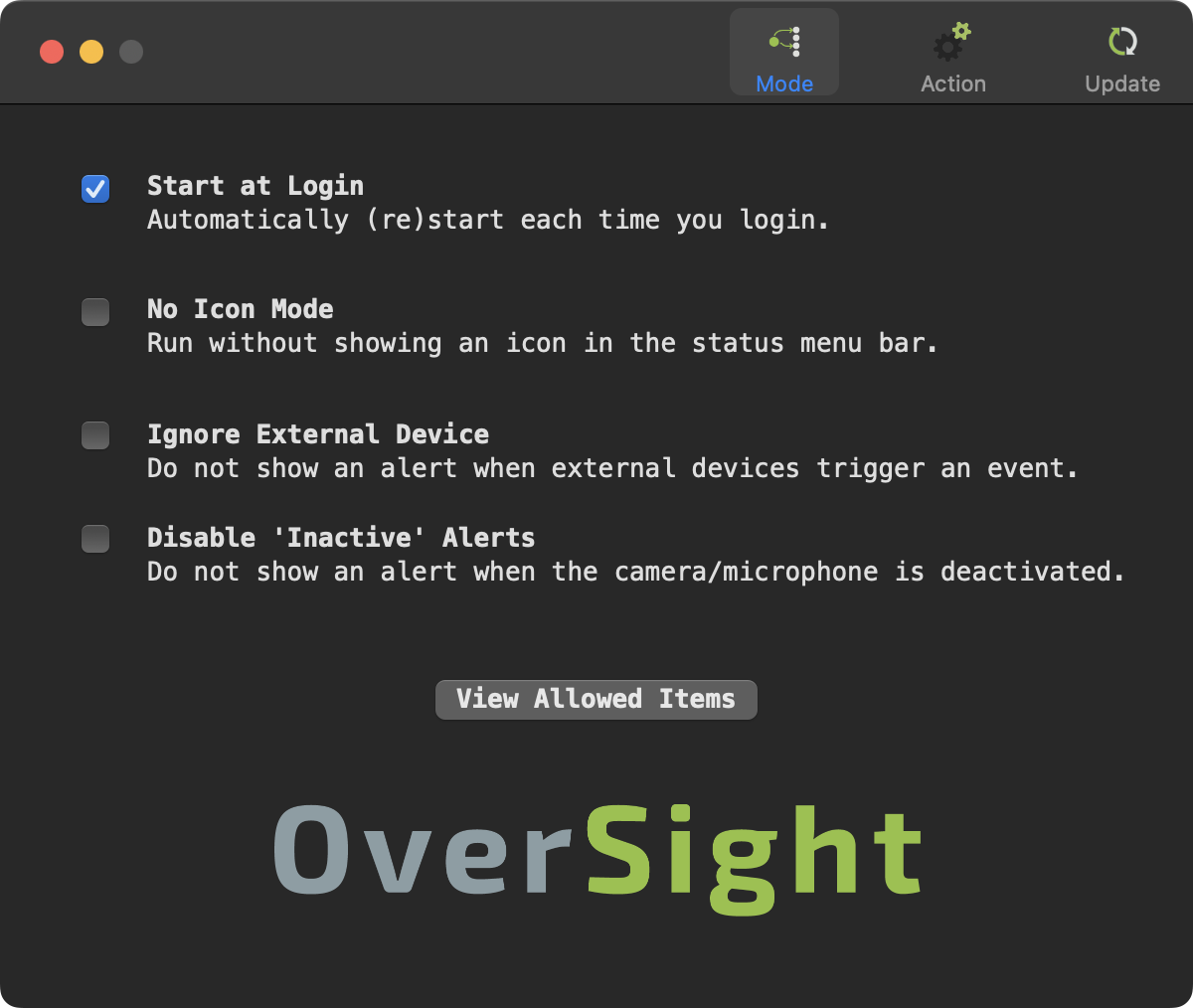
The menu-bar controls lead to settings for starting at login, hiding the status icon, ignoring external devices and suppressing alerts when a device becomes inactive. You can also view the applications you have already allowed and remove an approval. The publisher's settings screenshot illustrates these controls; it is documentation artwork, not a capture from a local installation.
The listed version is 2.4.0 for macOS 12 or later. Objective-See distributes it as a ZIP archive containing OverSight_Installer.app. OverSight requires an administrator account to install and run. Notifications must be allowed for its alerts to appear, and Do Not Disturb can suppress them. Process identification is not guaranteed: when it cannot identify the application, OverSight can still report device activation, but that notification has no process information or allow/block controls.
What it offers
- Receive alerts when the microphone or webcam is activated or deactivated.
- See the responsible process name and process ID when OverSight can identify them.
- Allow a detected process once, approve it for future access without alerts, or terminate it using Block.
- View approved applications and remove individual approvals.
- Configure start at login, menu-bar icon visibility, external-device alerts and inactive-device alerts.
Good to know
- Requires macOS 12 or later and an account with administrative privileges to install and run.
- Some device activations cannot be attributed to a process; those alerts omit process details and allow/block controls.
- Alerts depend on macOS notification permissions and can be hidden by Do Not Disturb.
Product images
Sources
References used for this listing. Retrieval dates do not indicate hands-on testing.
More in utilities
View category ↗
1.1.1.1 with WARP 2026.8.2115.0
Encrypt traffic from your Mac to Cloudflare’s network with WARP, or use DNS-only mode for encrypted DNS queries to the 1.1.1.1 resolver.
1.1.1.1 with WARP 2026.8.2115.0
Encrypt traffic between your Windows PC and Cloudflare, or use encrypted DNS only, with the free 1.1.1.1 with WARP app.

3uTools 9.12.005
Manage iPhone and iPad photos, music, apps and backups from Windows with 3uTools, a free utility that also includes device checks and firmware flashing tools.