
Development Windows
P3X Redis UI
Browse Redis keys, edit JSON values and inspect database statistics with P3X Redis UI, an open-source desktop Redis client available for Windows.
Version 2026.10.100 · Direct publisher file
Link checked · Download guidance
What is P3X Redis UI?
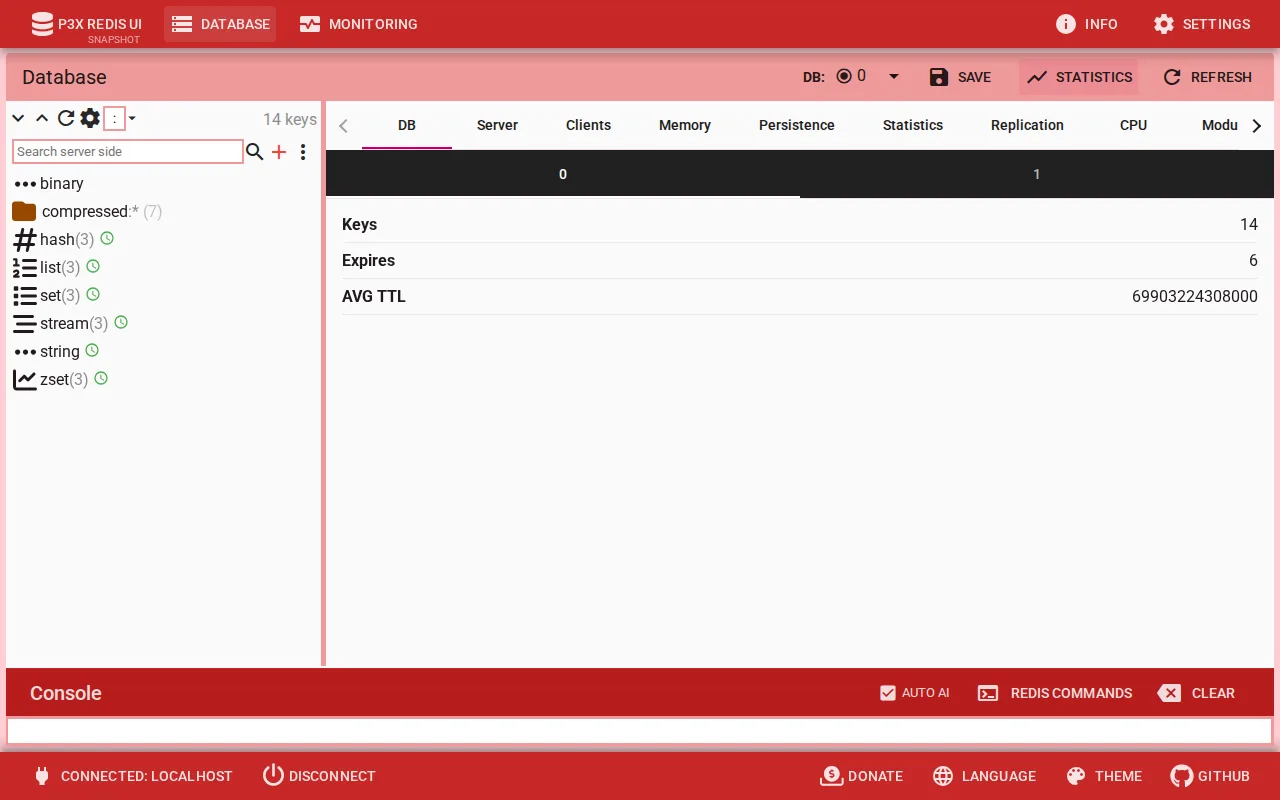
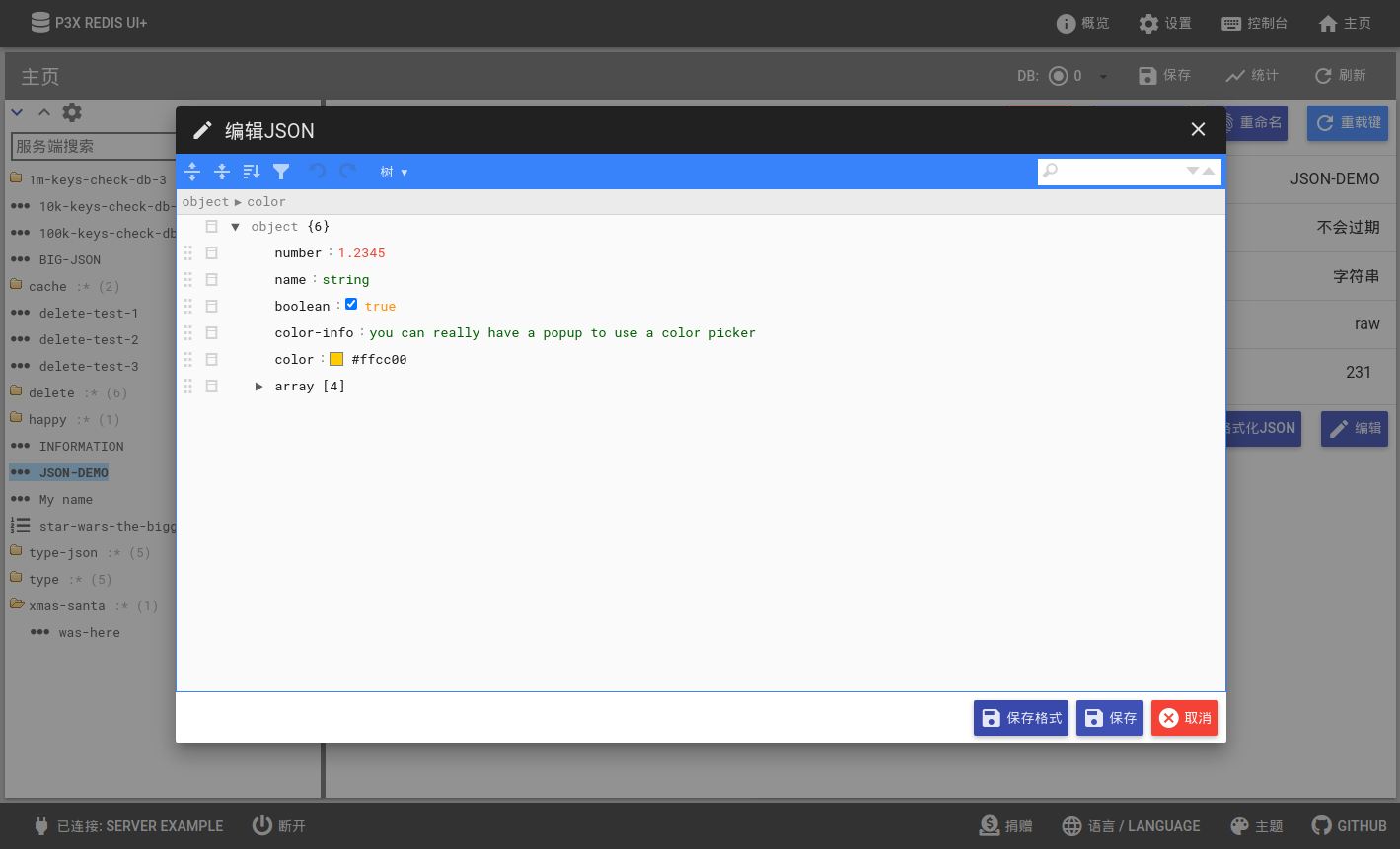
P3X Redis UI gives Redis users a graphical workspace for exploring keys, editing values and checking database activity. Its standalone desktop application combines a searchable key tree, a command console and a CodeMirror JSON editor. It also supports binary data upload and download, SSH tunnels, and cluster and sentinel connections.
Use the key browser for individual records and the monitoring views for memory, clients and server activity. The publisher also documents JSON key export and import, including expiry information, plus light and dark interface themes. This entry links to the publisher's Windows EXE installer for version 2026.10.100.
Some tools depend on the connected Redis server rather than the desktop client alone: full-text search requires the search module, and time-series views require the timeseries module. The publisher instructs users to generate connection configuration through the GUI instead of manually creating the configuration JSON file.
What it offers
- Browse and search a Redis key tree, with a console for Redis commands.
- Edit JSON with CodeMirror and transfer binary values through upload and download controls.
- Connect through SSH tunnels and work with cluster or sentinel configurations.
- Export and import keys as JSON with binary values encoded in base64 and TTL information preserved.
- Inspect memory, clients and server activity in monitoring views; choose light or dark interface themes.
Good to know
- Full-text search and time-series views appear only when the connected Redis server has the corresponding search or timeseries module loaded.
- The publisher says to generate the connection configuration JSON through the GUI, not create it manually in a text editor.
Product images
Sources
References used for this listing. Retrieval dates do not indicate hands-on testing.
- P3X Redis UI v2026.10.100 — publisher README ↗Retrieved
- P3X Redis UI — versioned publisher feature documentation ↗Retrieved
- P3X Redis UI v2026.10.100 — publisher release ↗Retrieved
- P3X Redis UI v2026.10.100 — publisher asset catalog ↗Retrieved
- P3X Redis UI — MIT License ↗Retrieved
- P3X Redis UI — publisher screenshot gallery ↗Retrieved
More in development
View category ↗
010 Editor 17.0
Inspect and edit binary files on Mac with 010 Editor, a paid text and hex editor with Binary Templates, file comparison and a 30-day trial.
010 Editor 17.0
Inspect and edit binary files with 010 Editor for Windows, a text and hex editor with Binary Templates, file comparison and scripting. Includes a 30-day trial.
10x Editor
Edit and navigate C++ projects on Windows with a built-in parser, workspace search and Visual Studio project support. A paid license is required after the 30-day trial.