
Utilities Windows
PaperCut Mobility Print
Share Windows-hosted printers with personal devices using PaperCut Mobility Print, a free BYOD printing server for IT administrators. Cloud Print adds remote printing for Windows, Mac and Chromebook users.
- Operating system
- Windows 10, 11; Windows Server 2016, 2019, 2022 and 2025
- Architecture
- 64-bit Intel or AMD server host; Windows ARM64 hosts unsupported
- Download package
- EXE server installer for IT administrators
Publisher lists at least 2 GB RAM and 3 GB free storage. Host must remain on and have printer drivers installed. Windows desktop hosts have a 20-connection limit; use them only for workloads below 20 simultaneous print jobs.
Link checked · Download guidance
What is PaperCut Mobility Print?
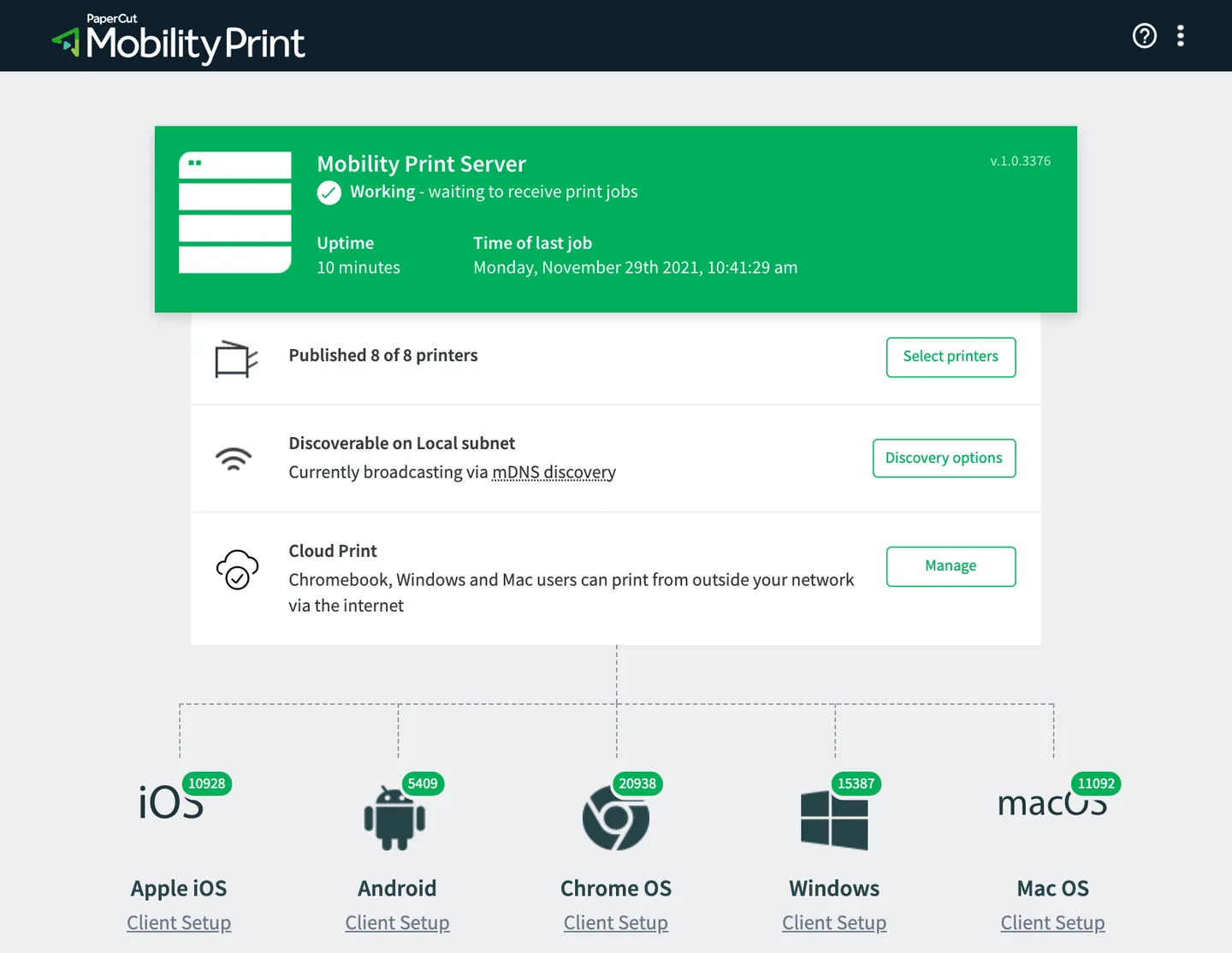
PaperCut Mobility Print shares printers installed on an always-on computer or virtual machine with users on their own devices. Administrators publish the available printers and share a setup link; users can then print through their applications' normal print controls. Local printing supports Windows, macOS, ChromeOS, Android and iOS devices. Cloud Print extends printing beyond the local network for Windows, Mac and Chromebook users.
This Windows download is the server installer for IT administrators, not a universal employee or student client. If your organization already uses Mobility Print, ask its IT team for the correct setup link or client. The server needs access to installed printers and their Windows drivers.
Mobility Print is free, including its Cloud Print feature. Print tracking, quotas and policy management belong to PaperCut's separate print-management products rather than the standalone free server. Android and iOS devices can print locally but cannot use Cloud Print for remote internet printing.
What it offers
- Publish printers from a Windows host and share a self-setup link with users.
- Support local BYOD printing from Windows, macOS, ChromeOS, Android and iOS devices.
- Use Cloud Print for remote printing from Windows, Mac and Chromebook devices.
- Print through applications' native print controls after client setup.
- Integrate with PaperCut NG or MF for their additional print-management capabilities.
Good to know
- The download installs an administrator-managed server; employees and students need their organization's setup link or client instead.
- Android and iOS support local printing only, not remote Cloud Print.
- The server requires compatible printer drivers; label printers and plotters are not supported.
- Windows ARM64 server hosts, including Prism emulation, are not supported.
- Standalone Mobility Print does not include the tracking, quotas and print policies offered by separate PaperCut print-management products.
Product images
Sources
References used for this listing. Retrieval dates do not indicate hands-on testing.
More in utilities
View category ↗
1.1.1.1 with WARP 2026.8.2115.0
Encrypt traffic from your Mac to Cloudflare’s network with WARP, or use DNS-only mode for encrypted DNS queries to the 1.1.1.1 resolver.
1.1.1.1 with WARP 2026.8.2115.0
Encrypt traffic between your Windows PC and Cloudflare, or use encrypted DNS only, with the free 1.1.1.1 with WARP app.

3uTools 9.12.005
Manage iPhone and iPad photos, music, apps and backups from Windows with 3uTools, a free utility that also includes device checks and firmware flashing tools.