
Utilities Windows
PCmover Professional
Move selected applications, files, settings and user profiles to a new Windows PC with Laplink's paid migration software.
Direct publisher file
Link checked · Download guidance
What is PCmover Professional?
PCmover Professional transfers selected applications, files, settings and user profiles from an old Windows PC to a new one. Install the software on both computers, use its wizard to choose what to move and review the transfer plan. It is intended for moving an existing working environment rather than manually reinstalling every compatible application.
Laplink lists automatic PC discovery, cloud-directory transfers and an undo option among its features. Its current product page also describes an AI assistant that explains the transfer plan and Wi-Fi Direct as an available connection method. These are publisher-described capabilities, not results of hands-on migration testing.
A paid license is required: one license covers a transfer from one source computer to one destination computer, with unlimited transfer attempts. Applications incompatible with the destination operating system may be excluded. Security software and programs that rely on system drivers can require manual reinstallation, while protected applications may need their original keys or reactivation.
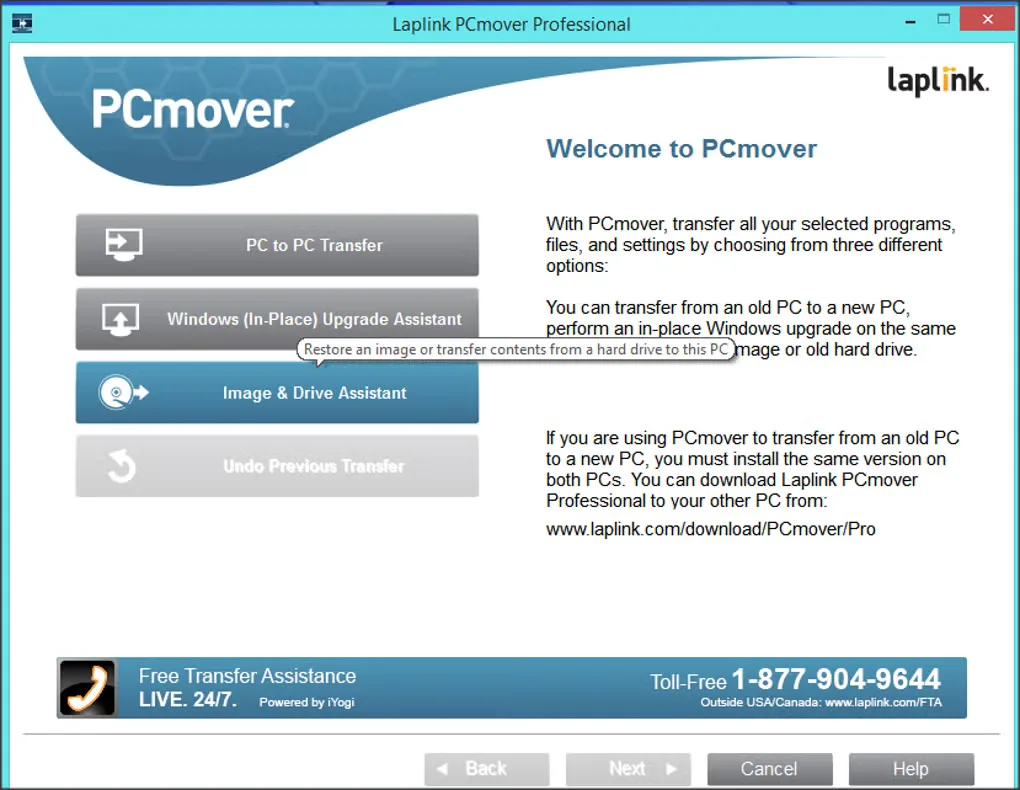
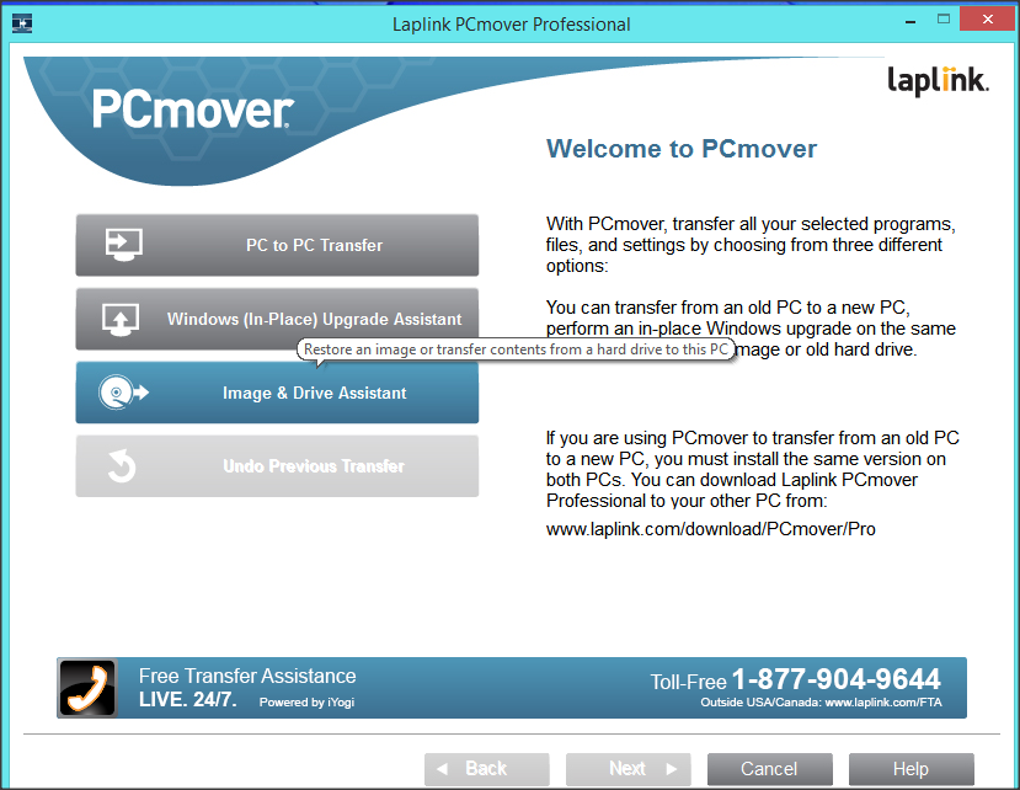
The download link is the publisher's Professional installer route, not a free license. The screenshot shows an older PCmover Professional welcome screen from Softonic's Windows gallery; the current interface may differ.
What it offers
- Transfer selected applications, files, settings and user profiles between Windows PCs.
- Choose transfer content through a setup wizard with automatic PC discovery.
- Transfer cloud directories and change library-folder destinations, as listed by Laplink.
- Review the transfer plan with the publisher-described AI assistant; Wi-Fi Direct is among the listed connection methods.
- Use the publisher's undo option for a previous transfer.
Good to know
- Paid software: one license covers one source-to-destination computer migration; additional computers require separate licenses.
- Incompatible applications may be excluded, and antivirus software or driver-dependent programs may need manual reinstallation.
- Protected applications and DRM content may require reactivation or original license keys on the destination PC.
Product images
Sources
References used for this listing. Retrieval dates do not indicate hands-on testing.
- PCmover Professional – Effortless PC Migration ↗Retrieved
- Download & Install PCmover ↗Retrieved
- Will all my Old Programs Work on my New PC? ↗Retrieved
- PCmover Professional - Download ↗Retrieved
More in utilities
View category ↗
1.1.1.1 with WARP 2026.8.2115.0
Encrypt traffic from your Mac to Cloudflare’s network with WARP, or use DNS-only mode for encrypted DNS queries to the 1.1.1.1 resolver.
1.1.1.1 with WARP 2026.8.2115.0
Encrypt traffic between your Windows PC and Cloudflare, or use encrypted DNS only, with the free 1.1.1.1 with WARP app.

3uTools 9.12.005
Manage iPhone and iPad photos, music, apps and backups from Windows with 3uTools, a free utility that also includes device checks and firmware flashing tools.