

Utilities Windows
PDF24 Creator for Windows
Create PDFs from printable documents, merge or extract pages, compress files and recognize scanned text with this free offline Windows toolkit.
- Operating system
- Windows 10 and Windows 11
- Architecture
- x64
- Download package
- EXE installer
Publisher offers separate ARM64 and x86 downloads and MSI packages for corporate distribution. This card links to the versioned x64 EXE.
Link checked · Download guidance
What is PDF24 Creator?
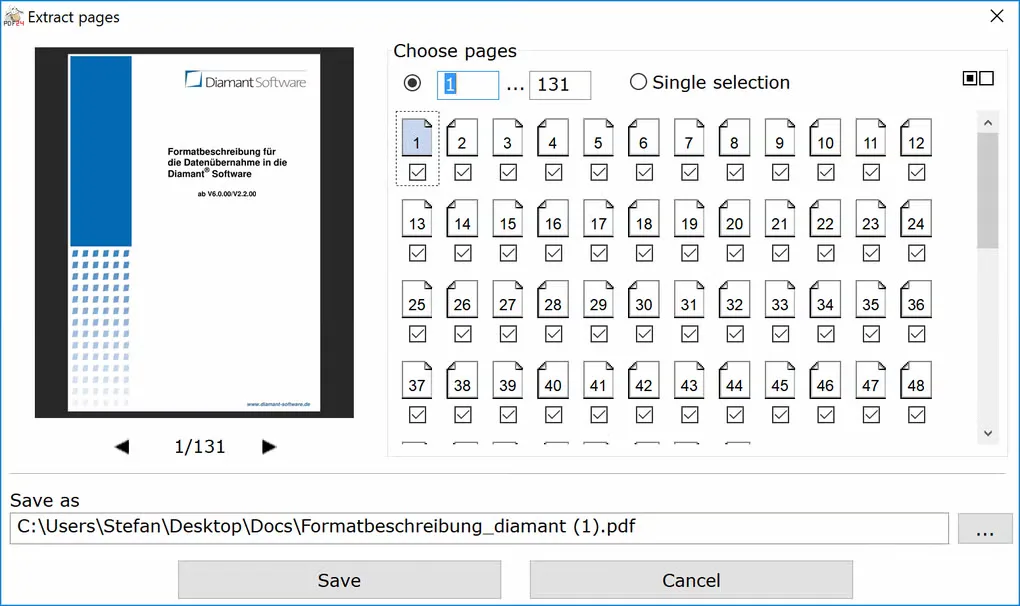
PDF24 Creator bundles a virtual PDF printer with desktop tools for everyday document work. Print from an application to make a PDF, combine several documents, or extract selected pages into a separate file. The toolkit also includes compression, file conversion, a PDF reader and OCR for adding a text layer to scanned documents. Processing works offline and the publisher says files remain on your PC.
The Windows desktop application is free for both private and commercial use. This download is the version 11.31.1 x64 EXE installer; the publisher also offers MSI packages and separate ARM64 and x86 choices. PDF24 Creator cannot be installed on macOS or Linux. Do not confuse this Windows download with the separate browser-based PDF24 Tools service.
What it offers
- Create PDFs through the virtual PDF printer from applications that support printing.
- Merge or split PDFs; extract, rotate, reorder, add or remove pages.
- Compress PDFs and convert files to PDF or PDFs to other supported file types.
- Recognize text in PDF and image files with OCR to create PDFs with a text layer.
- View PDFs with the included reader and save reusable output profiles.
Good to know
- The desktop application is Windows-only; the publisher does not support installation on macOS or Linux.
- This linked installer is x64; ARM64 and x86 systems require the corresponding separate publisher package.
Product images
Sources
References used for this listing. Retrieval dates do not indicate hands-on testing.
More in utilities
View category ↗
1.1.1.1 with WARP 2026.8.2115.0
Encrypt traffic from your Mac to Cloudflare’s network with WARP, or use DNS-only mode for encrypted DNS queries to the 1.1.1.1 resolver.
1.1.1.1 with WARP 2026.8.2115.0
Encrypt traffic between your Windows PC and Cloudflare, or use encrypted DNS only, with the free 1.1.1.1 with WARP app.

3uTools 9.12.005
Manage iPhone and iPad photos, music, apps and backups from Windows with 3uTools, a free utility that also includes device checks and firmware flashing tools.