

Utilities Windows
PDFluent for Windows
Edit, annotate, convert and sign PDFs locally with PDFluent, a free Windows desktop editor for personal and business use.
- Operating system
- Windows 10 or later (publisher minimum)
- Architecture
- x64 (x86-64)
- Download package
- MSI installer
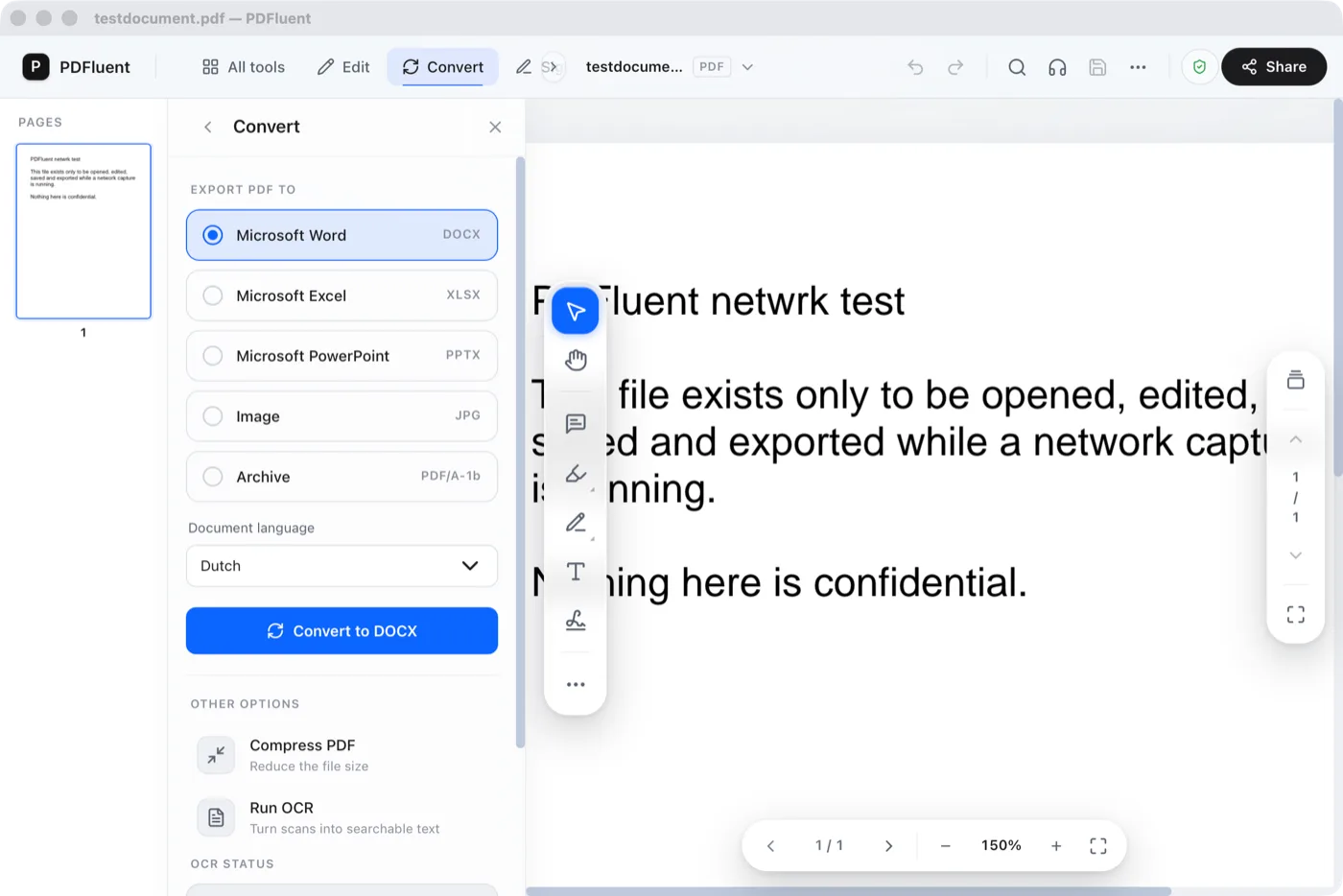
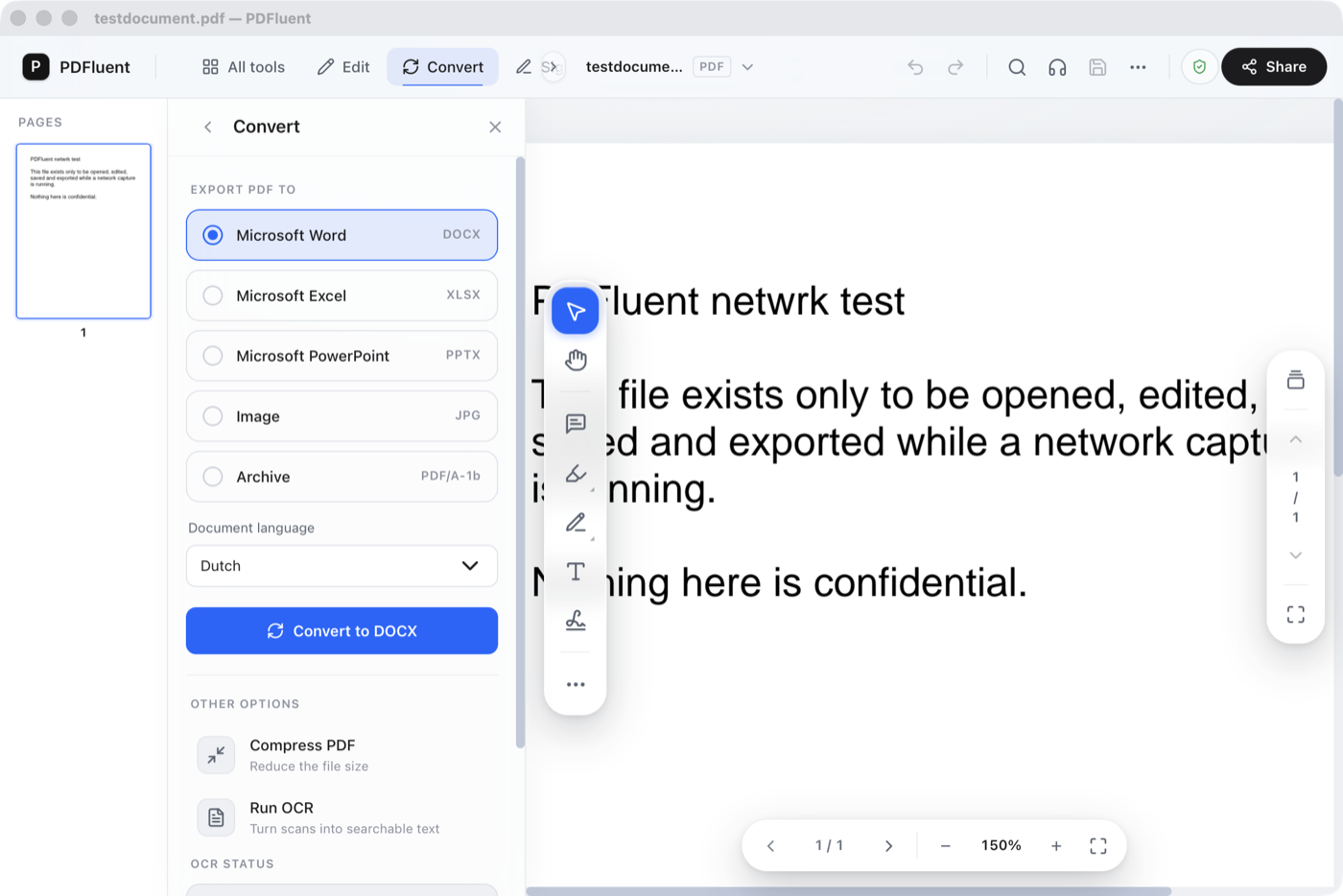
Selected package is the Windows x64 en-US MSI from the publisher’s update manifest. Screenshot depicts an earlier macOS build, not this Windows package.
Link checked · Download guidance
What is PDFluent?
PDFluent is a desktop PDF editor for Windows that processes documents on your computer without requiring an account. It brings reading, text edits, annotations, page organisation and conversion into one application. Use it to correct a line, combine files, extract pages or make a scanned document searchable with built-in OCR. The publisher describes document processing as local; optional update checks and user-enabled reports are separate network activity.
For signing, supply your own .p12 or .pfx certificate. The documented signature is invisible and has no trusted timestamp. Text editing is line-by-line rather than paragraph reflow, and tables may lose their layout when exported to Word. The desktop editor is free for commercial use; the separately licensed developer SDK is a different product.
The screenshot shows the publisher’s earlier macOS editor with its Convert panel open. It illustrates the application interface, not a capture of this Windows package.
What it offers
- Edit individual lines of PDF text, change size and colour, and add shapes or images.
- Highlight, underline and strike through text; add comments and freehand annotations.
- Merge, split, extract, reorder, rotate and delete pages; compress or password-protect a file.
- Run built-in OCR in English, Dutch, German, French, Spanish or Italian, and export to formats including Word, PowerPoint and PDF/A.
- Fill standard AcroForm fields and sign locally with a certificate you supply.
Good to know
- Multi-line paragraphs cannot be edited as a single paragraph; text editing is line-by-line.
- Tables may not retain their layout when exported to Word.
- Certificate signatures are invisible and do not include a trusted timestamp or PAdES-LT long-term validation.
- No document comparison view, shared review workflow or unattended batch/command-line processing in the desktop editor.
Product images
Sources
References used for this listing. Retrieval dates do not indicate hands-on testing.
- PDFluent Editor — the PDF editor that stays on your machine ↗Retrieved
- PDFluent Editor features — every tool, one per line ↗Retrieved
- License | PDFluent ↗Retrieved
- PDFluent official desktop update manifest ↗Retrieved
- Verify it yourself | PDFluent ↗Retrieved
- PDFluent — Free PDF Editor for macOS and Windows ↗Retrieved
More in utilities
View category ↗
1.1.1.1 with WARP 2026.8.2115.0
Encrypt traffic from your Mac to Cloudflare’s network with WARP, or use DNS-only mode for encrypted DNS queries to the 1.1.1.1 resolver.
1.1.1.1 with WARP 2026.8.2115.0
Encrypt traffic between your Windows PC and Cloudflare, or use encrypted DNS only, with the free 1.1.1.1 with WARP app.

3uTools 9.12.005
Manage iPhone and iPad photos, music, apps and backups from Windows with 3uTools, a free utility that also includes device checks and firmware flashing tools.