

Utilities macOS
PeaZip for macOS
Create ZIP and 7z archives, extract RAR files and manage encrypted archives with PeaZip, a free, open-source file archiver for macOS.
- Operating system
- Darwin / macOS
- Architecture
- Apple Silicon (aarch64)
- Download package
- DMG disk image
This download is the native Apple Silicon build. A separate Intel x86_64 package is linked on the publisher page. Minimum OS version is not independently established here.
Link checked · Download guidance
What is PeaZip?
PeaZip brings archive creation, extraction and file management into one graphical application for macOS. Use it to pack folders into ZIP, 7z or TAR archives, open RAR files, or create and extract encrypted archives in supported formats. It also offers file splitting, checksum verification and the ability to export tasks configured in the interface as console scripts.
The linked download is the native Apple Silicon aarch64 DMG for version 11.4.0. The publisher provides a separate Intel x86_64 package on its macOS page; choose that package for an Intel Mac. Optional Automator service menus add archive actions to the macOS context menu.
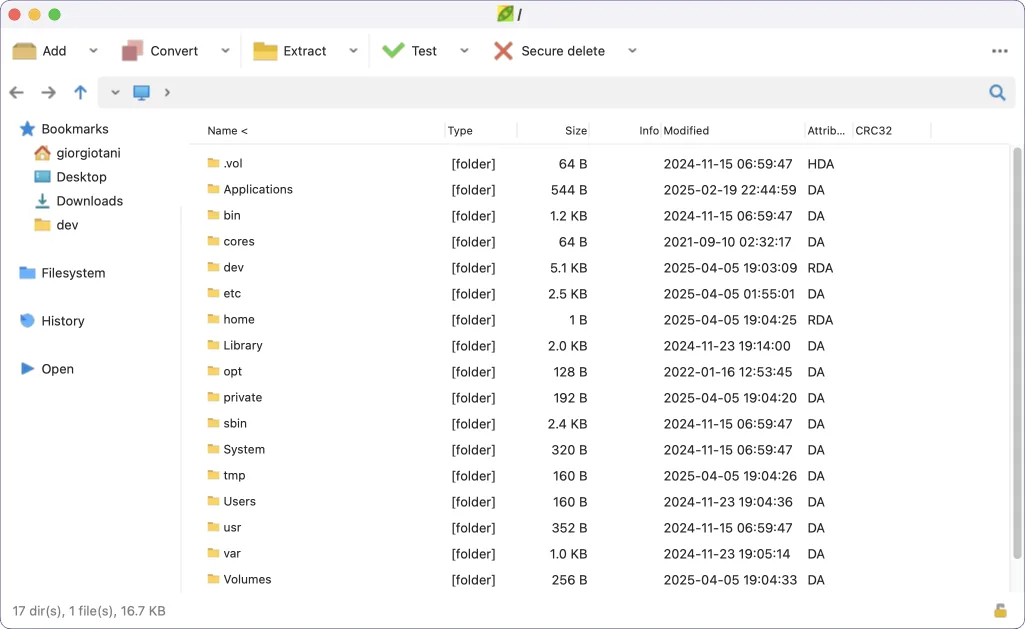
Installation is not a standard signed-app experience. The publisher says the Apple Silicon build is only ad-hoc signed and the Intel build is unsigned, so macOS may block the app or request additional permissions. Consult the publisher's installation notes and Apple's guidance before changing security settings. The screenshot is the publisher's macOS interface illustration, not a claim that this release was installed or tested here.
What it offers
- Create ZIP, 7z, TAR and other supported archive formats, and extract RAR archives.
- Create and extract encrypted archives in supported formats, including options for encrypting file names.
- Split files and verify checksums and hashes from the archive manager.
- Export tasks configured in the graphical interface as console scripts for reuse.
- Add optional macOS context-menu actions through the supplied Automator service menus.
Good to know
- The Apple Silicon build is ad-hoc signed and the Intel build is unsigned; macOS may block opening the app or request additional permissions.
- Optional alternative compression algorithms for 7z archives can produce files incompatible with standard 7-Zip; use standard algorithms when interoperability matters.
Product images
Sources
References used for this listing. Retrieval dates do not indicate hands-on testing.
More in utilities
View category ↗
1.1.1.1 with WARP 2026.8.2115.0
Encrypt traffic from your Mac to Cloudflare’s network with WARP, or use DNS-only mode for encrypted DNS queries to the 1.1.1.1 resolver.
1.1.1.1 with WARP 2026.8.2115.0
Encrypt traffic between your Windows PC and Cloudflare, or use encrypted DNS only, with the free 1.1.1.1 with WARP app.

3uTools 9.12.005
Manage iPhone and iPad photos, music, apps and backups from Windows with 3uTools, a free utility that also includes device checks and firmware flashing tools.