
Utilities Windows
Personal Backup for Windows
Back up personal files to local drives, external storage or network and FTP servers with Personal Backup, a free Windows utility with scheduled tasks and optional encryption.
- Operating system
- Windows 7, 8, 10 and 11 (64-bit); corresponding Windows Server versions listed by publisher
- Architecture
- x64
- Download package
- EXE installer
This entry links to the 64-bit setup. A separate 32-bit setup and ZIP packages are available from the publisher.
Link checked · Download guidance
What is Personal Backup?
Personal Backup saves selected files and folders to a destination on a local disk, an external drive, a network server or an FTP server. Save different backup tasks for different folders and destinations, then start them manually or schedule them for a fixed time, sign-in or sign-out. Windows Task Scheduler integration provides another way to automate those tasks.
Folder and file-type filters control what gets copied. The standard backup mode copies new and changed files; more advanced configurations support full, incremental and differential backup rotations. Optional compression and AES encryption can be applied to the backed-up files. The control center also provides access to restore, verification and cleanup functions.
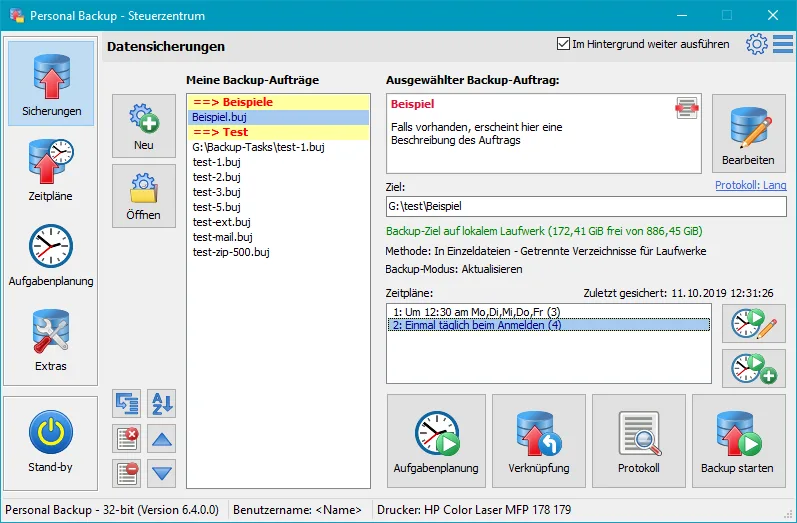
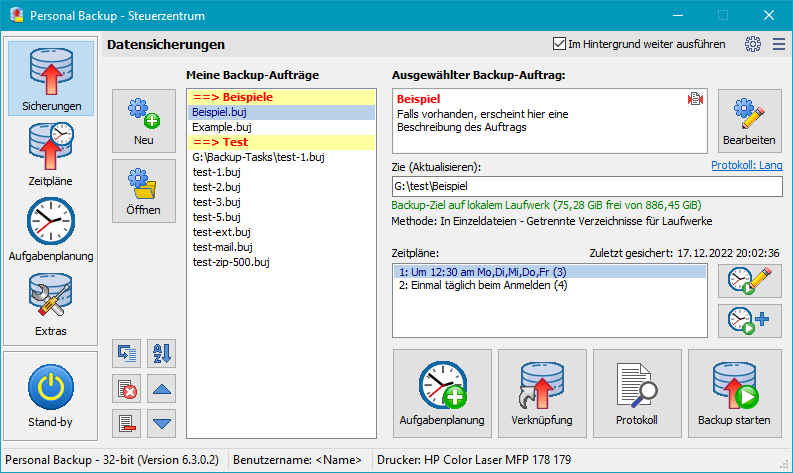
This is a personal-file backup tool, not a system-recovery product: the publisher explicitly says it is not suitable for backing up and restoring system files. The linked package is the Windows x64 EXE installer for version 6.4.14.0. The publisher also offers a separate 32-bit installer and ZIP packages. The screenshot illustrates the publisher's German-language 6.4.0.0 control center, not the exact downloadable build; English is among the supported interface languages.
What it offers
- Back up selected folders to local or external drives, network destinations and FTP servers.
- Save reusable tasks and schedule backups at fixed times, sign-in or sign-out, or through Windows Task Scheduler.
- Filter folders and file types, copy new or changed files, and configure full, incremental or differential backup rotations.
- Apply optional compression and AES encryption to backed-up files.
- Access file restoration, backup verification and backup-folder cleanup from the control center.
Good to know
- Not suitable for backing up or restoring system files; it is not a replacement for system-recovery software.
- The linked x64 installer requires 64-bit Windows; the publisher supplies a separate 32-bit package.
Product images
Sources
References used for this listing. Retrieval dates do not indicate hands-on testing.
More in utilities
View category ↗
1.1.1.1 with WARP 2026.8.2115.0
Encrypt traffic from your Mac to Cloudflare’s network with WARP, or use DNS-only mode for encrypted DNS queries to the 1.1.1.1 resolver.
1.1.1.1 with WARP 2026.8.2115.0
Encrypt traffic between your Windows PC and Cloudflare, or use encrypted DNS only, with the free 1.1.1.1 with WARP app.

3uTools 9.12.005
Manage iPhone and iPad photos, music, apps and backups from Windows with 3uTools, a free utility that also includes device checks and firmware flashing tools.