

Development Windows
Phoenix Code for Windows
Edit HTML, CSS and JavaScript with live preview, code intelligence and integrated Git in Phoenix Code for Windows. Community features are free; visual editing requires Pro.
- Operating system
- Windows 10 or later
- Architecture
- x64
- Download package
- EXE installer
Official installer includes Community and Pro functionality; access to Pro features depends on entitlement.
Link checked · Download guidance
What is Phoenix Code?
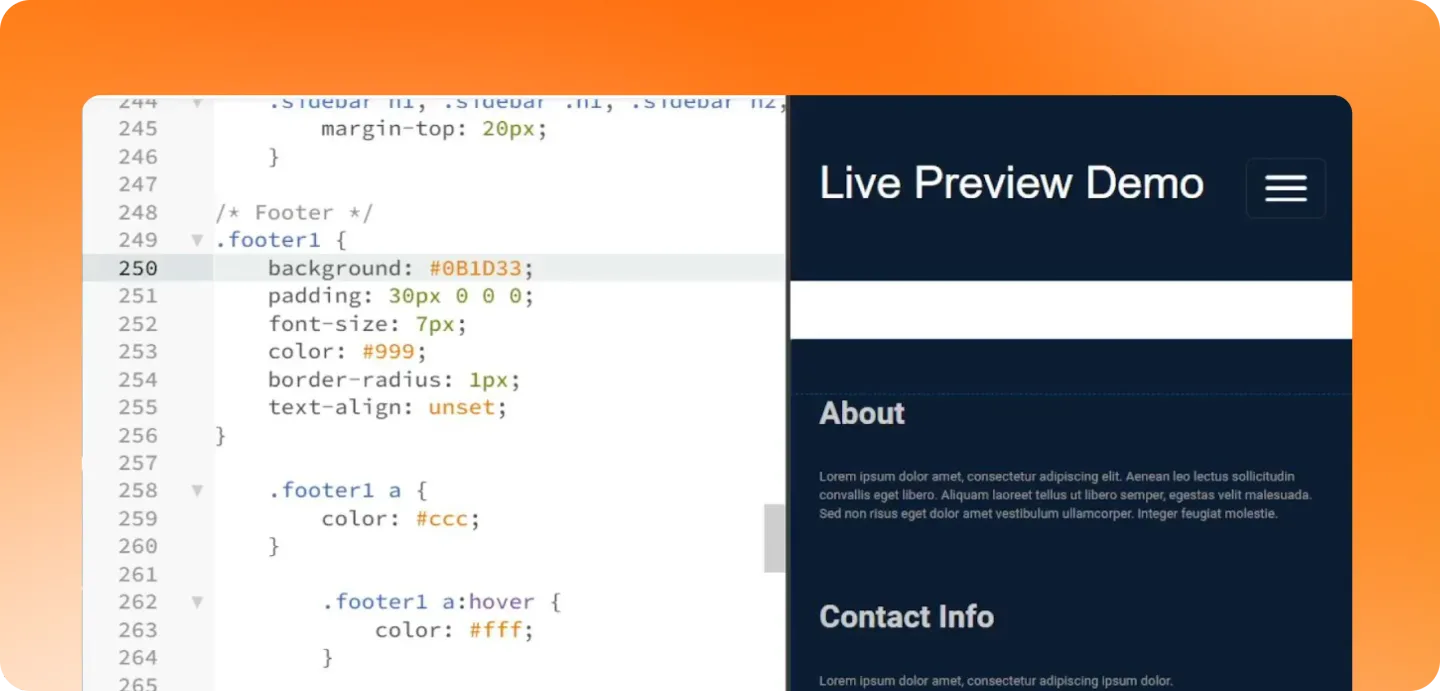
Phoenix Code is a code editor for building websites and web apps, with Markdown preview alongside its web-development tools. Write HTML, CSS or JavaScript and watch the page update in Live Preview rather than switching between separate editing and preview workflows. Code intelligence provides completions, navigation and error checking, while the desktop Git panel handles staging, commits and syncing. A built-in terminal, project-wide search, extensions and themes round out the workspace.
Community Edition includes the core editor, Live Preview, Markdown live preview, code intelligence and desktop Git. Visual editing inside the preview, the Layers panel and the rich Markdown editor are Pro features, not part of the free Community feature set. AI integration also requires Pro and your own supported AI account or API credentials; AI credits are not included. The official installer contains both Community and Pro functionality and is governed by the publisher's license agreement, separately from the AGPL source-code repository.
This entry links to the Windows x64 EXE installer for version 5.5.11. The publisher lists Windows 10 or later. Screenshots are publisher demonstrations of the editor and its preview tools; the visual-editing screenshot shows Pro functionality, not a promise that every pictured tool is free.
What it offers
- Preview HTML, CSS and JavaScript changes as you edit, with Markdown live preview also available.
- Use code completions, go-to-definition, find-usages and error checking for supported languages.
- Stage changes, commit and sync through the integrated desktop Git panel.
- Search project files, run commands in the built-in terminal and customize the workspace with extensions and themes.
- With Phoenix Pro, edit page elements visually in Live Preview and work with the Layers panel and rich Markdown editor.
Good to know
- Visual editing, the Layers panel and rich Markdown editing require Phoenix Pro; Community Edition does not include these tools.
- AI features require Pro plus your own supported AI account or API credentials. Phoenix Pro does not include AI credits.
- The linked installer is for Windows x64 on Windows 10 or later; it is not an x86 or ARM64 package.
Product images

Sources
References used for this listing. Retrieval dates do not indicate hands-on testing.
- Phoenix Code — publisher product page ↗Retrieved
- Download Phoenix Code — publisher platform catalog ↗Retrieved
- Phoenix Code Installation Guide ↗Retrieved
- Phoenix Code pricing — Community and Pro feature boundaries ↗Retrieved
- Phoenix Code License Agreement — effective 1 January 2026, version 5.0 ↗Retrieved
- Publisher GitHub release metadata — Phoenix Code Stable Release v5.5.11 ↗Retrieved
More in development
View category ↗

010 Editor 17.0
Inspect and edit binary files on Mac with 010 Editor, a paid text and hex editor with Binary Templates, file comparison and a 30-day trial.
010 Editor 17.0
Inspect and edit binary files with 010 Editor for Windows, a text and hex editor with Binary Templates, file comparison and scripting. Includes a 30-day trial.
10x Editor
Edit and navigate C++ projects on Windows with a built-in parser, workspace search and Visual Studio project support. A paid license is required after the 30-day trial.