

Development macOS
PhpStorm for macOS
Write, navigate, refactor and debug PHP projects on macOS with PhpStorm, JetBrains' IDE for PHP frameworks, frontend code and databases. A free 30-day trial is available.
- Operating system
- macOS 15 and 26, as listed in JetBrains' 2026.2 documentation
- Architecture
- Intel x86_64; separate Apple Silicon arm64 download
- Download package
- DMG disk image
Publisher requirements: 4-core CPU, 8 GB total RAM with 3 GB available for IDE processes, 10 GB disk space. Java runtime bundled. Publisher link resolved to 2026.2.3; its target may change.
Link checked · Download guidance
What is PhpStorm?
PhpStorm brings PHP editing, code navigation, refactoring and debugging into one desktop IDE. It is aimed at developers maintaining PHP applications, including Laravel, Symfony and WordPress projects, who need to move between application code, frontend files and database queries without changing tools. Code completion, type inference and inspections help identify problems while editing.
The IDE also supports JavaScript and TypeScript, Xdebug integration, PHP testing tools such as PHPUnit and Pest, and database work with systems including MySQL, PostgreSQL and SQLite. These are development capabilities described by JetBrains, not results from an installation or hands-on test for this entry.
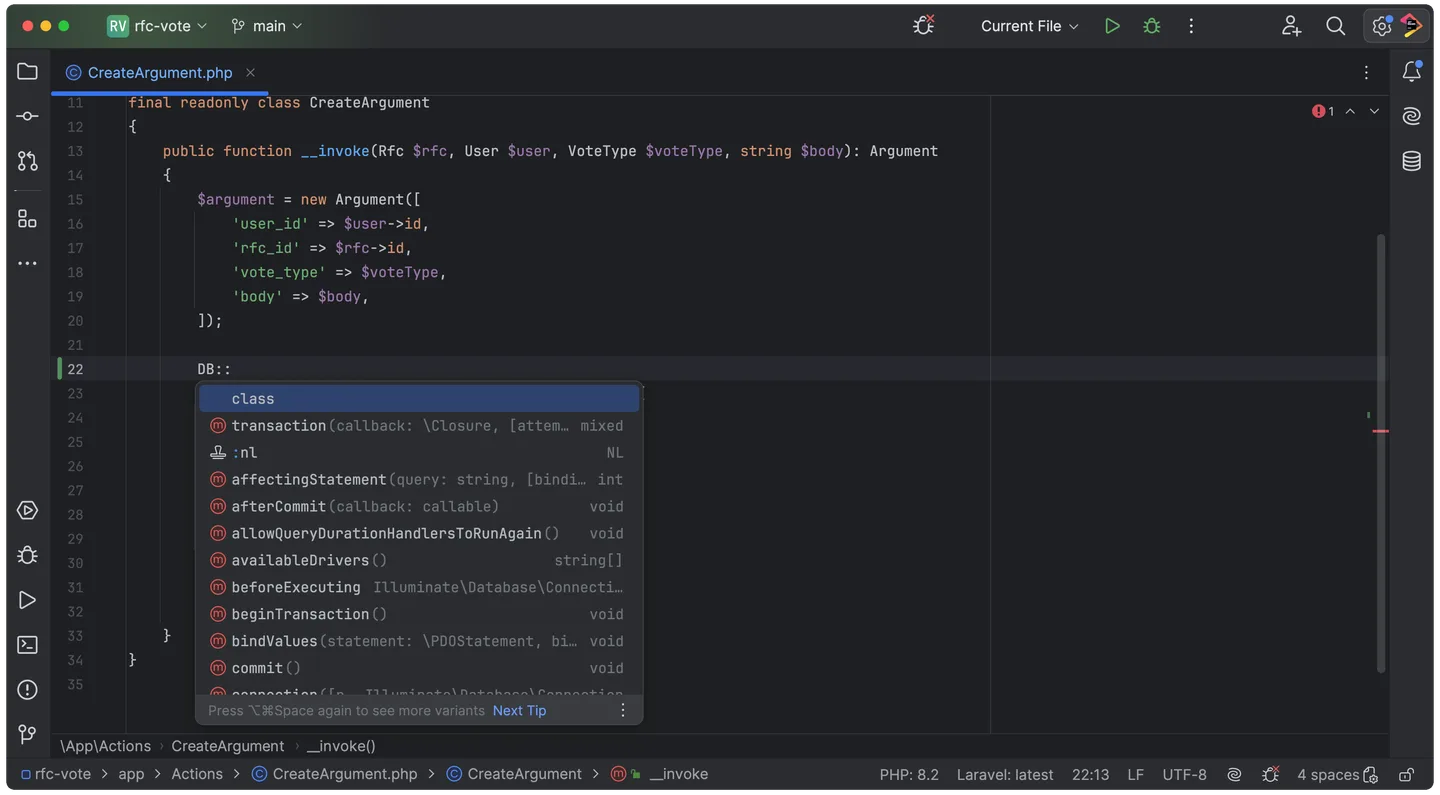
PhpStorm uses subscription licensing, with a free 30-day trial and eligibility-based free licenses for groups such as students and teachers. The linked publisher macOS download resolved to the Intel DMG for version 2026.2.3 when checked; Apple Silicon has a separate package. JetBrains lists macOS 15 and 26, 8 GB of total RAM and 10 GB of disk space in its requirements. The publisher screenshot shows the PHP editor and code completion on macOS; it is an illustration of the interface, not proof of the downloaded build.
The publisher download link can move to a newer release after this check. Match the package to your Mac's processor and confirm current system and license requirements before choosing it.
What it offers
- PHP code completion, type inference, inspections, navigation and refactoring.
- Framework assistance for Laravel, Symfony and WordPress projects.
- JavaScript and TypeScript editing alongside server-side PHP code.
- Debugging with Xdebug integration and support for PHPUnit, Pest and other PHP testing tools.
- Database and SQL tools for querying data, browsing schemas and refactoring.
Good to know
- The standard license is subscription-based; the free trial lasts 30 days, and free educational or open-source licenses have eligibility conditions.
- This download is the Intel macOS DMG; Apple Silicon uses a separate package.
- The cited requirements list macOS 15 or 26, 8 GB of total RAM and 10 GB of disk space; older Macs may not meet them.
Product images
Sources
References used for this listing. Retrieval dates do not indicate hands-on testing.
- PhpStorm for Mac - Download ↗Retrieved
- PhpStorm: For PHP That Holds Up ↗Retrieved
- PhpStorm Features - JetBrains PHP IDE ↗Retrieved
- Download PhpStorm: The PHP IDE ↗Retrieved
- Install PhpStorm | PhpStorm Documentation ↗Retrieved
- JetBrains product release metadata — PhpStorm ↗Retrieved
More in development
View category ↗
010 Editor 17.0
Inspect and edit binary files on Mac with 010 Editor, a paid text and hex editor with Binary Templates, file comparison and a 30-day trial.
010 Editor 17.0
Inspect and edit binary files with 010 Editor for Windows, a text and hex editor with Binary Templates, file comparison and scripting. Includes a 30-day trial.
10x Editor
Edit and navigate C++ projects on Windows with a built-in parser, workspace search and Visual Studio project support. A paid license is required after the 30-day trial.