
Utilities Windows
PhraseExpress
Expand abbreviations into reusable text, organize response templates and recall clipboard entries with PhraseExpress for Windows.
Version 18.0.84 · Direct publisher file
Link checked · Download guidance
What is PhraseExpress?
PhraseExpress is a text expander for Windows 10 and 11. Store repeated wording in a folder-based phrase library, then insert it with an autotext abbreviation or hotkey. It is useful for recurring email replies, sales quotes and other documents where the same wording appears repeatedly. Templates can include input fields and date or time macros instead of requiring a separate saved phrase for every variation.
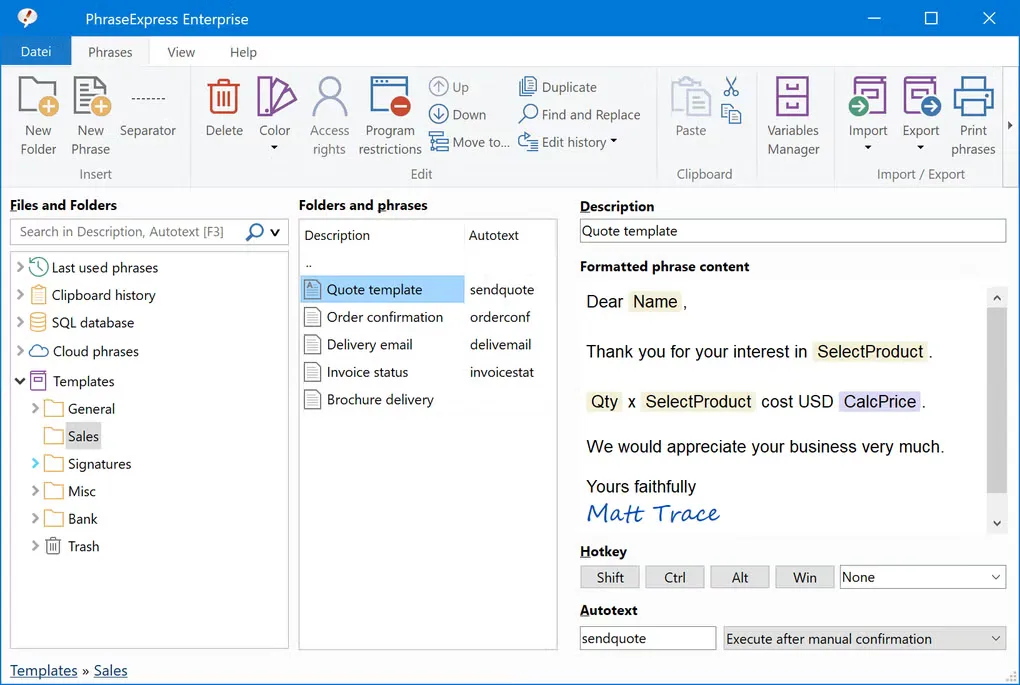
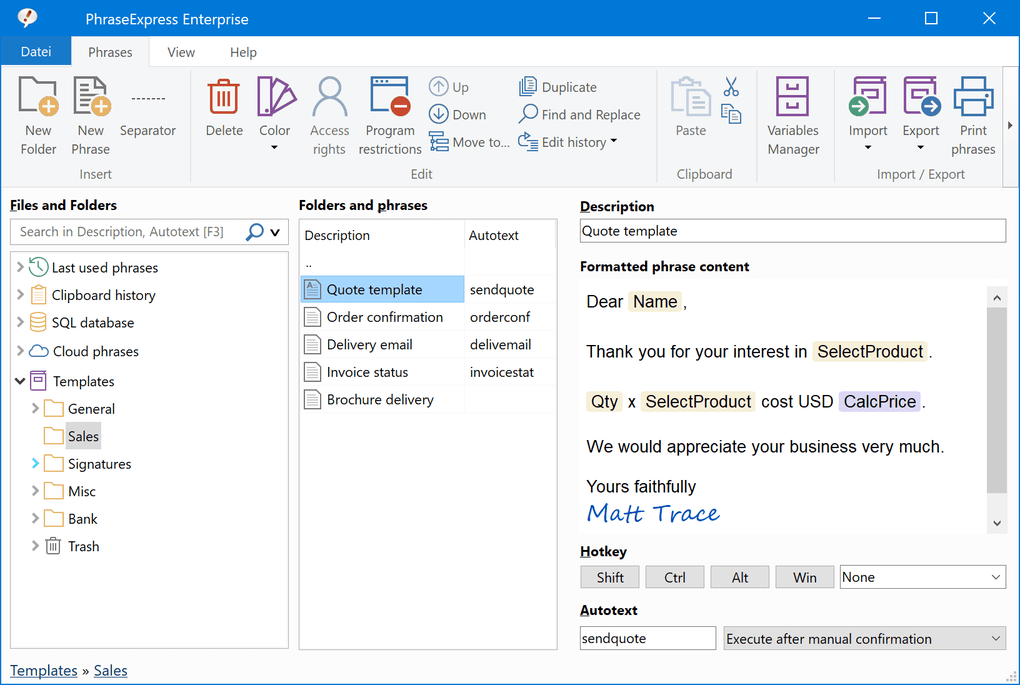
The phrase editor supports formatted content, and the clipboard manager makes earlier copied entries available for reuse. The screenshot shows the Enterprise edition with a quote template selected; it illustrates the editor rather than a promise that every displayed feature is included in free use.
The publisher offers a 30-day evaluation and restricted personal-use freeware alongside paid editions. Professional use requires a license after 30 days. Using paid features without a license can introduce license notifications and occasional license-text insertions. Some document features, including Document Generator and Word-formatted phrases, also require a local Microsoft Word installation. This entry links to the publisher’s standard Windows EXE installer; the portable ZIP is a separate package.
What it offers
- Organize reusable text snippets in a multi-level folder hierarchy.
- Insert phrases using hotkeys or autotext abbreviations.
- Create templates with input fields and date or time macros.
- Edit formatted phrases, including RichText and HTML content.
- Recall earlier Windows clipboard contents and add entries to the phrase library.
Good to know
- Professional use requires a paid license after the 30-day evaluation; personal-use freeware has restrictions.
- Using paid features without a license after 30 days can trigger license notifications and occasional license-text insertions.
- Document Generator and Word-formatted phrase features require a local Microsoft Word installation.
Product images
Sources
References used for this listing. Retrieval dates do not indicate hands-on testing.
More in utilities
View category ↗
1.1.1.1 with WARP 2026.8.2115.0
Encrypt traffic from your Mac to Cloudflare’s network with WARP, or use DNS-only mode for encrypted DNS queries to the 1.1.1.1 resolver.
1.1.1.1 with WARP 2026.8.2115.0
Encrypt traffic between your Windows PC and Cloudflare, or use encrypted DNS only, with the free 1.1.1.1 with WARP app.

3uTools 9.12.005
Manage iPhone and iPad photos, music, apps and backups from Windows with 3uTools, a free utility that also includes device checks and firmware flashing tools.