
Utilities Windows
PicPick for Windows
Capture scrolling windows, annotate screenshots and measure on-screen details with PicPick for Windows. Free for personal, non-commercial use; business use requires a license.
- Operating system
- Windows Vista through Windows 11, as listed by the publisher
- Architecture
- x86 / x64 support listed by publisher
- Download package
- EXE installer
Standard installer selected. A portable ZIP and a beta release are separate options. Installer architecture was not inspected from binary bytes.
Link checked · Download guidance
What is PicPick?
PicPick combines screen capture with an image editor and desktop measurement tools. Capture a full screen, an active window, a scrolling window or a selected region, then add arrows, text, highlights and callouts to explain what the image shows. Hotkeys and automatic saving support repeated captures without choosing the same settings each time.
The editor also includes cropping, resizing, blur and mosaic effects. A color picker, pixel ruler, magnifier and protractor help inspect colors, dimensions and angles on the desktop. Screen recording with system audio and microphone input is another option for explaining a sequence that a still image cannot show.
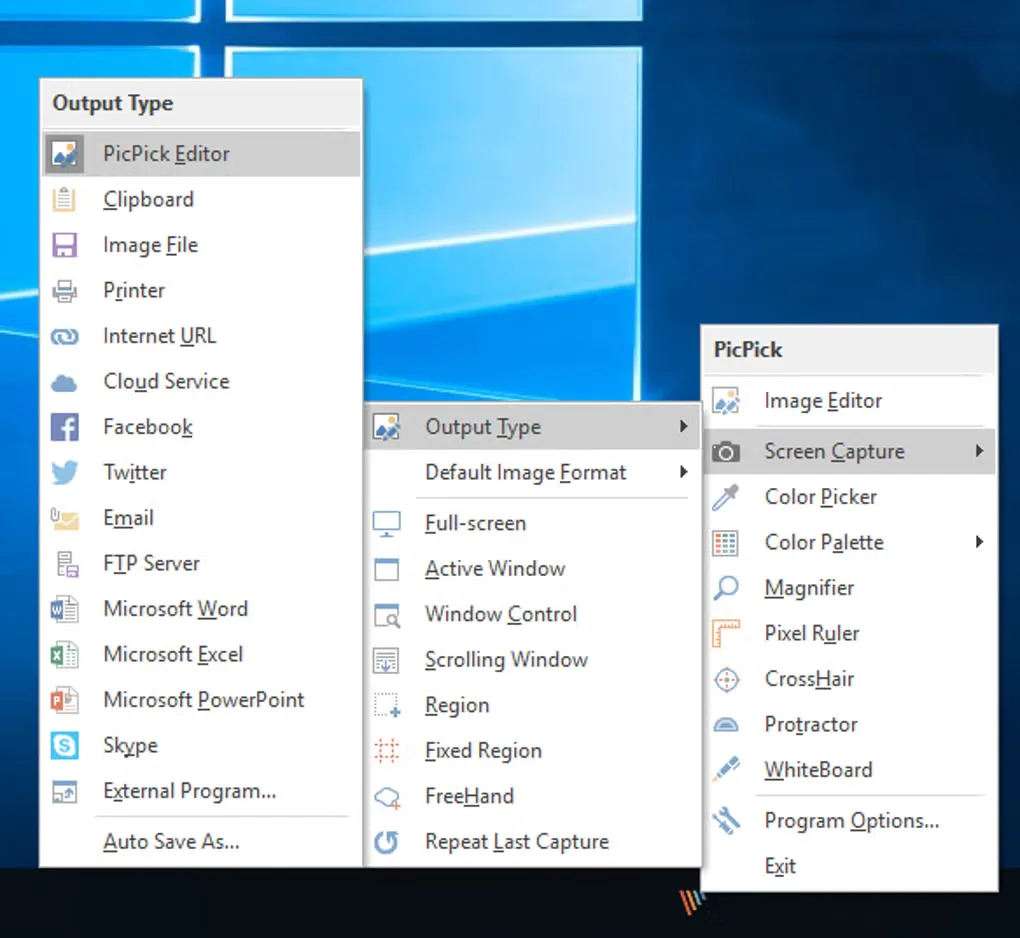
The linked package is the standard Windows installer for version 7.6.2, not the separate portable archive or beta release. PicPick is free for personal, non-commercial use; commercial or business use requires a paid license. It is a Windows application, with no native Mac or Linux edition listed by the publisher. The gallery image shows PicPick's Windows capture and output menus; it is an illustrative source screenshot, not a verified view of version 7.6.2.
What it offers
- Capture full screens, active windows, scrolling windows, fixed regions and freehand selections.
- Annotate screenshots with text, arrows, shapes, highlights and callouts in the Ribbon-style editor.
- Crop and resize images, or apply blur, mosaic, frames and watermarks.
- Record the screen, a window or a region with system audio and microphone input.
- Inspect desktop colors, distances and angles with the color picker, pixel ruler, magnifier and protractor.
Good to know
- Free use is limited to personal, non-commercial work; business and commercial use require a paid license.
- Windows only; the publisher does not offer native Mac or Linux builds.
Product images
Sources
References used for this listing. Retrieval dates do not indicate hands-on testing.
- PicPick - Download — Windows product page and screenshot gallery ↗Retrieved
- PicPick — official download, release notes and system requirements ↗Retrieved
- PicPick Free — publisher HTML manual download link ↗Retrieved
- PicPick — official features and usage FAQ ↗Retrieved
- PicPick — End User License Agreement ↗Retrieved
More in utilities
View category ↗
1.1.1.1 with WARP 2026.8.2115.0
Encrypt traffic from your Mac to Cloudflare’s network with WARP, or use DNS-only mode for encrypted DNS queries to the 1.1.1.1 resolver.
1.1.1.1 with WARP 2026.8.2115.0
Encrypt traffic between your Windows PC and Cloudflare, or use encrypted DNS only, with the free 1.1.1.1 with WARP app.

3uTools 9.12.005
Manage iPhone and iPad photos, music, apps and backups from Windows with 3uTools, a free utility that also includes device checks and firmware flashing tools.