
Utilities Windows
PingTrace
Run ping and traceroute side by side, track per-hop latency and packet loss in continuous MTR mode, and export network diagnostics with PingTrace for Windows.
- Operating system
- Windows 7, 8, 8.1, 10 and 11, as listed by the publisher
- Architecture
- Selected EXE architecture not specified
- Download package
- EXE download
Publisher lists 32-bit and 64-bit Windows compatibility. The executable was not downloaded or inspected; this does not identify its binary architecture.
Link checked · Download guidance
What is PingTrace?
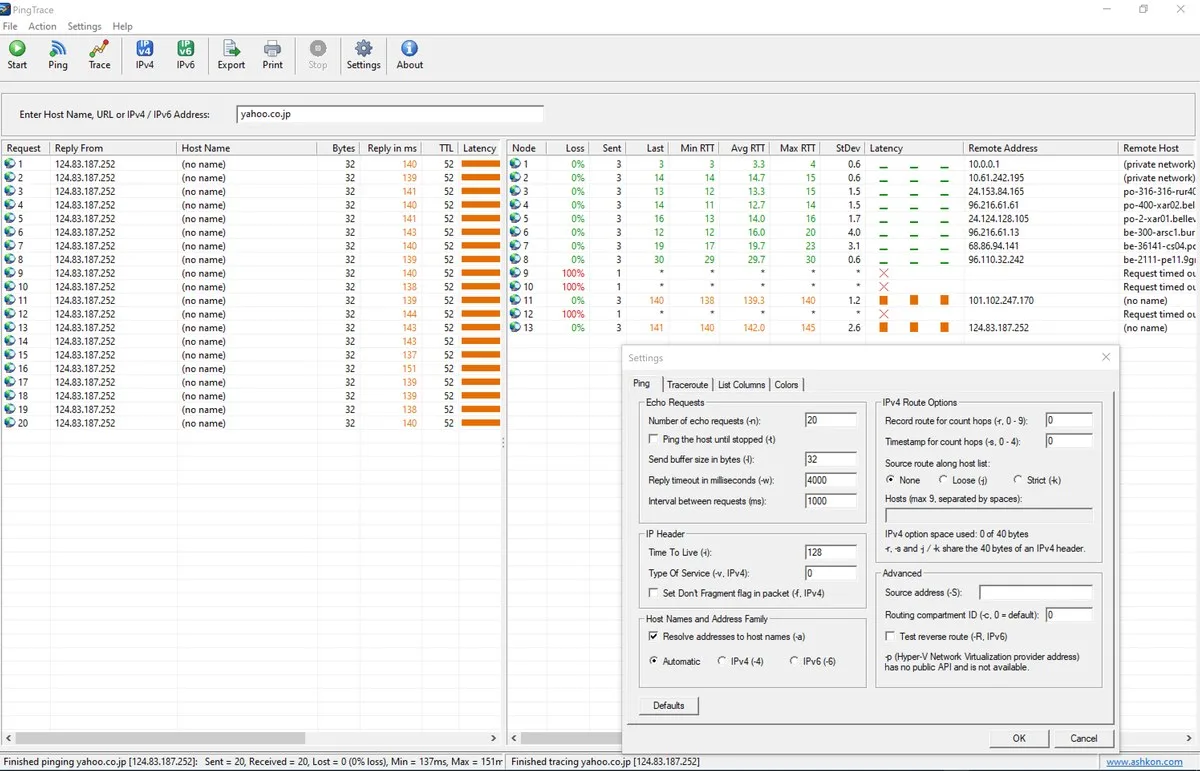
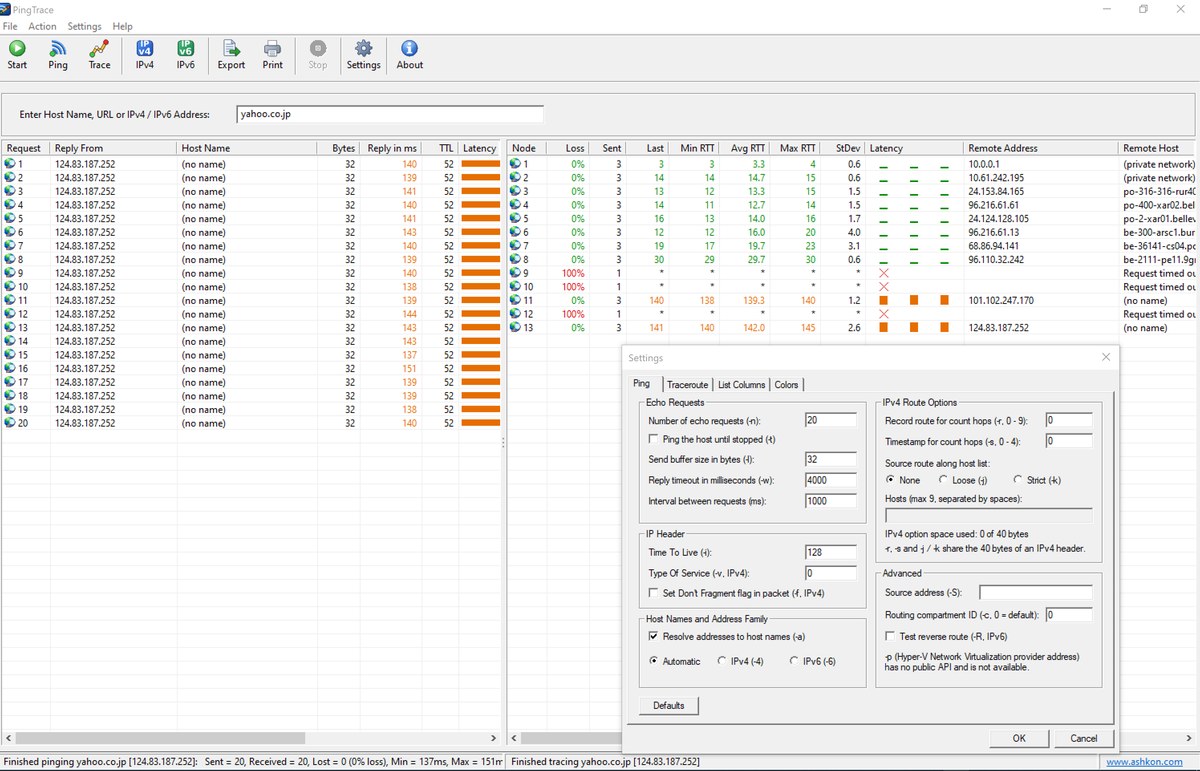
PingTrace combines ping replies and traceroute results in one Windows application. Enter a host name, URL or IP address to compare the destination's response times with the routers along the route. Continuous traceroute (MTR) mode repeats probes and maintains per-hop loss, minimum, average and maximum round-trip times, plus jitter, to help investigate intermittent connection problems.
IPv4 and IPv6 controls, Whois/RDAP lookups and network ownership information help identify the addresses along a route. A TCP port check provides another way to check a host that does not answer ping. Results can be exported to CSV or tab-separated text for a support ticket.
PingTrace is commercial software with a 30-day trial, not a permanently free utility. Interpret hop statistics carefully: a router that does not prioritize probe replies can show loss even when later hops do not. A missing ping reply alone does not establish that a host is offline.
What it offers
- View ping replies and traceroute hops side by side, with IPv4 and IPv6 support.
- Repeat traceroutes in continuous MTR mode and track per-hop loss, latency and jitter.
- Look up Whois/RDAP registration details and view ASN, network prefix and country information.
- Check selected TCP ports when a host does not answer ping.
- Export ping and traceroute results to CSV or tab-separated text, or print them.
Good to know
- The free trial lasts 30 days; continued use requires a paid license.
- Loss shown at an intermediate hop can reflect low-priority probe replies rather than lost forwarded traffic; compare the following hops before drawing conclusions.
Product images
Sources
References used for this listing. Retrieval dates do not indicate hands-on testing.
More in utilities
View category ↗
1.1.1.1 with WARP 2026.8.2115.0
Encrypt traffic from your Mac to Cloudflare’s network with WARP, or use DNS-only mode for encrypted DNS queries to the 1.1.1.1 resolver.
1.1.1.1 with WARP 2026.8.2115.0
Encrypt traffic between your Windows PC and Cloudflare, or use encrypted DNS only, with the free 1.1.1.1 with WARP app.

3uTools 9.12.005
Manage iPhone and iPad photos, music, apps and backups from Windows with 3uTools, a free utility that also includes device checks and firmware flashing tools.