
Utilities Windows
Plagius Plagiarism Detector
Check documents for suspected plagiarism with Plagius for Windows. Review highlighted passages and their sources; Professional adds local-file and batch comparisons.
- Operating system
- Windows 7 SP1, Windows 10 or Windows 11, as listed by the publisher
- Architecture
- Not specified by the publisher for this installer
- Download package
- EXE installer
Internet connection and administrator privileges for installation are required. The linked filename is 2.8.9; the catalog label is 2.9.14. No internal version or architecture was inferred.
Link checked · Download guidance
What is Plagius Plagiarism Detector?
Plagius Desktop checks documents for passages that also appear on the web. It is designed for reviewing academic papers and other written work: select a supported file, run an analysis, and examine the highlighted text alongside the source addresses in its report. Results can be opened in a browser or exported as HTML.
The Professional license adds local-file searches, batch analysis, cross-comparison between files, checks of web-page text and AI-generated text detection. Basic covers Internet plagiarism searches without AI detection. Both are paid, time-limited licenses rather than a free plagiarism-checking service.
Treat matches as evidence to investigate, not a verdict. The publisher says automated results require manual review, and quotations can be flagged even when properly credited. Plagius does not recognize text embedded in images, so a scanned PDF without extractable text is not a suitable input.
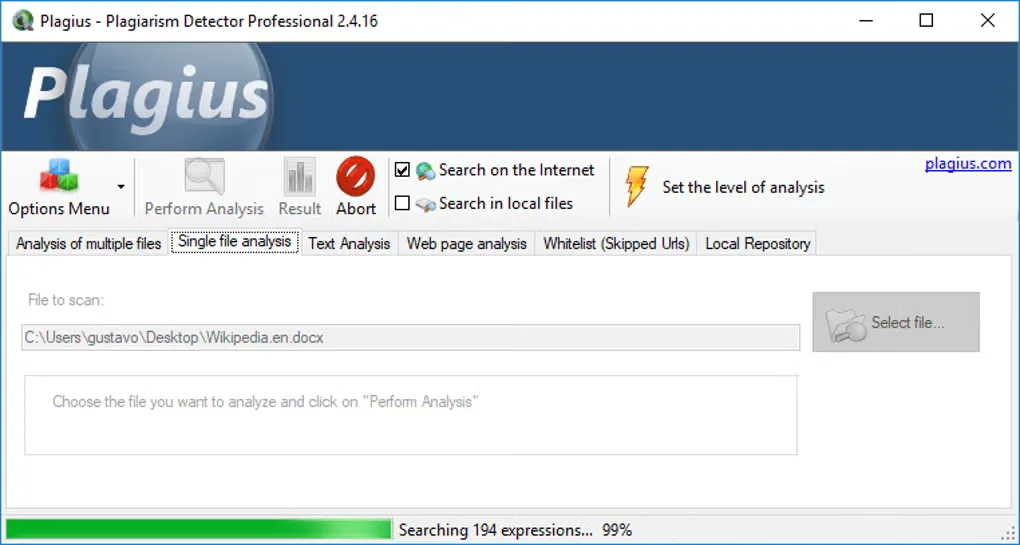
The publisher labels its stable Windows download 2.9.14 dated March 4, 2026, but links to a file named setupplagius2.8.9.exe. The internal installer version has not been confirmed, so no version is assigned to this download here. The gallery image shows the older Professional 2.4.16 interface and is illustrative, not a preview of a verified current build.
What it offers
- Search the Internet for passages similar to text in a document.
- Read DOC, DOCX, PDF, ODT, PPT, HTML, RTF and UTF-8 TXT files.
- Review highlighted passages with source addresses and export analysis results as HTML.
- Use local-file searches, batch analysis and cross-comparison with a Professional license.
- Check web-page text and use AI-generated text detection with Professional.
Good to know
- Manual review is required: similarity percentages alone do not establish plagiarism, and quotations may be flagged.
- Text inside images, including scanned PDF pages, is not recognized. Password-protected Word files and encrypted or password-protected PDFs cannot be opened.
- Basic excludes Professional features; licenses expire after the purchased term. Internet searches require a connection.
- The publisher download label and installer filename disagree; the linked executable’s internal version is unconfirmed.
Product images
Sources
References used for this listing. Retrieval dates do not indicate hands-on testing.
- Plagius - Plagiarism Detector ↗Retrieved
- Plagius - Other Downloads ↗Retrieved
- Plagius - Accepted Formats ↗Retrieved
- How to Interpret Plagiarism Results with Plagius ↗Retrieved
- Plagius Plagiarism Detector - Download ↗Retrieved
More in utilities
View category ↗
1.1.1.1 with WARP 2026.8.2115.0
Encrypt traffic from your Mac to Cloudflare’s network with WARP, or use DNS-only mode for encrypted DNS queries to the 1.1.1.1 resolver.
1.1.1.1 with WARP 2026.8.2115.0
Encrypt traffic between your Windows PC and Cloudflare, or use encrypted DNS only, with the free 1.1.1.1 with WARP app.


3uTools 9.12.005
Manage iPhone and iPad photos, music, apps and backups from Windows with 3uTools, a free utility that also includes device checks and firmware flashing tools.