

Utilities Windows
PowerToys for Windows
Arrange windows, rename files in bulk and remap keyboard shortcuts with Microsoft PowerToys, a free, open-source Windows utility suite.
- Operating system
- Windows 11 or Windows 10 version 2004 (build 19041) and newer, per Microsoft installation guide
- Architecture
- x64
- Download package
- Machine-wide EXE installer
Separate ARM64 and per-user packages are available. Setup installs Microsoft Edge WebView2 Runtime via a bootstrapper.
Link checked · Download guidance
What is PowerToys?
PowerToys brings several focused tools into one Windows utility suite. Use FancyZones to position windows in custom layouts, PowerRename to change groups of filenames, or Keyboard Manager to reassign keys and shortcuts. Color Picker samples colors from the screen, while PowerToys Run provides a keyboard-driven app launcher. Individual utilities can be enabled or disabled in PowerToys settings.
The linked download is Microsoft's machine-wide x64 EXE installer for version 0.102.3001.0. ARM64 computers need the separate ARM64 package. Microsoft's installation guide lists Windows 11 or Windows 10 version 2004 and newer, and notes that setup installs the Microsoft Edge WebView2 Runtime through a bootstrapper.
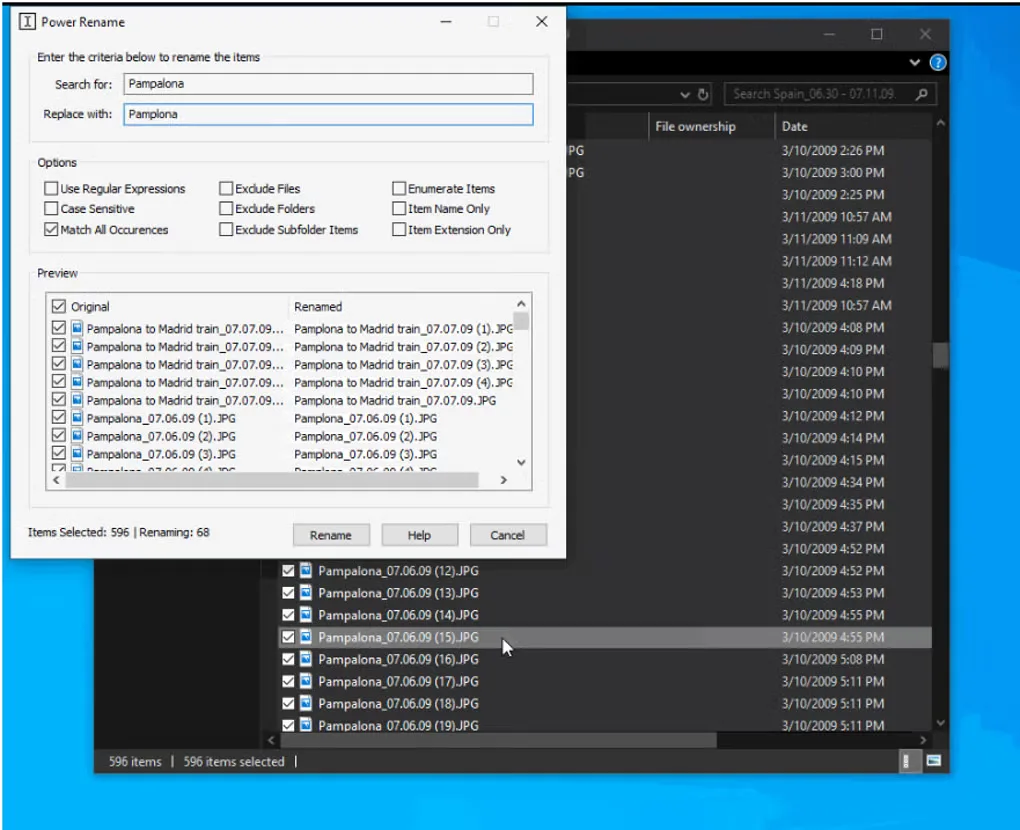
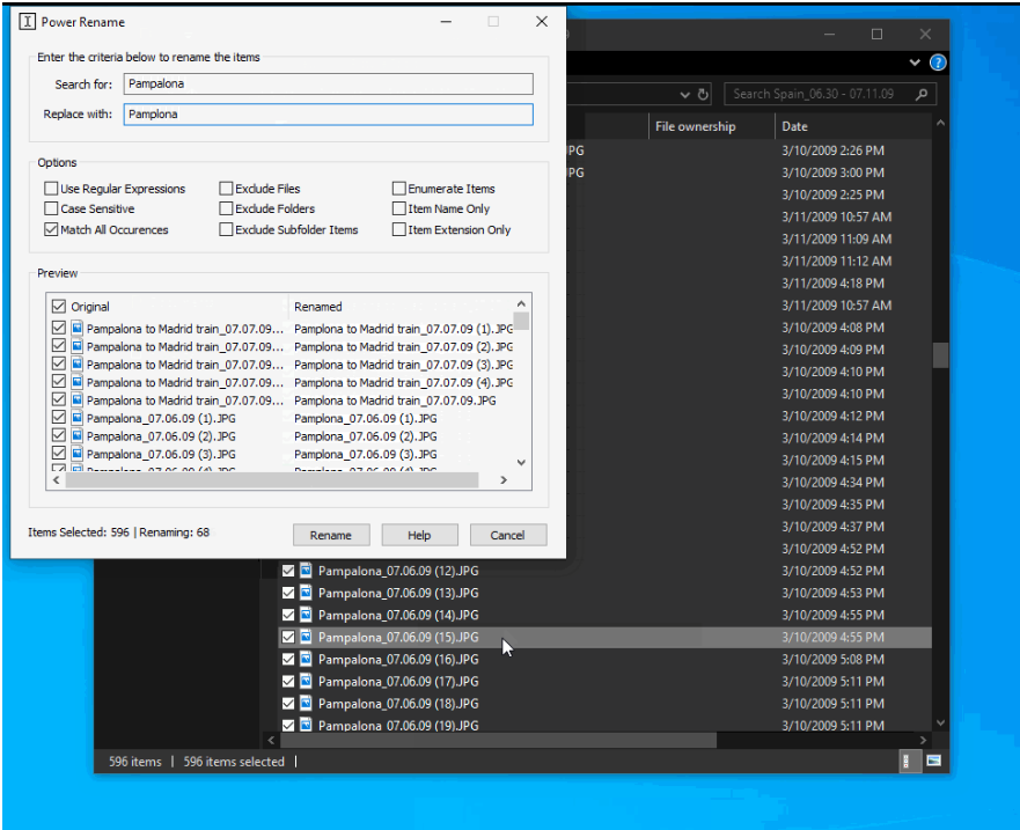
Keyboard remapping is not a permanent change to Windows: PowerToys must keep running in the background with Keyboard Manager enabled. It does not work on password screens and cannot replace reserved shortcuts such as Win+L or Ctrl+Alt+Delete. The screenshot shows an older PowerRename interface from the source gallery, not a verified view of the linked release.
What it offers
- Create custom window layouts with FancyZones.
- Rename files in bulk with PowerRename search-and-replace and regular expressions.
- Remap keys and shortcuts with Keyboard Manager.
- Sample on-screen colors with Color Picker.
- Find and launch applications with PowerToys Run.
Good to know
- Keyboard Manager remapping requires PowerToys to stay running and the utility to remain enabled.
- Keyboard Manager does not work on password screens or remap reserved Windows shortcuts such as Win+L and Ctrl+Alt+Delete.
- This x64 download is not the ARM64 installer; ARM64 devices require the separate publisher package.
Product images
Sources
References used for this listing. Retrieval dates do not indicate hands-on testing.
- Microsoft PowerToys - Windows Utilities for Power Users | Microsoft Learn ↗Retrieved
- How to Install PowerToys on Windows 11 and Windows 10 | Microsoft Learn ↗Retrieved
- Remap Keys and Shortcuts with PowerToys Keyboard Manager | Microsoft Learn ↗Retrieved
- Microsoft PowerToys release API — Release v0.102.3001.0 ↗Retrieved
- PowerToys MIT License — Microsoft Corporation ↗Retrieved
- PowerToys - Download — Windows source page and screenshot gallery ↗Retrieved
More in utilities
View category ↗
1.1.1.1 with WARP 2026.8.2115.0
Encrypt traffic from your Mac to Cloudflare’s network with WARP, or use DNS-only mode for encrypted DNS queries to the 1.1.1.1 resolver.
1.1.1.1 with WARP 2026.8.2115.0
Encrypt traffic between your Windows PC and Cloudflare, or use encrypted DNS only, with the free 1.1.1.1 with WARP app.

3uTools 9.12.005
Manage iPhone and iPad photos, music, apps and backups from Windows with 3uTools, a free utility that also includes device checks and firmware flashing tools.