
Utilities Windows
Print Conductor
Batch print PDFs, Word documents and images on Windows with Print Conductor. Arrange a file list, choose a printer and adjust settings for individual documents.
- Operating system
- Windows 7, 8, 10 and 11; Windows Server versions listed by the publisher
- Architecture
- 32-bit and 64-bit Windows supported by the publisher
- Download package
- EXE trial installer
Publisher requires .NET Framework 4.0 or newer and at least 4 GB RAM. Installer architecture was not independently inspected.
Link checked · Download guidance
What is Print Conductor?
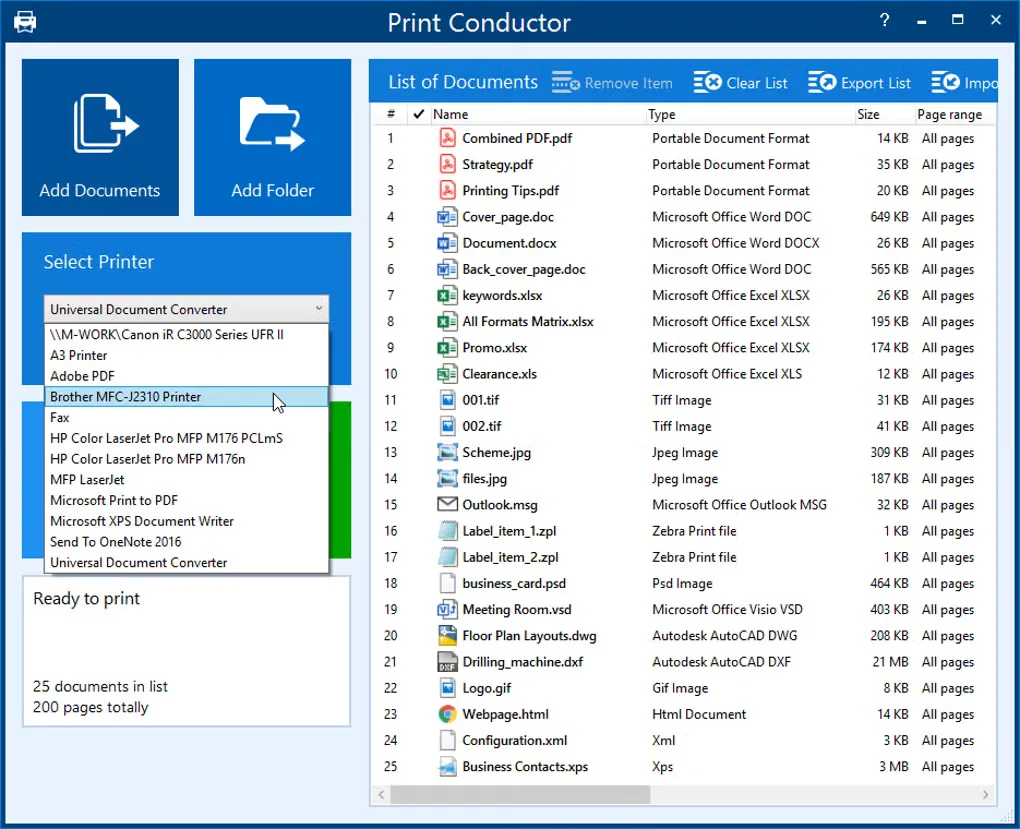
Print Conductor sends a list of documents to a printer in a chosen order, rather than making you open and print each file separately. Add files or folders, arrange the list and choose the printing device. It supports mixed batches including PDF, DOCX, TXT, JPG, PNG and TIFF files, making it useful for recurring document packs and office print runs.
Printing controls apply to the whole session or selected items. You can set page ranges, copies, paper trays and grayscale output for particular documents, then save a file list for reuse. The publisher provides a Windows trial installer; the trial adds a report page at the end of every print session, and business use requires a commercial license.
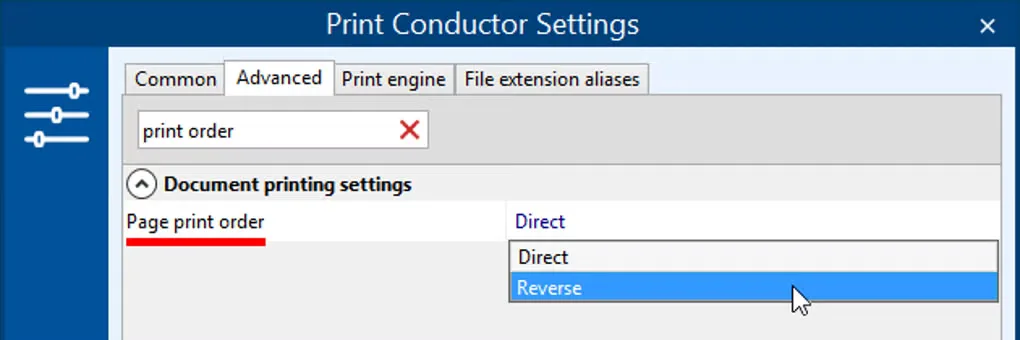
The gallery images illustrate the Windows interface shown on the source listing, including its document list, printer selector and page-order settings. That listing predates the publisher's version 12 download, so the screenshots do not establish the appearance of that release.
What it offers
- Print a mixed list of PDF, DOCX, TXT, JPG, PNG and TIFF files in a user-defined order.
- Add documents by drag and drop or load a folder instead of opening files one at a time.
- Adjust page ranges, copy counts, printer trays and grayscale output for selected items.
- Save and reload document lists for recurring print tasks.
Good to know
- The free evaluation version adds a special report page at the end of each print session.
- Business use and removal of trial limitations require a commercial license.
Product images
Sources
References used for this listing. Retrieval dates do not indicate hands-on testing.
More in utilities
View category ↗
1.1.1.1 with WARP 2026.8.2115.0
Encrypt traffic from your Mac to Cloudflare’s network with WARP, or use DNS-only mode for encrypted DNS queries to the 1.1.1.1 resolver.
1.1.1.1 with WARP 2026.8.2115.0
Encrypt traffic between your Windows PC and Cloudflare, or use encrypted DNS only, with the free 1.1.1.1 with WARP app.

3uTools 9.12.005
Manage iPhone and iPad photos, music, apps and backups from Windows with 3uTools, a free utility that also includes device checks and firmware flashing tools.