

Utilities Windows
PrivaZer for Windows
Scan and clean activity traces, browser data and residual deleted-file traces with PrivaZer, a Windows privacy cleaner with free and paid editions.
- Operating system
- Windows XP, Vista, 7, 8, 10 and 11
- Architecture
- Publisher lists 32-bit, 64-bit and ARM64 compatibility
- Download package
- EXE installer (free edition)
Publisher also lists HDD/SSD and FAT, NTFS and exFAT support. Portable package is offered separately; the installer binary was not inspected or run.
Link checked · Download guidance
What is PrivaZer?
PrivaZer is a Windows cleanup utility for examining and removing traces left by everyday computer use. It scans the system and external storage, displays findings, and offers cleanup of browser data, temporary files and residual traces in disk free space and file tables. Its focus is local activity traces rather than simply deleting a folder of unwanted files.
The publisher describes device-aware overwriting for hard drives and SSDs, cookie selection that can preserve chosen sites, and cleanup of Jump Lists while keeping pinned items. A separate file shredder permanently deletes selected files or directories. These are publisher-described capabilities, not results from an independent installation or recovery test.
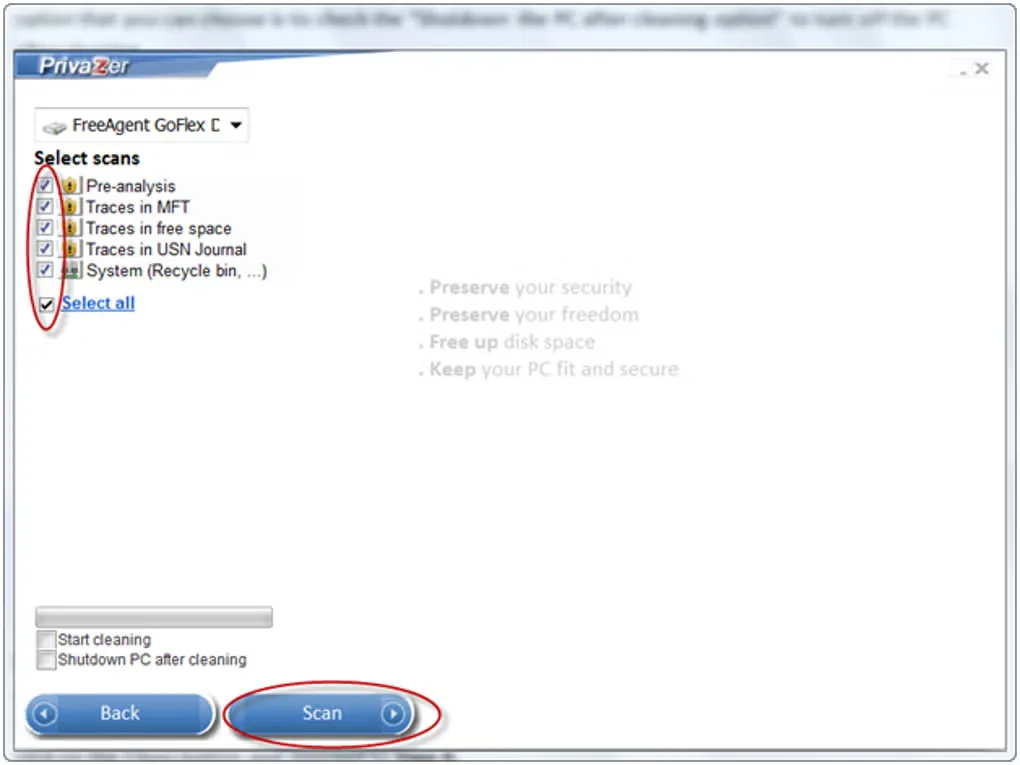
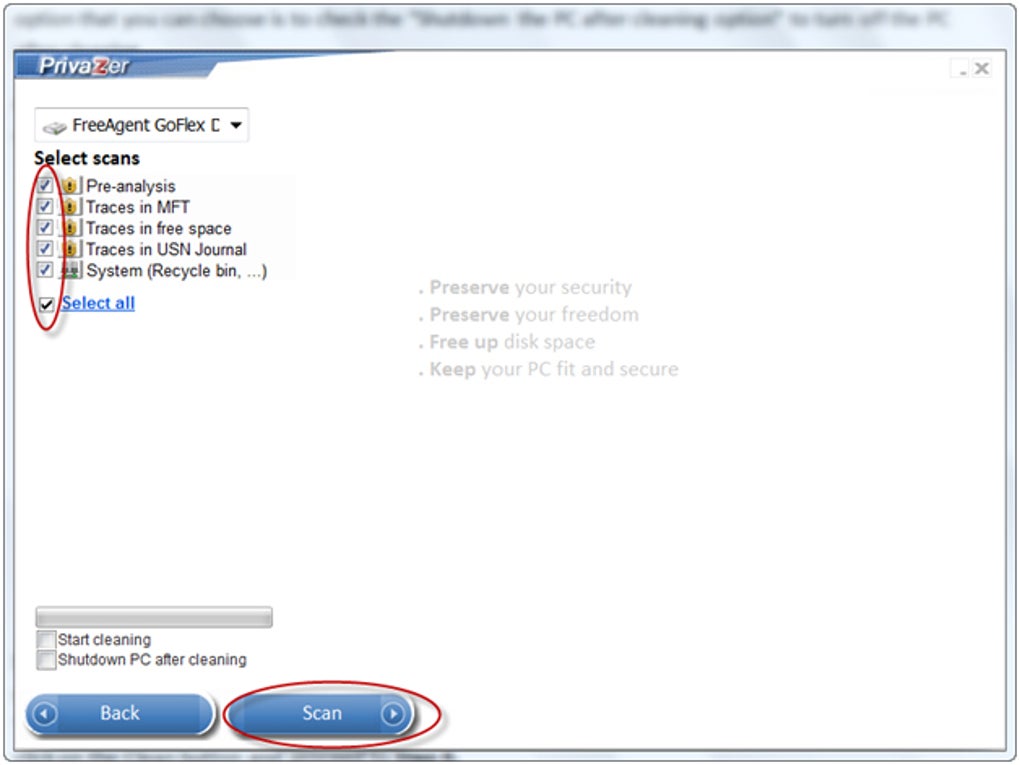
Cleanup by overwriting is irreversible. Review the selected categories and preserve files you need before cleaning; this is not a way to recover deleted data. The linked download is the publisher's free EXE installer. A portable download and a paid PRO edition are offered separately. The screenshot shows an older Windows scan-selection interface from the source gallery, not a verified view of version 4.0.127.
What it offers
- Scan Windows and external storage for activity traces and display the findings.
- Clean supported browser data, temporary files and residual traces in free space and file tables.
- Choose which cookies to remove and preserve selected sites' cookies.
- Clean Jump List history while preserving pinned items.
- Permanently delete selected files or directories with the file shredder.
Good to know
- Overwriting-based cleanup and file shredding are irreversible; review the selected data before cleaning.
- This link is the free installer, not the separately offered portable package or paid PRO edition.
- The source-gallery screenshot depicts an older interface, not a verified screenshot of version 4.0.127.
Product images
Sources
References used for this listing. Retrieval dates do not indicate hands-on testing.
More in utilities
View category ↗
1.1.1.1 with WARP 2026.8.2115.0
Encrypt traffic from your Mac to Cloudflare’s network with WARP, or use DNS-only mode for encrypted DNS queries to the 1.1.1.1 resolver.
1.1.1.1 with WARP 2026.8.2115.0
Encrypt traffic between your Windows PC and Cloudflare, or use encrypted DNS only, with the free 1.1.1.1 with WARP app.

3uTools 9.12.005
Manage iPhone and iPad photos, music, apps and backups from Windows with 3uTools, a free utility that also includes device checks and firmware flashing tools.